
[NSF] Integrate XDR with NSF version 8.0.106 and higher
Requirement
Native device integration – Sangfor NGFW integration with SaaS XDR for Log ingestion and co-related response.
Configuration Steps
01. Connect NSF with Platform-X account created with XDR License
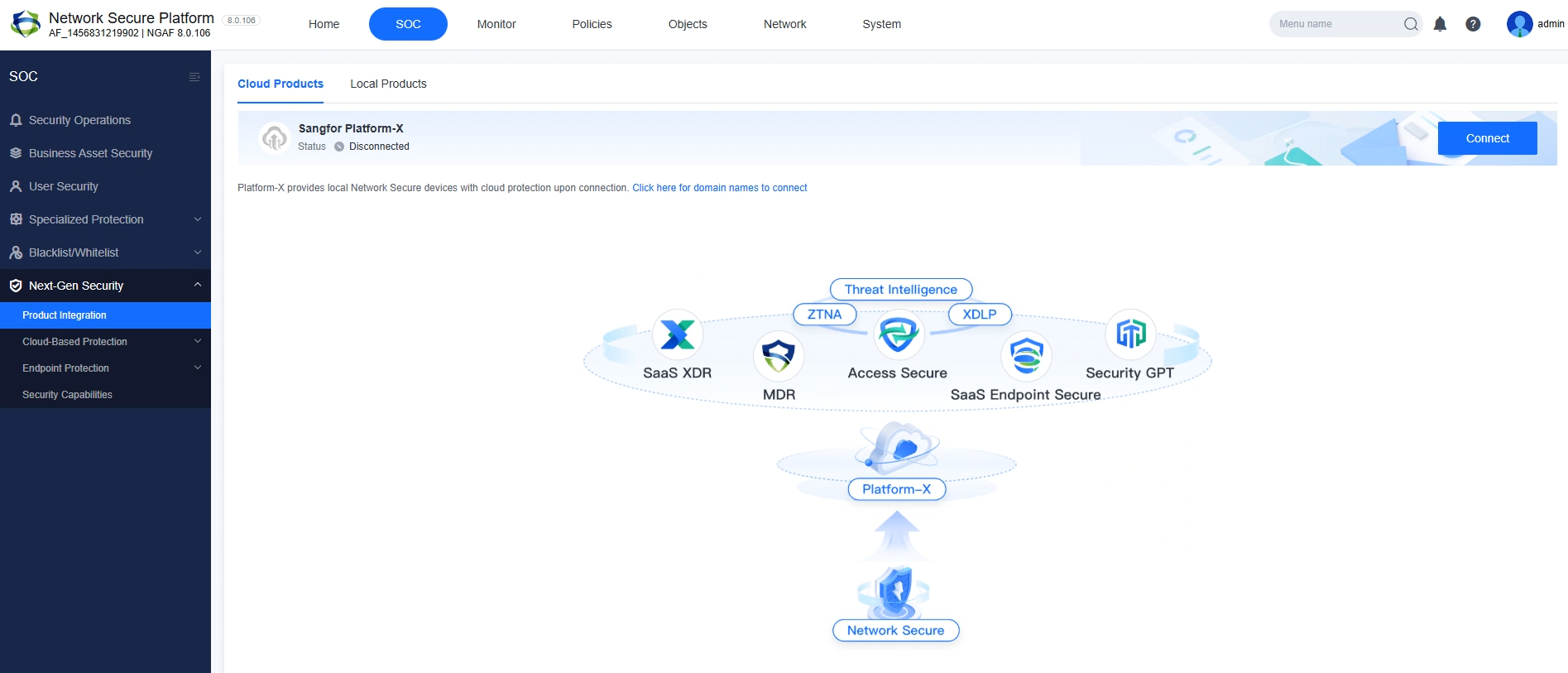
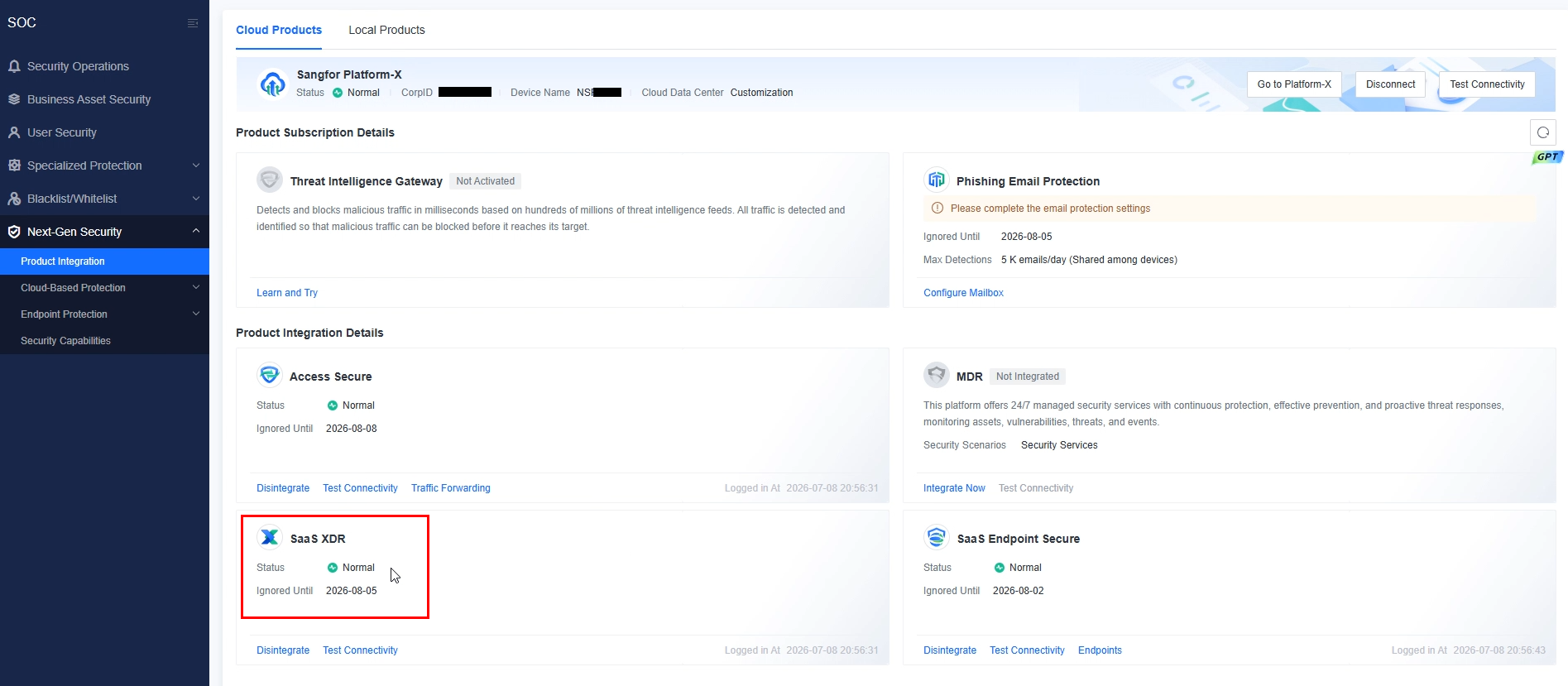
01.1 Go to SOC –> Next-Gen Security –> Product Integration and click "Connect"
02 Change Host file configuration in NGFW.
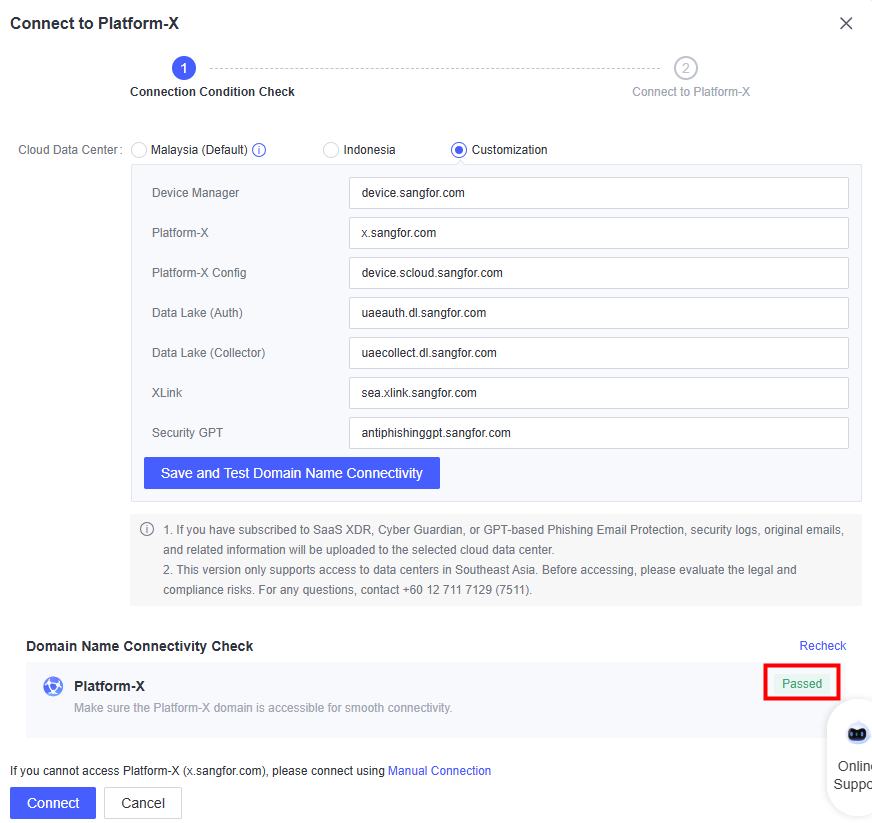
03 For UAE DC connection, select "Cloud Data Center" as "Customization" and add below domains and Save.
| Connection Module | Domain Name |
|---|---|
| Device Manager | device.sangfor.com |
| Platform-X | x.sangfor.com |
| Platform-X Config | device.scloud.sangfor.com |
| Date Lake (Auth) | uaeauth.dl.sangfor.com |
| X-Link | sea.xlink.sangfor.com |
| Date Lake (collector) | uaecollect.dl.sangfor.com |
| Security GPT | antiphishinggpt.sangfor.com |
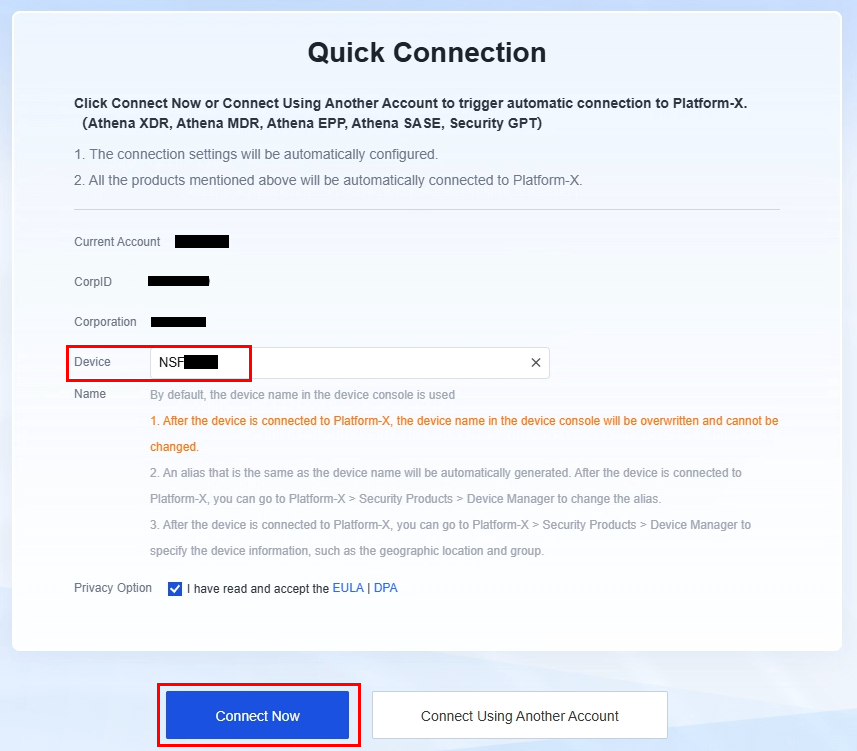
04 Login to the Platform-X account and select "Connect Now"
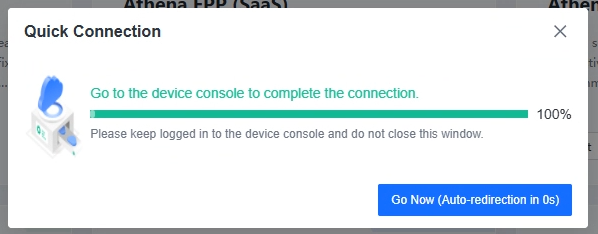
Once the connection is established, wait for 1-3 minutes to complete the integraiton. According to the license availability, will integrate the devices.
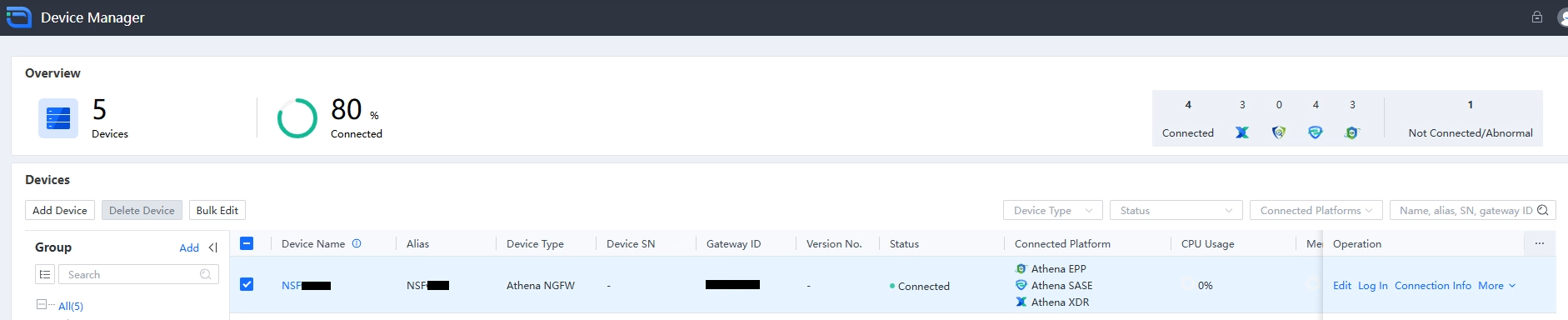
Can verify in the Platform-X Device Manager for connectivity status and Connected platforms.
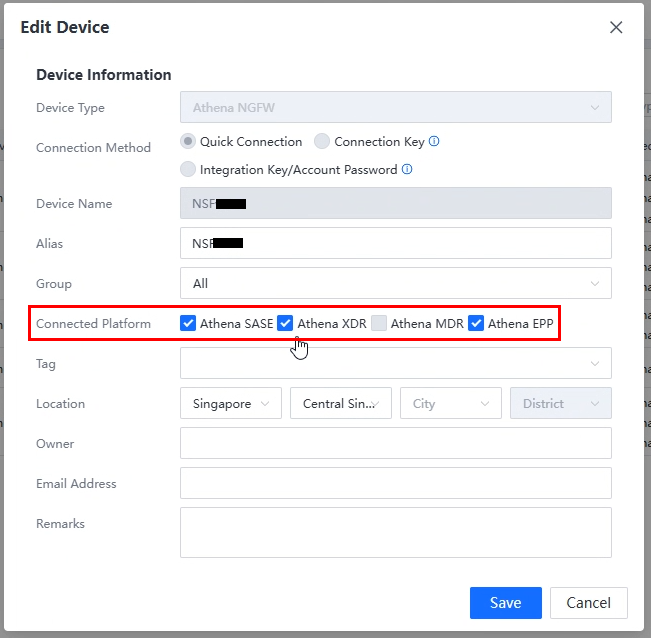
click on "Edit" button for Platform Selection customization.
05 After few minutes, device will be reflected in XDR under Configuration –> Device Connection
