【VDI】LDAP Admin Least Privileges Configuration Guide_All Versions
1 Introduction
Administrators should only have the privileges they need for their specific roles. With LDAP admin bind, you can configure a dedicated admin account in Active Directory for LDAP authentication, allowing admins to perform lookups and reset passwords. This way, they do not need to be a member of the Account Operators or Domain Administrators built-in groups, which enhances the security and reduces the risk.
2 Configuration Steps
-
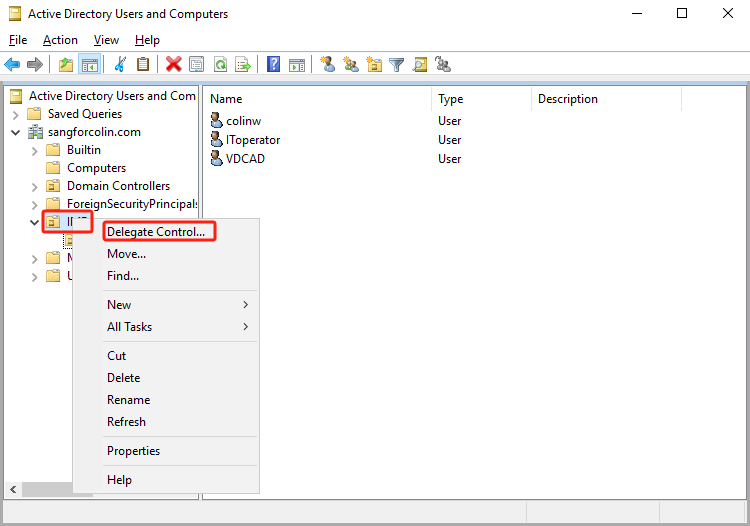
In the Active Directory Users and Computers administrative console, right-click the Organizational Unit (OU) or the top-level domain that needs to be configured and select Delegate Control.
-
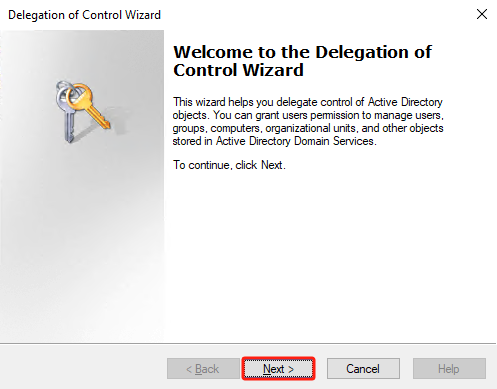
In the Delegation of Control Wizard dialog box, click Next.
-
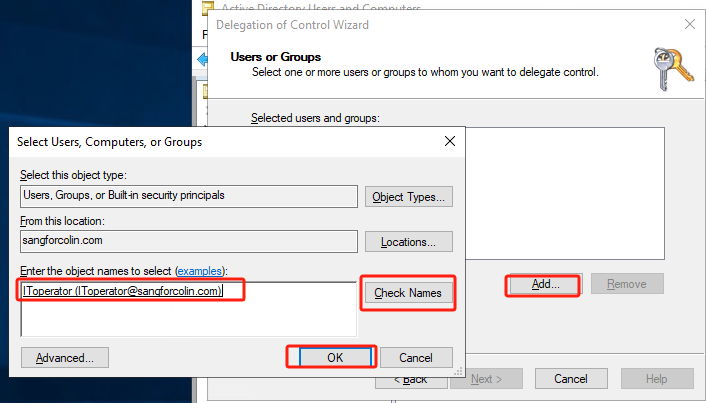
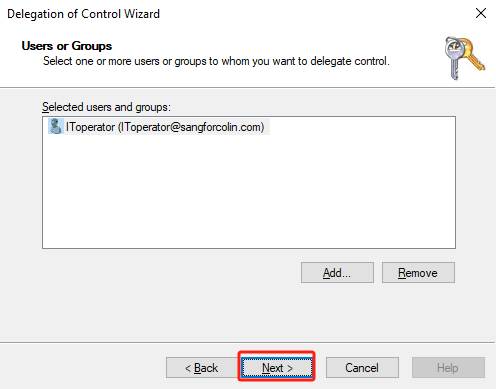
In the Users or Groups dialog box, click the Add…button and search Active Directory for the users or groups.
-
Click OK and then click Next to proceed.
-
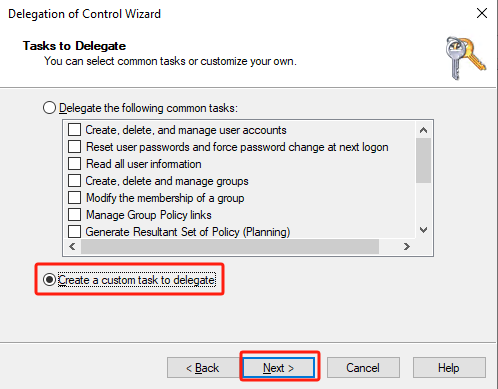
In the Tasks to Delegate dialog box, check the Create a custom task to delegate checkbox. Then click Next.
-
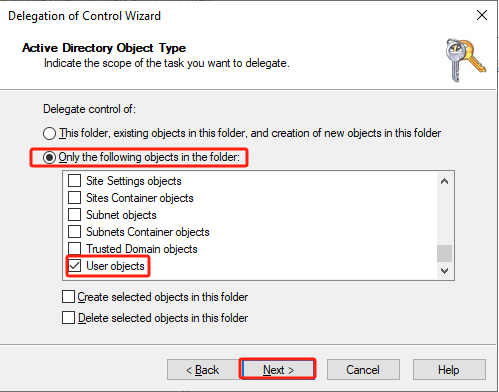
Select Only the following objects in the folder for Delegate control of and scroll to the list’s bottom. Check the User objects checkbox and click Next.
-
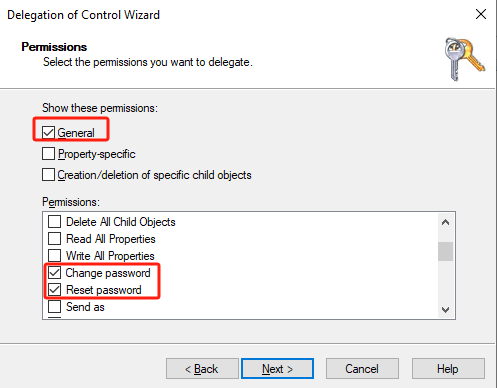
In the Permissions dialog box, select General for Show these permissions.
-
In the Permissions list, select the following checkboxes:
-
Change password
-
Reset password
-
-
Clear the General checkbox and select Property-specific for Show these permissions.
-
In the Permissions list, select the following:
- Read lockoutTime
- Write lockoutTime
- Read pwdLastSet
- Write pwdLastSet
- Read userAccountControl
-
Write userAccountControl


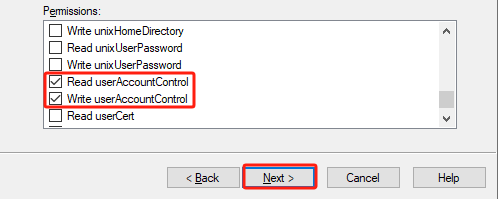
-
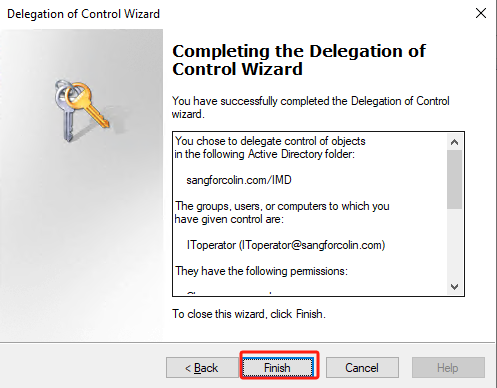
Click Next and click Finish.