
【aDesk】【HCI-Windows】SCP failed to reset the virtual machine Password
Problem Description
Failed Auto unlock after reset the virtual machine Password in SCP
Warning Information
The task was executed Successful, but the virtual machine Password was not actually Reset successful.
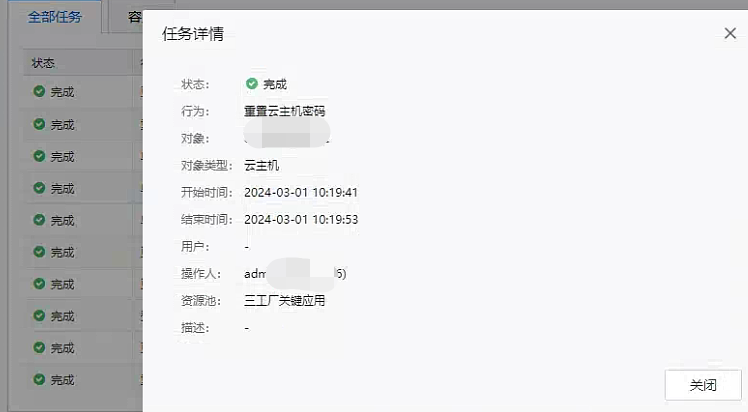
Effective troubleshooting steps
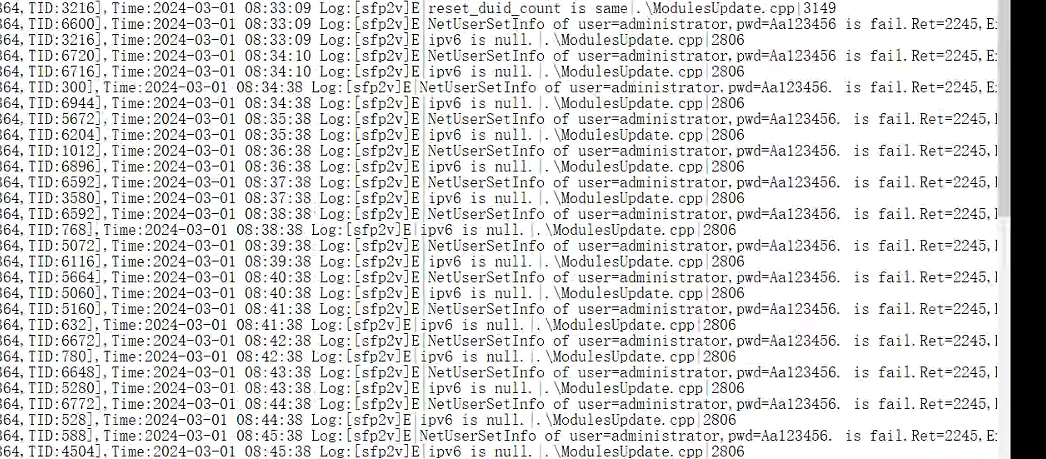
- Analyze the log of SangforModulesUpdateServer under C:\Windows\Temp\Sfp2v\Log\20240423 (note Yes the this Time) and find that Failed and Back 2245.
Use net helpmsg to query 2245, which Yes Password does not meet the Password Policy requirements.
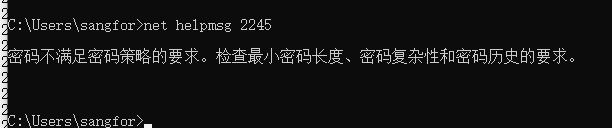
- Solve Password after adjusting the password complexity
solution
Change the complexity of resetting Password
Original Link
https://support.sangfor.com.cn/cases/list?product_id=26&type=1&category_id=27286&isOpen=true