
【aDesk】, master control is changed, vdi VM Click the Resource to get VM SettingsFailed
Problem Description
, master control is changed, when vdi Connected VM Click Resource, an error message is displayed and the VM Settings Failed be obtained.
Warning Information
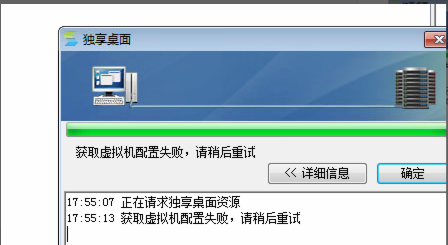
764165cd448e2085a4.png (54.33 KB)
Root cause
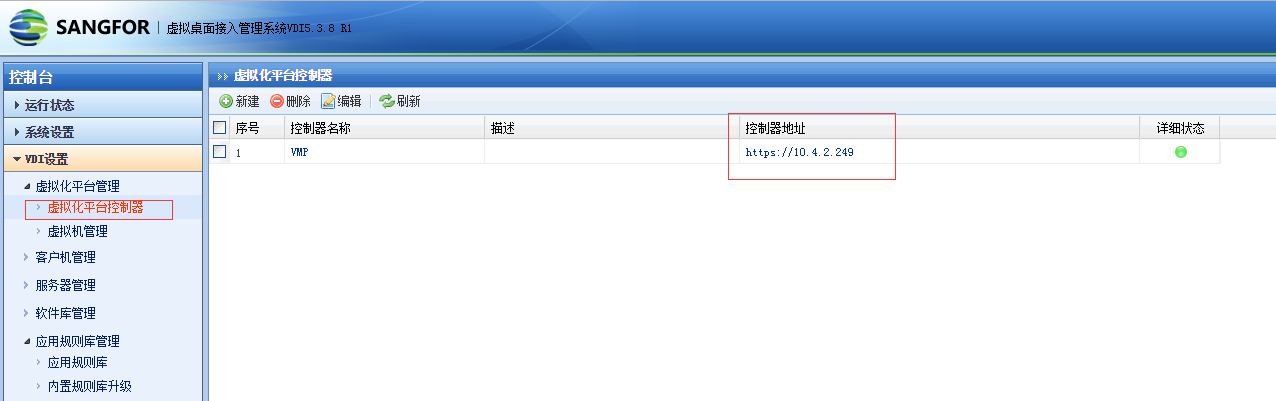
The HCI GUI controller on the VDC uses the fixed IP of the original master controller. The master controller change turns the original master controller into a slave node. The slave node cannot perform Log In account verification, which will cause the failure to obtain the VM Settings.
449715cd4494d15875.png (63.43 KB)
solution
This Yes situations that causes failure in obtaining VM Settings. In this case, just change the HCI GUI Administrator Console to the VMP Cluster IP address.
Original Link
https://support.sangfor.com.cn/cases/list?product_id=26&type=1&category_id=10757&isOpen=true