
【aDesk】, Mon customer Reset a VM, all personalized data before Reset will be Lost, including wallpapers, Browse… data, bookmarksetc.,Lost
Problem Description
For a dedicated Mode VM, personalized data Lost;
Effective troubleshooting steps
- First, OK the content of the personalized data mentioned by User and find that the Browse… favorites are indeed gone;
- , was found that the temporary Windows user was View and the temporary User File used, and the profile of the real Windows user used Above was not File;
- Check the original User Usrclassdata and find that Yes cannot Connected loaded normally (Description Yes damaged);
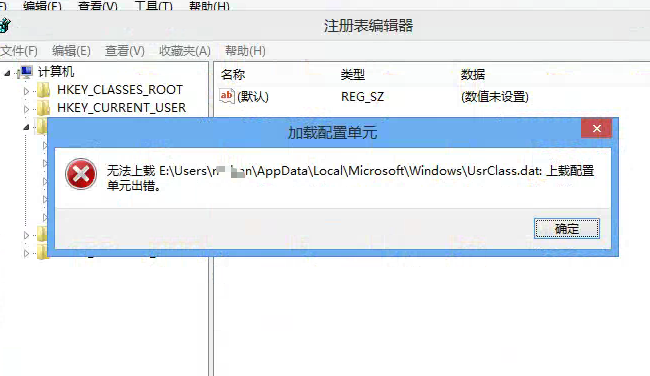
- Take a snapshot of the environment, and then confirm and the **User OK the VM using the same Template are all using the Windows User ** inherent in the Template, and VM are not used for a long time, so try to copy the usrclass.data file of Connected environment to the problem machine under PE;
- Powered On verification Connected and the original Windows user is loaded User;
Root cause
The usrclass.data file of User Windows user is damaged, causing Windows to be unable to load User Settings File Connected, so the original User personalized data is not loaded, resulting in Lost;
solution
If OK Error VM and Connected VM use the same Windows User, and User has not used the VM for a long time, and the difference in usrclass.data is not that big, then you can consider taking a snapshot and replacing the usrclass.data File
Original Link
https://support.sangfor.com.cn/cases/list?product_id=26&type=1&category_id=27217&isOpen=true