
【aDesk】.net framework 3.5 Install error 0x800f081f in win10
Problem Description
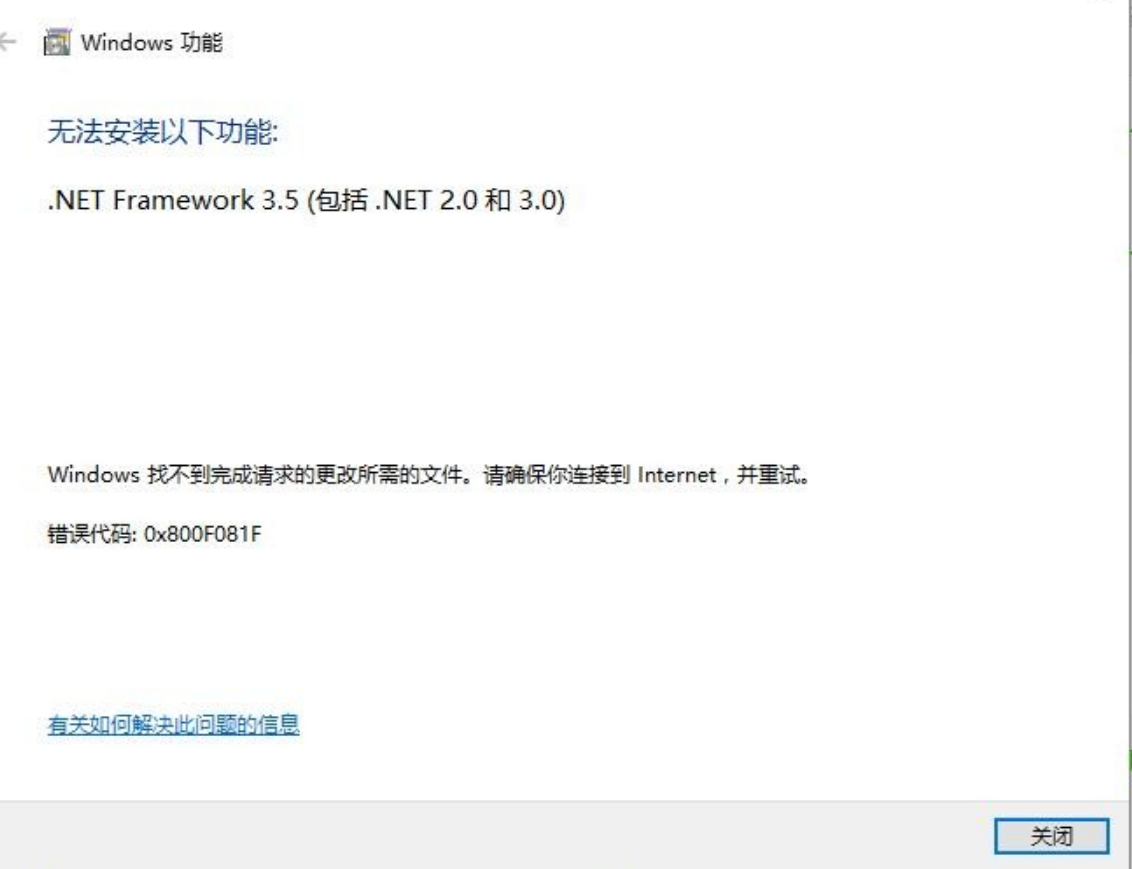
**WIN10 cannot Install .Net Framework 3.5 Error code 0x800f081f. **
Warning Information
273795bc6a145db532.png (220.23 KB)
Root cause
Windows Update are Close.
solution
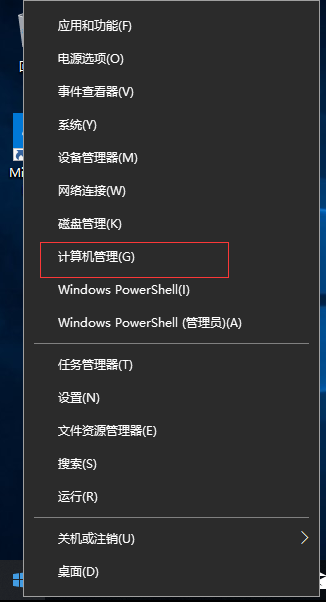
- Right-click the Start button in the lower left corner and Select Computer administration and management.
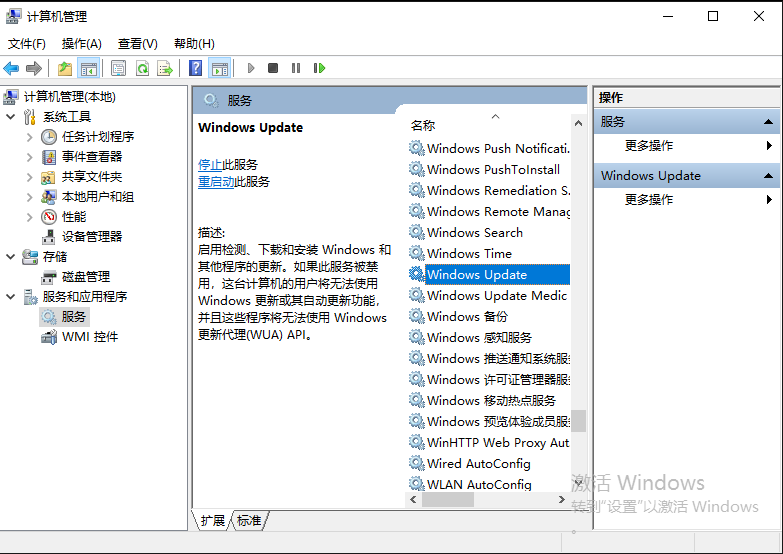
228565bc6a2c1bc0fc.png (37.96 KB) - Find [Service and Applications] – [Service] – [Windows Updates].
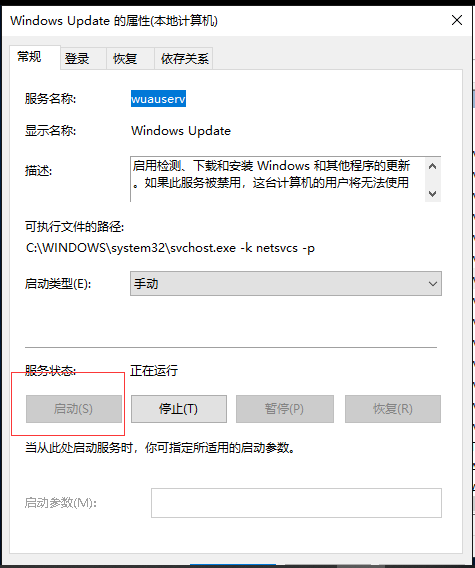
620355bc6a32b21b7a.png (106.3 KB) - Double-click Service and Enabled. The installation Install Connected.
984645bc6a36a2880c.png (36.97 KB)
Original Link
https://support.sangfor.com.cn/cases/list?product_id=26&type=1&category_id=10533&isOpen=true