
【aDesk】, Reset the host, VM cannot obtain Resource Tips “VM is Offline” Status
Problem Description
Below the host Reset, VM Resource cannot be obtained, and the box Connected account Mon Auto unlock after to obtain Resource; when the vdi client accesses, Connected Tips "VM AND Offline, please try again later."
Warning Information
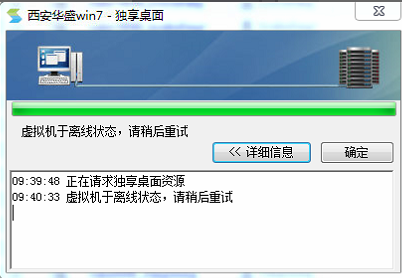
961785b5bfa4f5d4b0.png (75.43 KB)
Process——
-
Use IE Browse… to Log In vdi. You can Log In Successful, but when obtaining Resource, it will Tips "VM is Offline".
-
I can Log In Successful using the Log In, but it is Mon on the Resource interface.
-
Auto unlock after VDC Administrator Console, check the VM Status Medium VM administration and management View it Yes Powered On Connected.
-
View VDC log and find that the connection and VMP and VDC Error.
-
View VM platform controller and Test Connectivity the connectivity and VDC and VMP. It is found that multiple controllers are Settings and some controllers are Offline.

271635b5c003153f56.png (29.68 KB) -
Check the platform to which the virtual machine belongs for the offline controller.
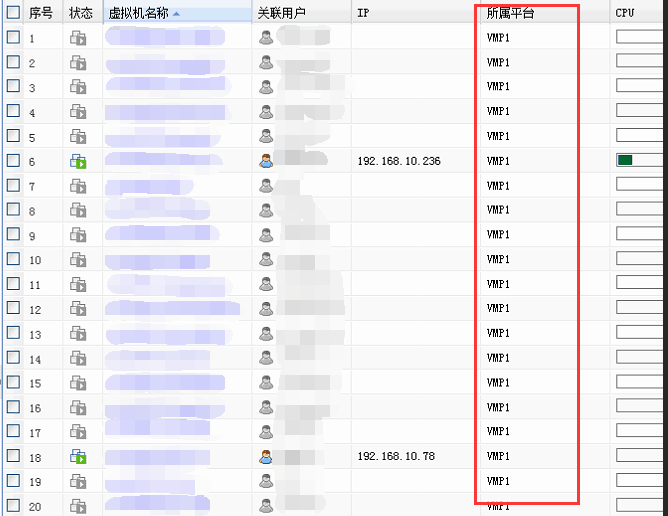
938675b5bfe59d7ada.png (77.61 KB)
solution
-
Delete the redundant controllers in [Virtualization Platform Controller] without affecting the business (Note: If you encounter the following situation "the controller is already in use and cannot be deleted", delete other cluster controllers that can be deleted and change the IP and password of the controller to be used).
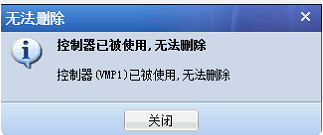
992475b5bfee0a7441.png (20.21 KB) -
After the configuration is completed, check the controller status, test that the VDC and VMP are connected successfully, and save the configuration.
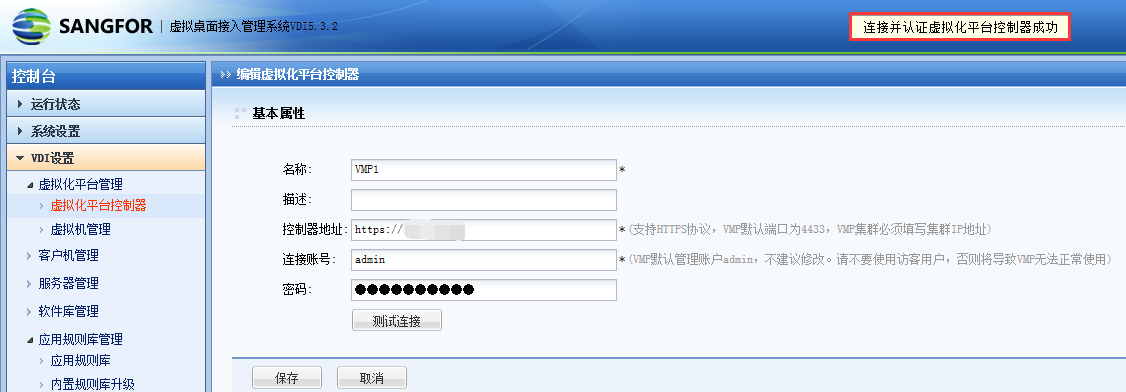
962305b5c00e0dd90a.png (69.93 KB) -
After OK the controller Connected Online, Log In vdi Successful obtain Resource.
Suggestions and Conclusion
- If multiple hosts form a Cluster, it is recommended to configure the address of the HCI GUI controller as the Cluster IP address.
- When Delete HCI GUI controller on the VDC Tips the prompt "It is already in use and Message" appears, just Edit it and Change the Administrator Console Address and Password.
Original Link
https://support.sangfor.com.cn/cases/list?product_id=26&type=1&category_id=10374&isOpen=true