
【aDesk】 When accessing the vdi client, it reports “An abnormal page status is detected. Please Refresh the page OR Close the browser and Log In again.”
Problem Description
AfterLog In Passed Win7 computer through a vdi client, the following Error was reported when the web page (Sogou Browser) jumped. Below Click confirm, it , automatically OK out. After Click re-login on the web page and entering the account and password, it could be . 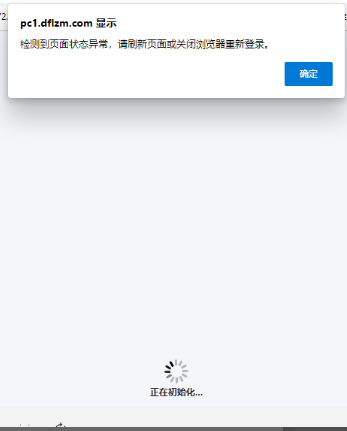

Warning Details
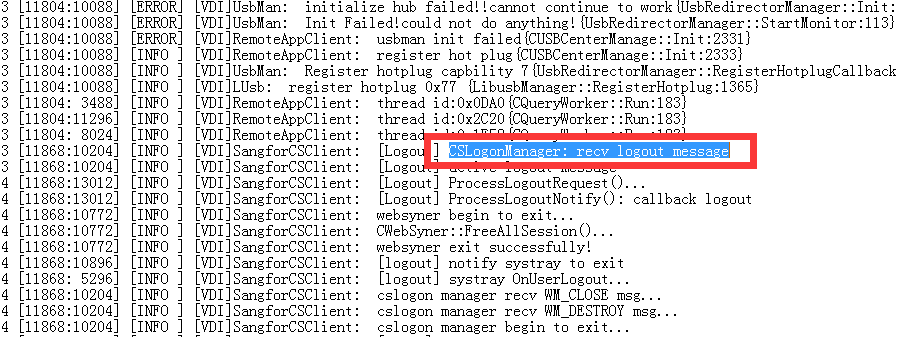
The logs of the problematic client are Other the same as those of other clients.
Effective troubleshooting steps
- Reinstall Install vdi client and Change the Default Browse… (client bound and cannot be Change).
- Changing the mode Medium the client Type still does not solve the problem.
- Change the Sogou Browse… Mode to compatible Mode and the problem will be solved.
solution
Change the Browse… to compatible Mode to solve the problem
Operation Impact Scope
None
Suggestions and Conclusion
As of the standard Version vdi, it is recommended to use IE browser to Log In in to vdi via By Webpage. Other Browse… may prompt you to install jre plug-in or you may not be Install to see resources after Log In. The vdi client only supports win11 in vdi 5.5.1.
Original Link
https://support.sangfor.com.cn/cases/list?product_id=26&type=1&category_id=12316&isOpen=true