
【aDesk】2D aDesk vdi scene, Oriental simulation Software crash problem solved
Problem Description
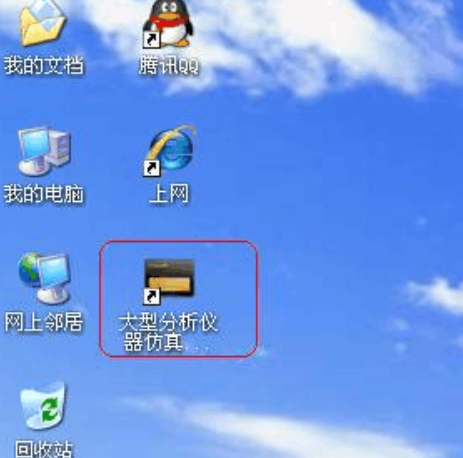
626595ba0f3aec2f56.png (238.06 KB)
Oriental simulation Software needs to be Running in an environment with a graphics card, so it will Running when running in a 2D aDesk vdi scene.
solution
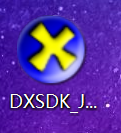
- Install Microsoft's DXSDK_Jun_DX9 (click the next step to Install).
Link: https://pan.baidu.com/s/1A_lr5wcMpV_QVwTZpfacAA Password: 60ou
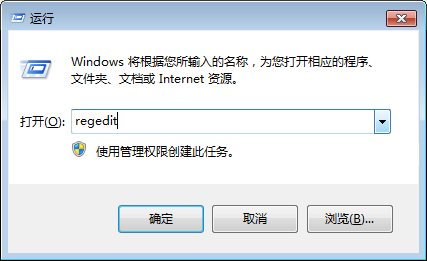
60175b9effd15bf12.png (28.67 KB) - Change the Registry Details, Auto unlock after VM with the win+r shortcut key, and enter regedit Open Registry.
56775ba1a7b46f072.png (20.43 KB) - Find the following two tables Add PISPNETRun.exe, the data Value is 0
HKEY_LOCAL_MACHINE\SOFTWARE\Wow6432Node\Sangfor\SSL\vdi\VDHook\DirectDrawPlayer
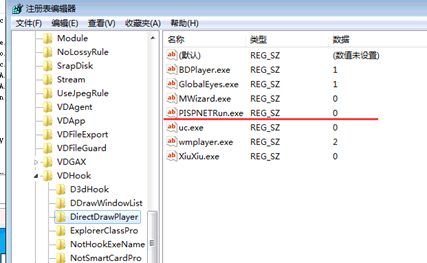
942915b9effe42f958.png (64.14 KB)
HKEY_LOCAL_MACHINE\SOFTWARE\Wow6432Node\Sangfor\SSL\vdi\VDHook\D3dHook
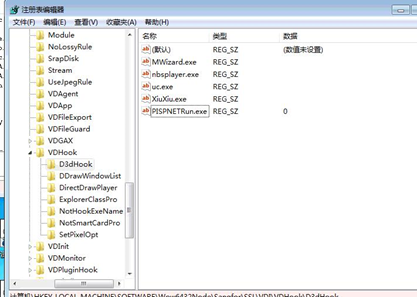
772415b9f001b89066.png (91.41 KB) - Close VDshell.exe in the Task Manager (it will be automatically launched when it Finish), and Open the VM Passed small box to perform Software Test Connectivity. Because Yes uses the CPU Usage to simulate 3D, there may be some lag in Running, so communicate and the customer in advance.
Original Link
https://support.sangfor.com.cn/cases/list?product_id=26&type=1&category_id=10480&isOpen=true