
【aDesk】320 box cannot play sound after connecting to the monitor
Problem Description
In Version 5.5.3, when the HDMI interface of aDesk-STD-320 box Connected the display, the speaker built into the display plays no sound
Effective troubleshooting steps
- View box system Settings–>sound Settings. The playback device Yes HDMI audio, and the audio Service Yes PulseAudio (Default). The box Settings Connected.
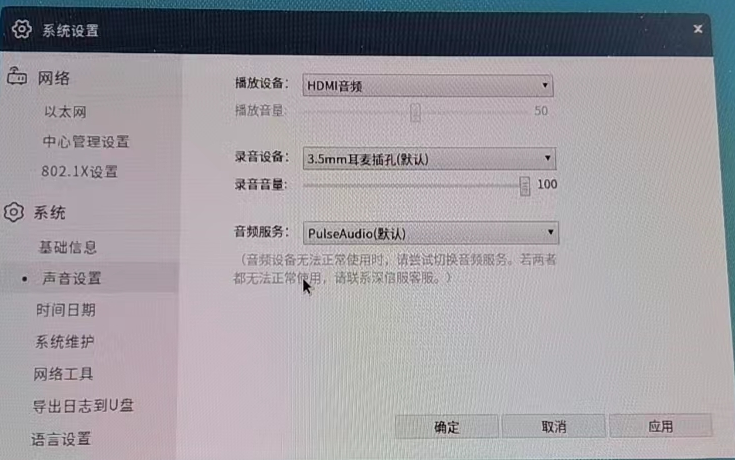
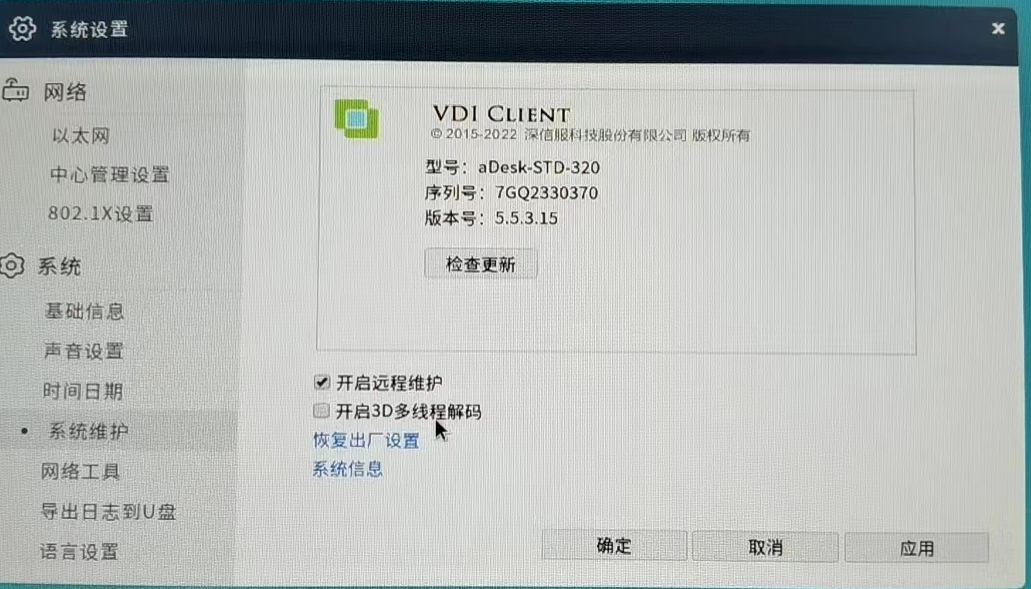
- View the box ROM Version and find it Connected. Restore factory settings or replace with Other same Model and the problem persists.
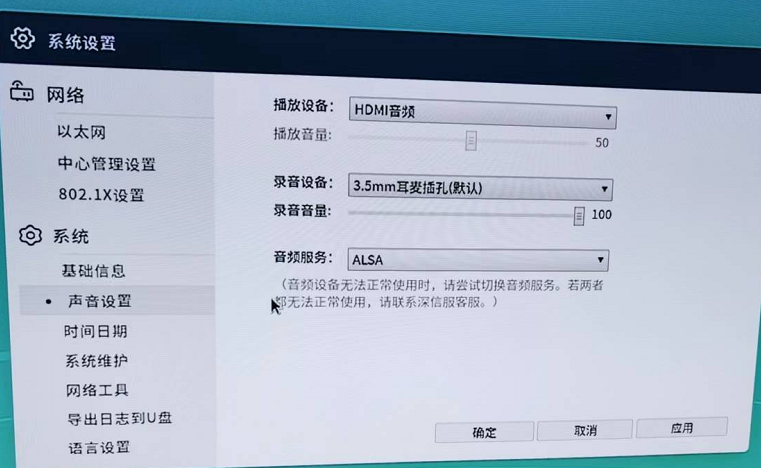
- The problem persists after changing the audio Service to ALSA
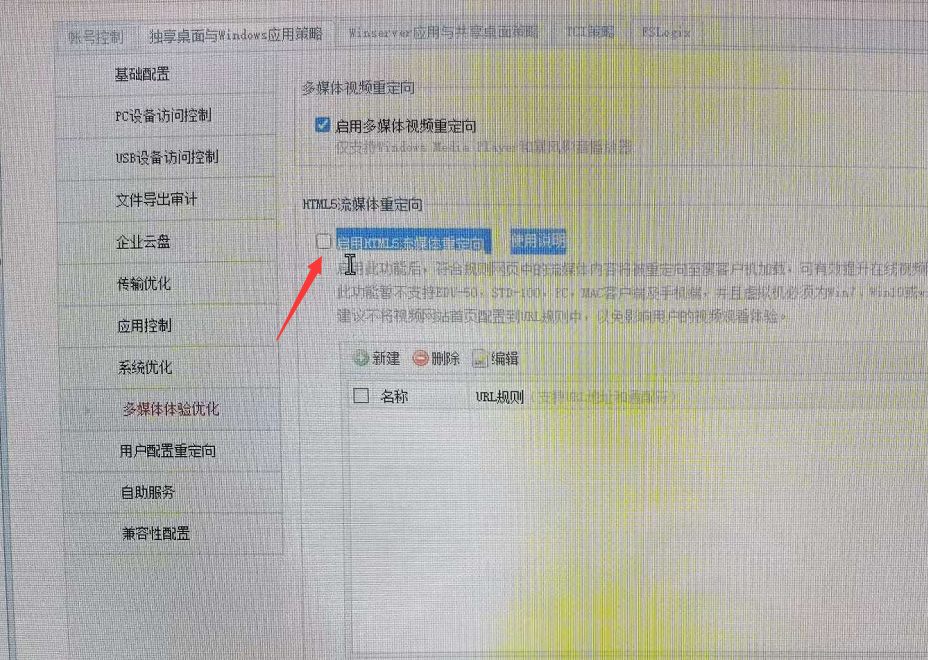
- View VDC Policy Group -> Virtual Desktop AND Windows App Policy -> Video Redirection, and find that HTML5 streaming media redirection is Enabled. After unchecking it, you can Powered on ALSA audio Service to play sound normally.
Root cause
- The PulseAudio Service Error, and only ALSA audio service can be Service
- ALSA can only be accessed Odd Process, and Disabled H5 redirection function needs to be disabled
solution
The box uses ALSA audio Service, and check Auto unlock after HTML5 streaming media Policy the VDC policy.
Original Link
https://support.sangfor.com.cn/cases/list?product_id=26&type=1&category_id=13479&isOpen=true