
【aDesk】3D Passthrough VM cannot be Powered On, Tips insufficient graphics card Resource
Problem Description
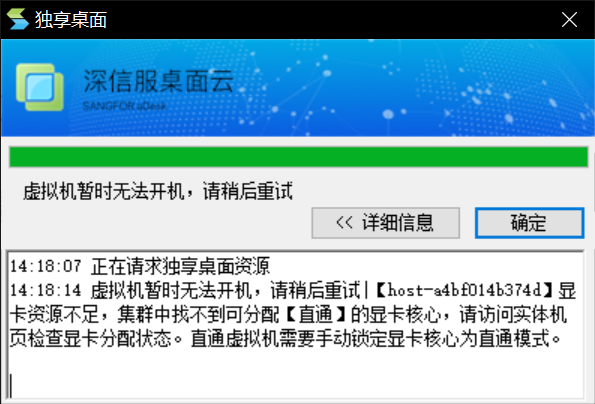
The 3D Passthrough VM cannot be powered Powered On. The graphics card resources of [host-a4bf014b374d] are insufficient. No graphics card core that can be allocated for [Passthrough] can be found in the Cluster. Please visit the physical machine page to check the graphics card allocation Status. Passthrough VM you need to manually None but locked graphics card core to Passthrough Mode.
763215b62a23f18037.png (120.47 KB)

233805b62a20682d71.png (21.53 KB)
Root cause
The graphics card core is None but locked to the Passthrough Type OR all Passthrough Type graphics card cores are occupied and there are no idle cores Running Passthrough VM.
Description Starting Version 5.3.3, all graphics card cores of M10/M60 graphics cards Default to VGPU automatic split Mode, so you need to manually None but locked core before . the Passthrough-through Type graphics card.
solution
If None but locked graphics card core is not locked to the Passthrough Type, you can manually None but locked Graphics Adapter to the Passthrough solution. The None but locked method is shown in the figure below:
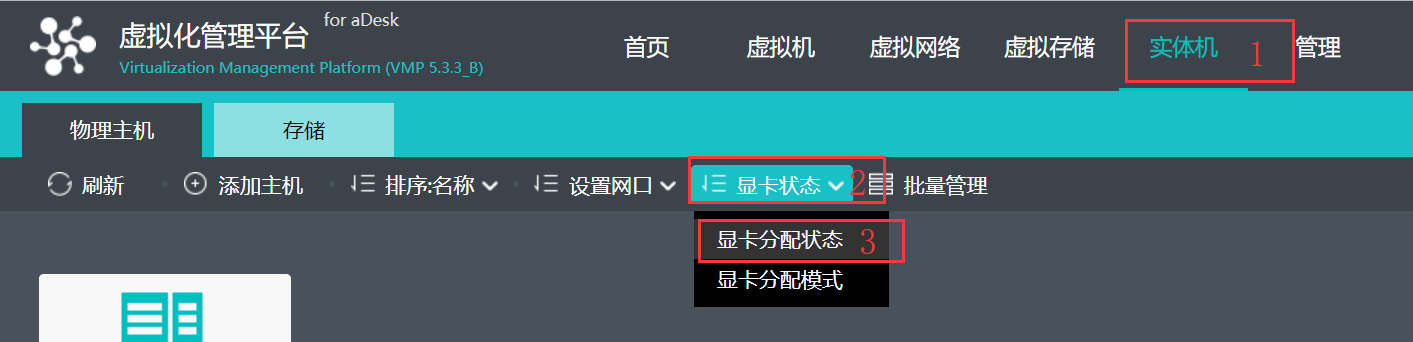
- From the physical machine –> Graphics card Status –> Graphics card allocation Status, Open graphics card allocation Status Edit page;
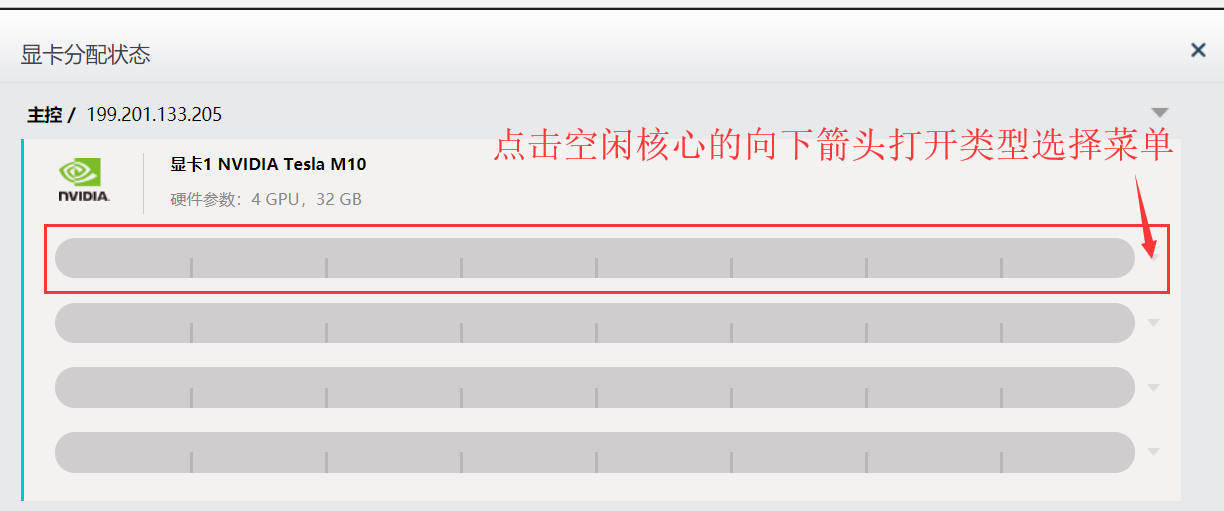
426915b62a599adbd8.png (57.7 KB) - Click the down arrow on the right side of the idle graphics card core Open Type Select menu;
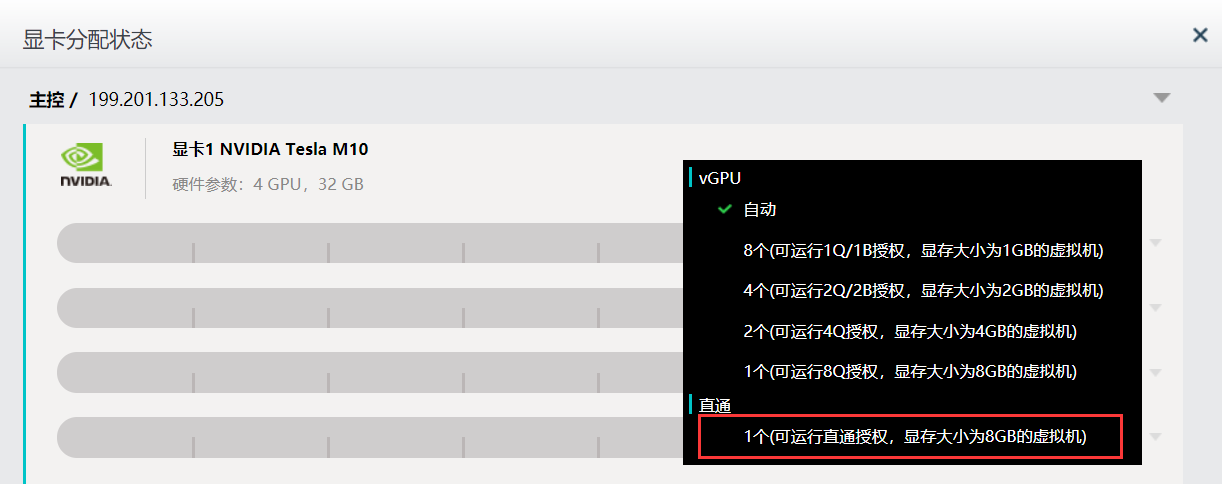
458115b62a6861d034.png (47.98 KB) - Select Passthrough Type and enter the VMP platform password Password OK.
90995b62a6dabee58.png (55.64 KB)

423105b62a6f4afe11.png (36.45 KB) - Locked will be a lock icon in front of the locked graphics card core. Click corresponding down arrow to View the specific None but locked Type.
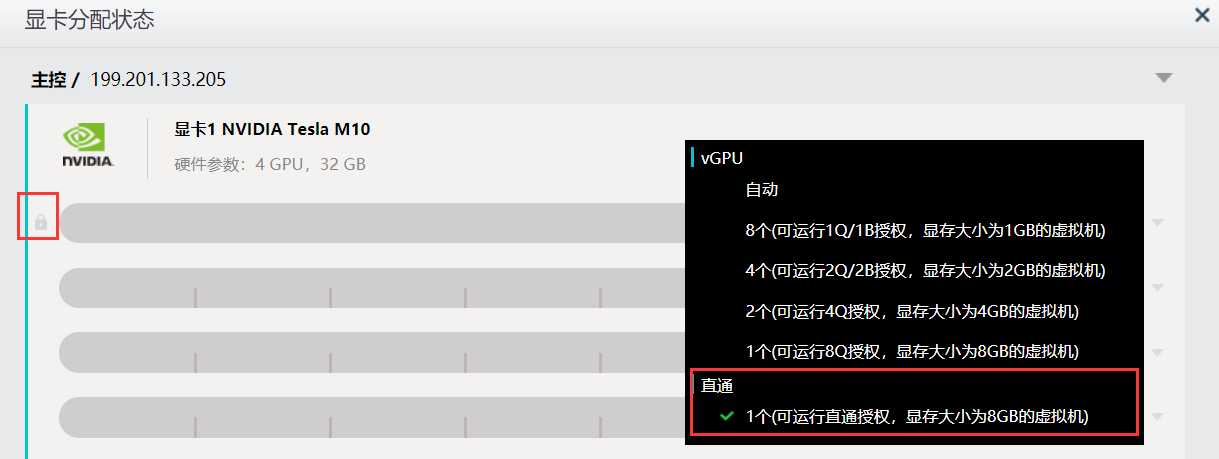
602225b62a73519edd.png (55.29 KB)
In the case where all Passthrough graphics card cores are occupied, if there are Unused unlocked graphics card cores, the problem can be solved Passed adding None but locked cores. If there are no idle cores, you can only Select Close unnecessary Passthrough VM OR add graphics cards to the server or add 3D server nodes to solve the problem.
Original Link
https://support.sangfor.com.cn/cases/list?product_id=26&type=1&category_id=10397&isOpen=true