
【aDesk】3D Software CAXA Open large File
Problem Description
In the competitive Test Connectivity project, CAXA 3D 2022 Software Auto unlock after Open File larger than 200MB on a vdi virtual machine, taking 3 min. It Yes 1 minute for Huawei VM Open the same File. It also takes about 1 minute to Open on a physical machine.
Effective troubleshooting steps
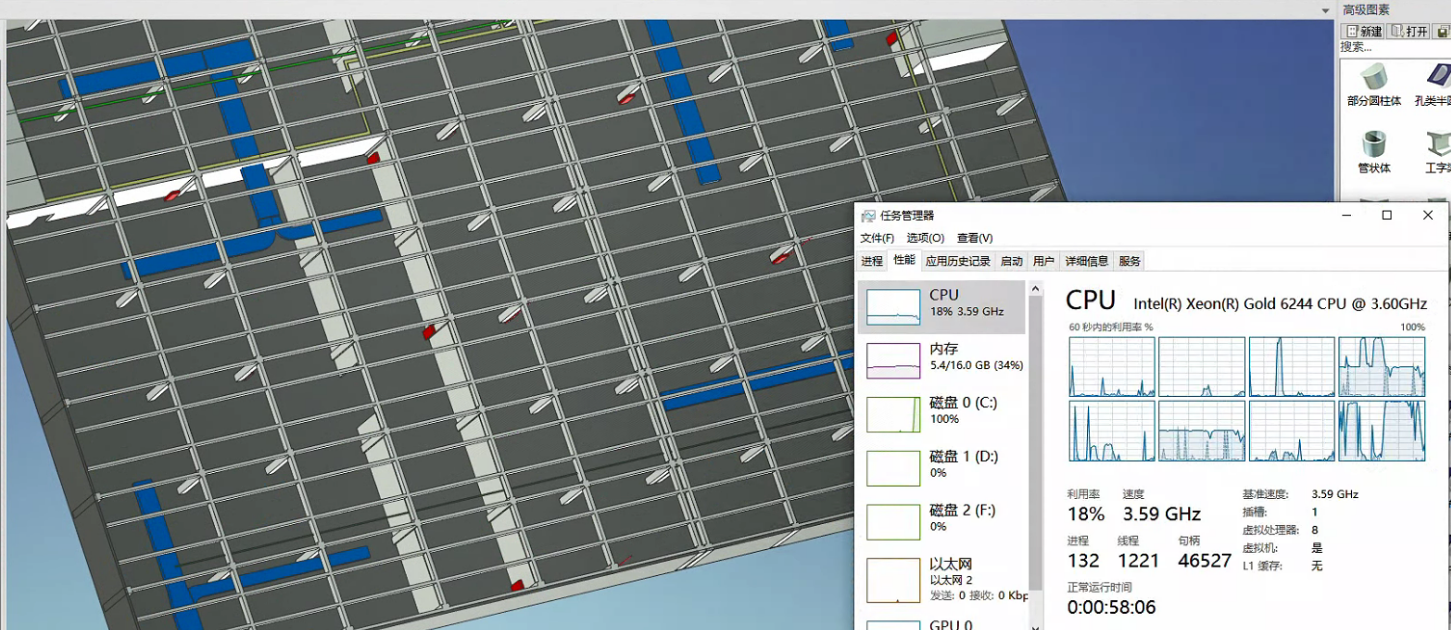
- Open File, use the Task Manager's Performance to observe the usage of VM internal Resource. It is found that in addition to the CPU Usage core being fully utilized, the disk is also fully utilized:
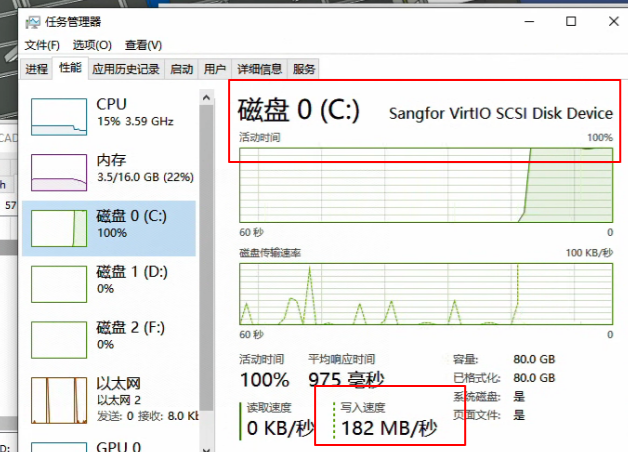
When the disk is full, the IO write speed Auto unlock after 182MB/secs, which Description Yes the disk is full because the IO is too high.
Open Resource monitor (resmon.exe) and find that the file written Yes pagefile.sys
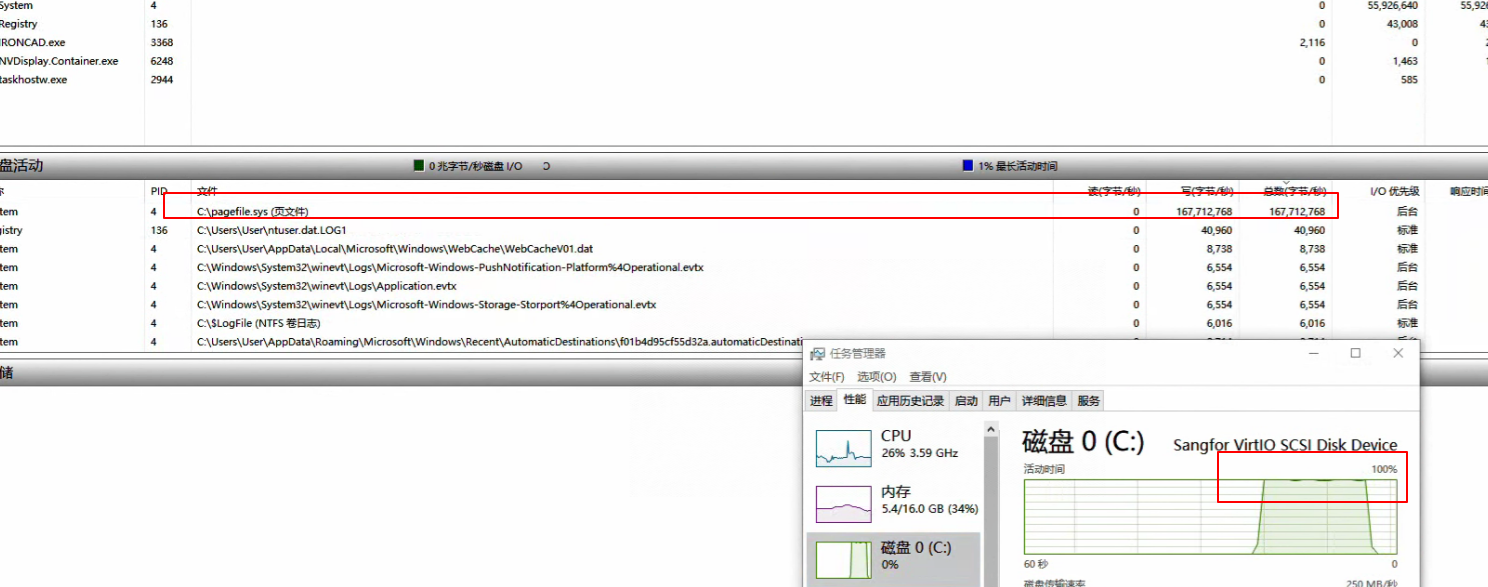
- Pagefile.sys Yes system's virtual Mem Usage File, Yes trying to Close virtual Mem Usage Test Connectivity, Auto unlock after 1 minute to Open the same File.
The role of virtual Mem Usage can be referred to:
Note: Wed major functions of virtual Mem Usage – Juejin (juejin.cn) - Try not to use the system Default Settings virtual Mem Usage Size, and change to manual allocation: My Computer (right click) – Properties – Advanced System Type – Advanced, manually allocate the drive paging File Size, and there is no problem in Test Connectivity.
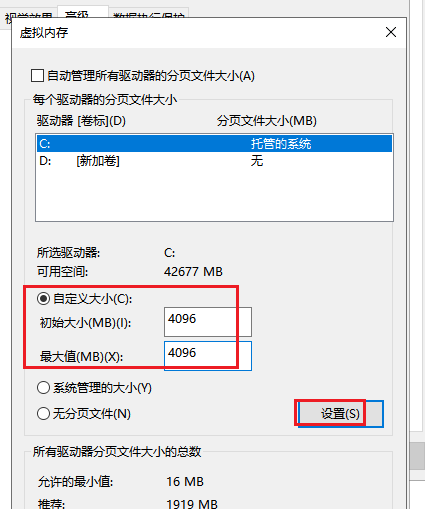
solution
Do not use the system Default Settings virtual Mem Usage Size, but change to manual allocation: My Computer (right click) – Type – Advanced System Settings – Advanced, manually allocate the drive paging File Size.
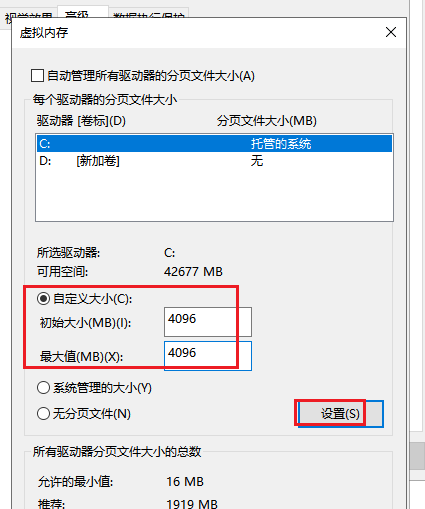
Operation Impacts Applicable To
You need to Reset VM to Effective
Suggestions and Conclusion
Some Software, such as PR and AE, Yes big Mem Usage consumers, depending on the number of videos you drag in. These Software are affected by the Windows mechanism and Size of the physical memory they apply for. Sometimes you only see that they occupy a small amount of physical Mem Usage. That is, your virtual Mem Usage usage may far exceed the physical Mem Usage. (It may Yes Windows considers dual-channel performance, OR Software considers some data that does not need high-speed access, so it often reserves about 50% of physical Mem Usage space to improve performance)
Mon speaking, the Default virtual Mem Usage control mechanism of Windows may have problems with some Software, such as pr and ae (it seems that no matter how much free space you have on your disk, it is difficult Mem Usage a single software to occupy more than 25g of virtual Software).
If there are a lot of videos dragged into pr or ae, even if they are actually very small Video, if Count a lot of them, they will take up a lot of Mem Usage. It has been tested that if more than 1g of Video are dragged into the Preview, 40g of virtual memory can be Mem Usage. This causes pr and ae to Tips that the image buffer cannot be established (insufficient Mem Usage).
Original link: https://blog.csdn.net/qq_38374224/article/details/126123381
Original Link
https://support.sangfor.com.cn/cases/list?product_id=26&type=1&category_id=13302&isOpen=true