
【aDesk】3D VM WIN10 Install Autocad2014 Failed error
Problem Description
3D VM WIN10 Install Autocad2014 Failed error

250175b3c2be68b12b.png (279.66 KB)
Root cause
Autocad needs to Install net framework component before installing the main body. To Install this component in win10, it is necessary to ensure that windows Update on. If windows Update Close, this error will occur.
solution
-
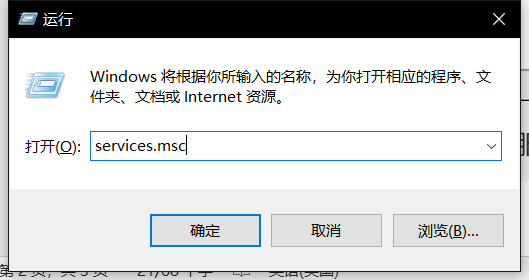
Press the win+R key combination Open Running window and enter services.msc Open Service window;
553605bdfaf8cc0e6e.png (22.3 KB) -
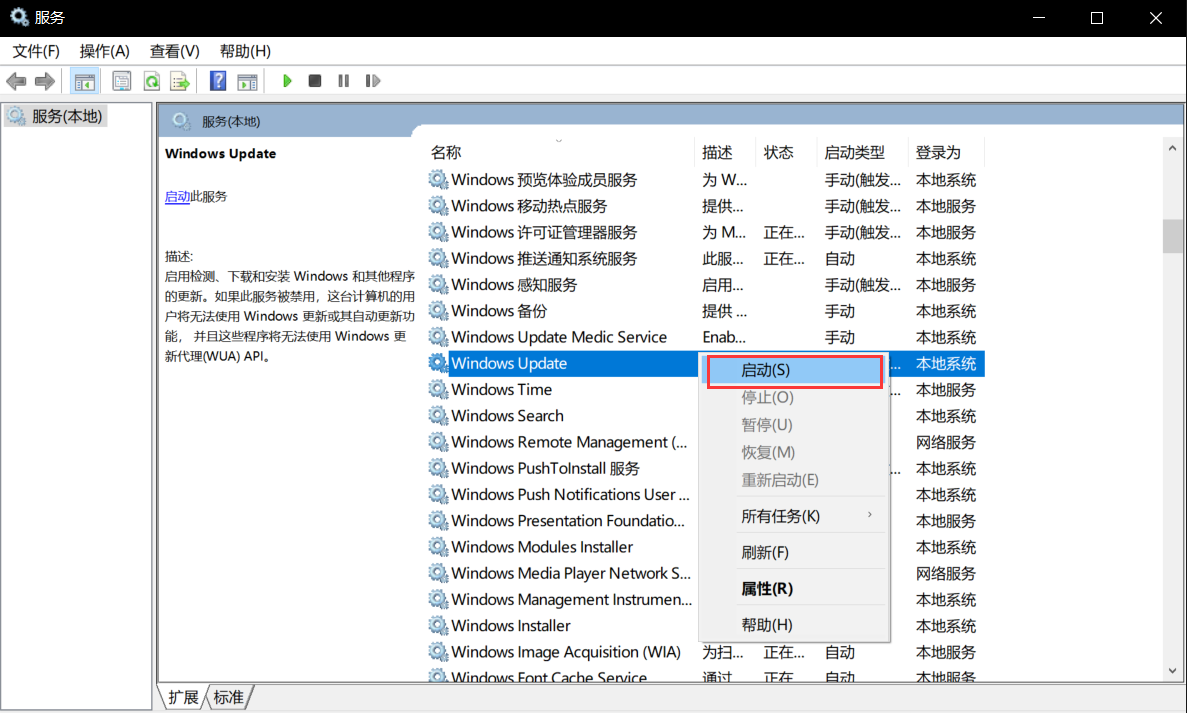
Find the Windows Update Service, right-click Open right-click menu, Click Start, and Enabled Windows Update Service.
678795bdfb05068c74.png (341.62 KB)
Description
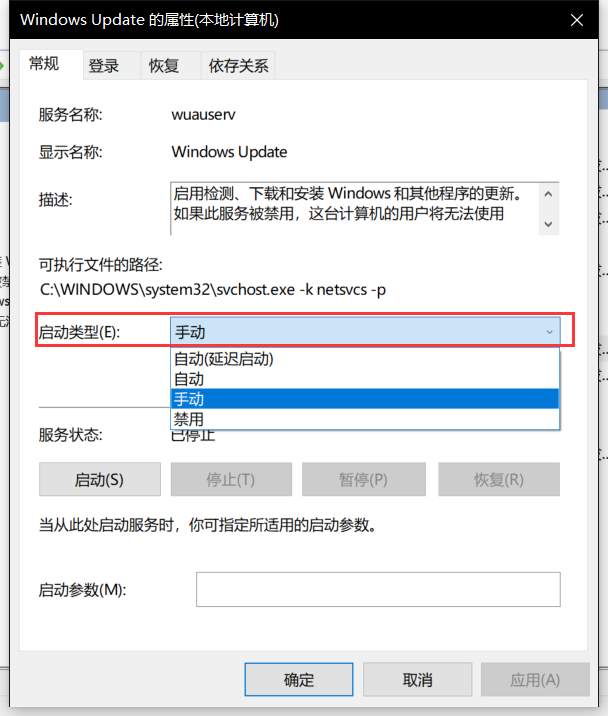
If Service Yes Disabled, Click Type, change its startup Type to any non-Disabled Type in the Type interface, and then Click Start.
463405bdfb120e0001.png (124.85 KB)
Original Link
https://support.sangfor.com.cn/cases/list?product_id=26&type=1&category_id=10551&isOpen=true