
【aDesk】3DMAX Software use
Problem Description
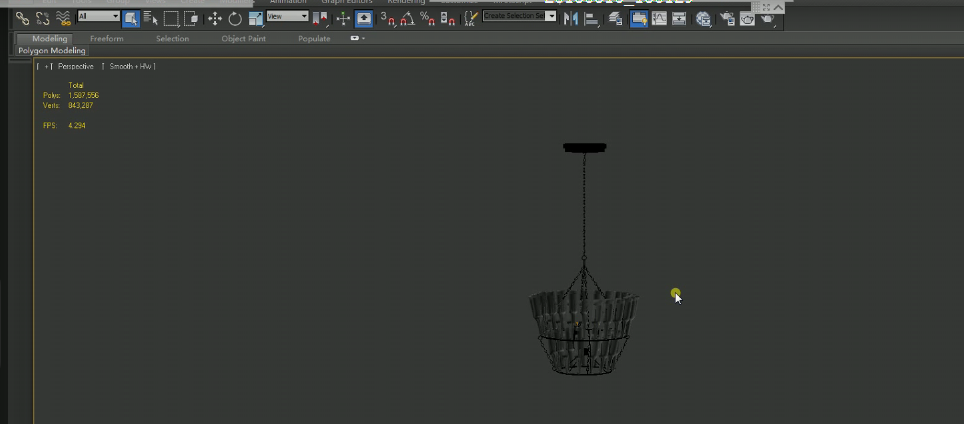
When the 3D virtual machine uses 3DMAX software to draw pictures, it will be slow.
Warning Information
Using 3Dmax Software is more laggy
467785bf6ac958612c.png (163.02 KB)
Process——
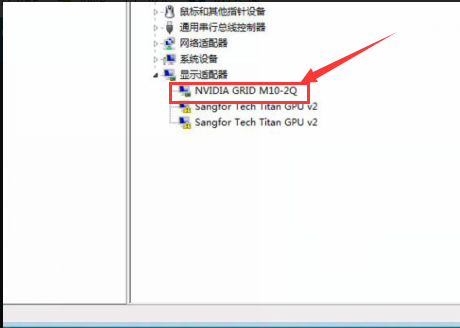
- First, determine whether the graphics card driver has been Install, and View whether there Auto unlock after corresponding driver Medium the device manager. as the picture shows:
225195c03beb9caa46.png (55.59 KB)
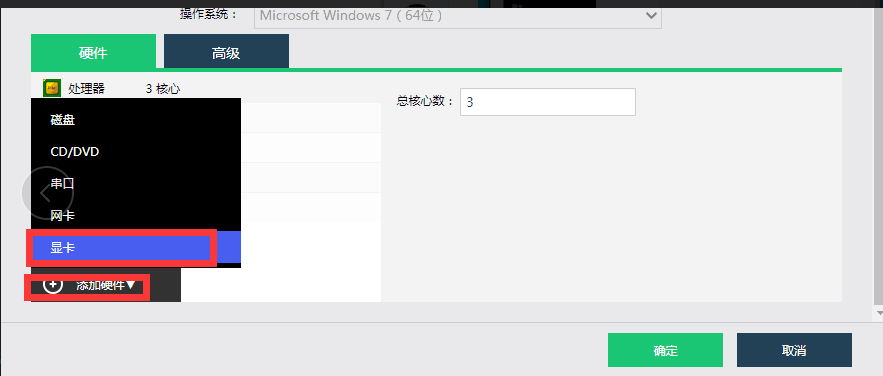
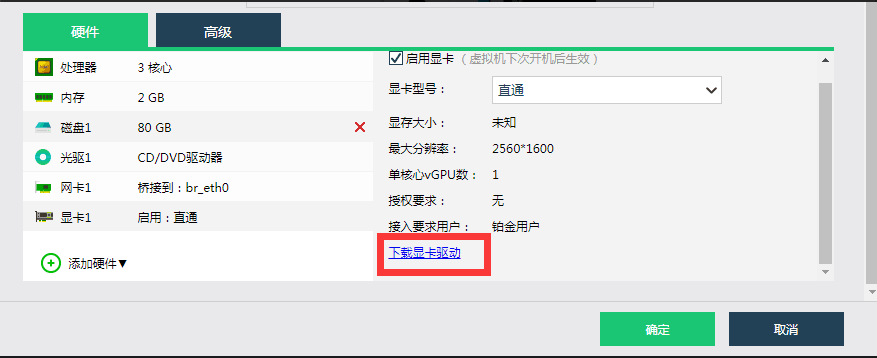
- Select graphics card, then download and Install the corresponding graphics card driver for Install
986875bf6abefe657a.png (23.74 KB)
164045bf6abffd7bdf.png (36.71 KB)
Root cause
In a 3D virtual machine, the graphics card is used but the graphics card driver is not installed, resulting in slow operation of the 3D software.
solution
- Select the graphics card, then download and install the corresponding graphics card driver
986875bf6abefe657a.png (23.74 KB)
164045bf6abffd7bdf.png (36.71 KB)
Suggestions and Conclusion
Auto unlock after using a graphics card in a 3D virtual machine, you need to Install corresponding graphics card driver
Original Link
https://support.sangfor.com.cn/cases/list?product_id=26&type=1&category_id=10568&isOpen=true