
【aDesk】5.3.2 Version VM agent Status is abnormal
Problem Description
As shown in the figure below, VM agent Status is abnormal and is in the Waiting for agent connection Status.

220065b480b8dd5fef.png (12.48 KB)
Process——
-
View VM computer – right-click computer – administration and management – Service and App – Service, View the agent-related Service Agent Service and RVLAgent Service are started as shown in the figure below
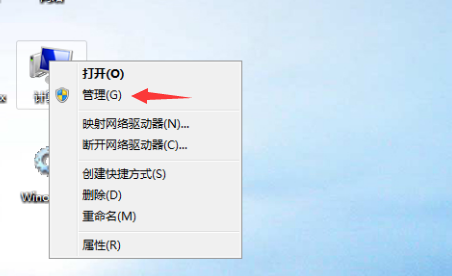
797455b480607177c8.png (89.94 KB)
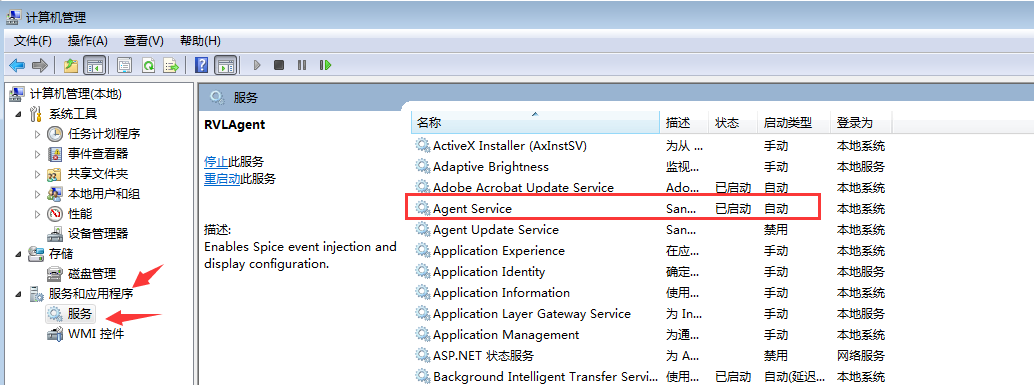
594265b4806363a20c.png (92.44 KB)
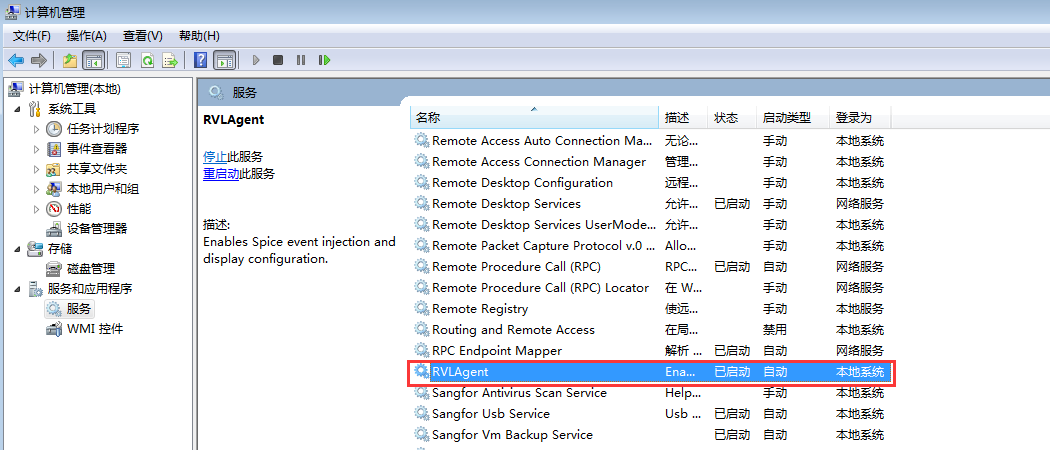
13645b48064840302.png (103.87 KB) -
Auto unlock after vmp platform – administration and management – System Diagnosis – Telnet VDC Port 8866
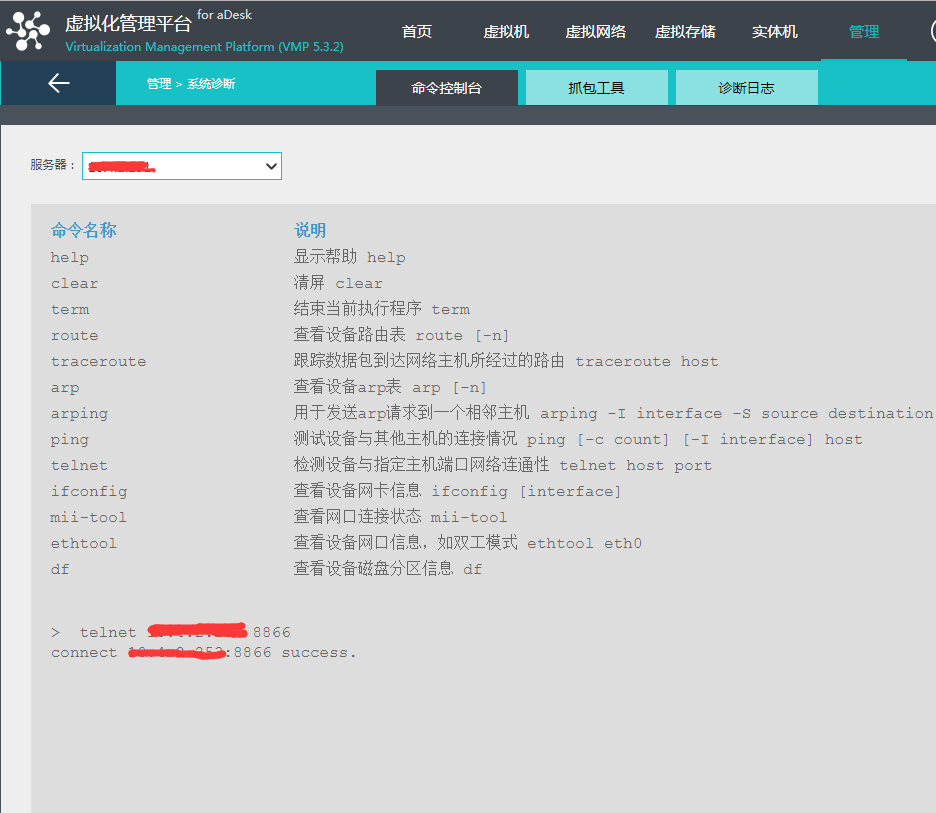
292115b47f5b6b3372.png (71.15 KB) -
View VDAgent.log log Medium %vdi%\log, Yes Tips the connection to another VDC Address Failed
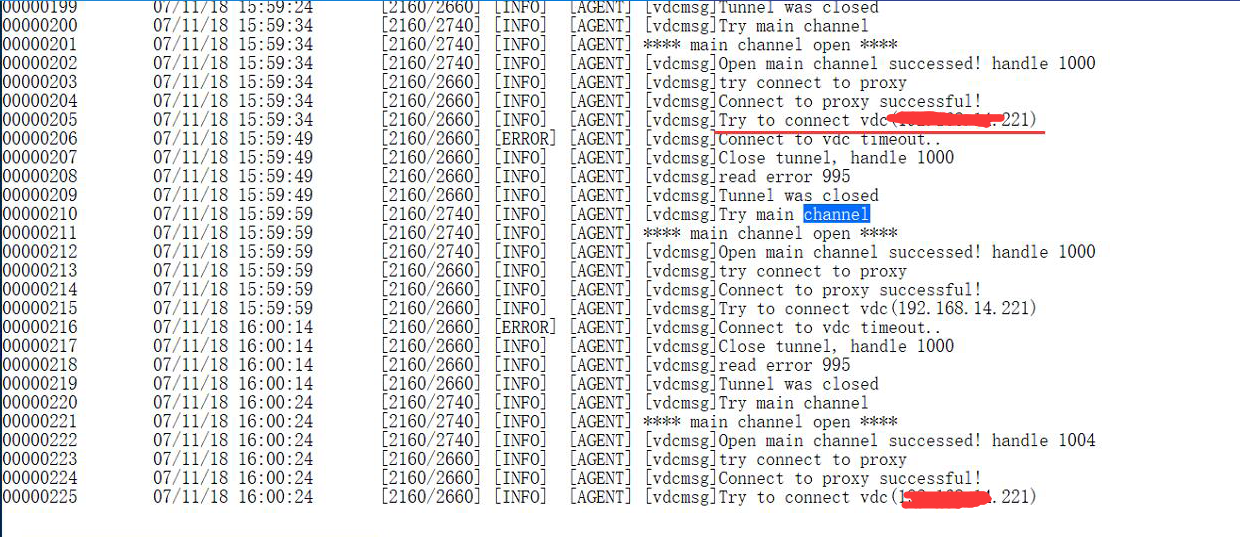
20475b47f759a7351.png (959.63 KB) -
Check that the VDC Network ok
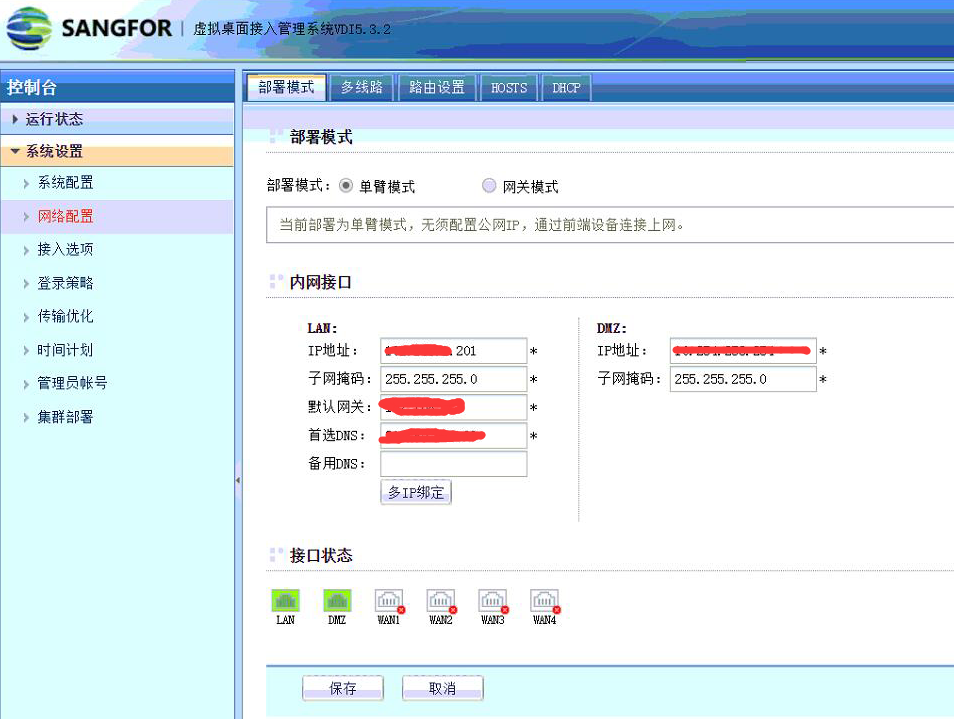
589385b47f79ad02e4.png (318.29 KB) -
View Cluster and find that the VDC has a Cluster Settings, and Cluster IP address Yes IP address Address of the VDC in the log. After exiting Cluster, the status of the newly derived VM agent Connected.
Note: A newly derived VM must be powered Powered On on the VDC for the first Powered On.
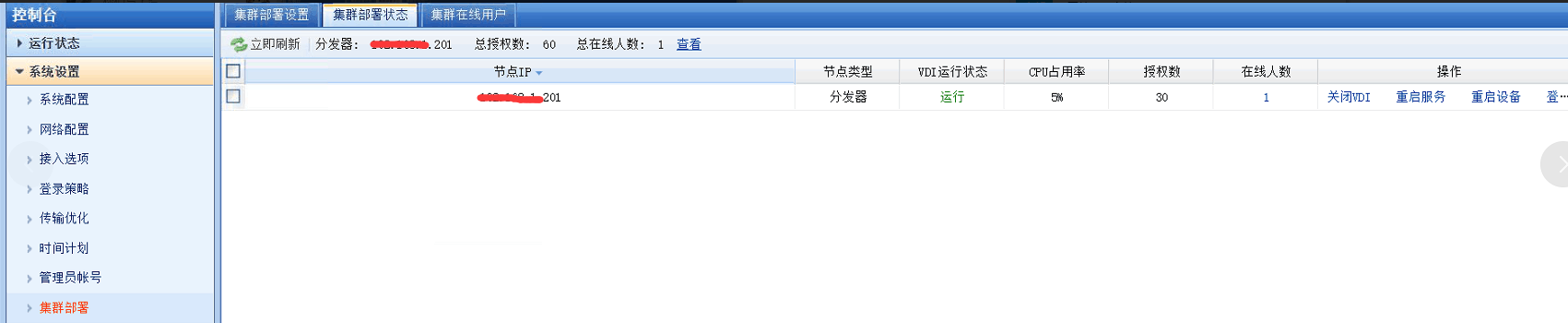
85165b47f737983b9.png (98.96 KB)
Root cause
The root cause Yes the VDC Settings Cluster, and the IP address Settings the Cluster IP address Yes Mon IP Range as the VDC, resulting in a disconnection and VDC.
solution
Method Mon: Remove the VDC Log Out Cluster.
Method Tue: Cluster the cluster IP address addresses in the same IP Range to ensure communication.
Original Link
https://support.sangfor.com.cn/cases/list?product_id=26&type=1&category_id=10336&isOpen=true