
【aDesk】5.3.3 The client Log In Desktop and Powered On Failed, and it prompts that only 3D VM Allow Running
Problem Description
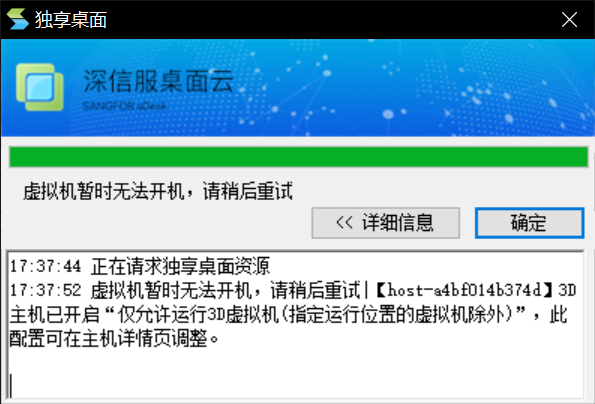
5.3.3 The client Log In Powered On Desktop and Enabled, Tips 3D host has Allow "Only allow 3D-supported Running (except VM in specified Running locations)".
334225b602e26ea2c9.png (115.9 KB)
Root cause
Starting from version 5.3.3, 3D servers with graphics cards will restrict the running of 2D derived virtual machines by default (except for those with specified running locations).
solution
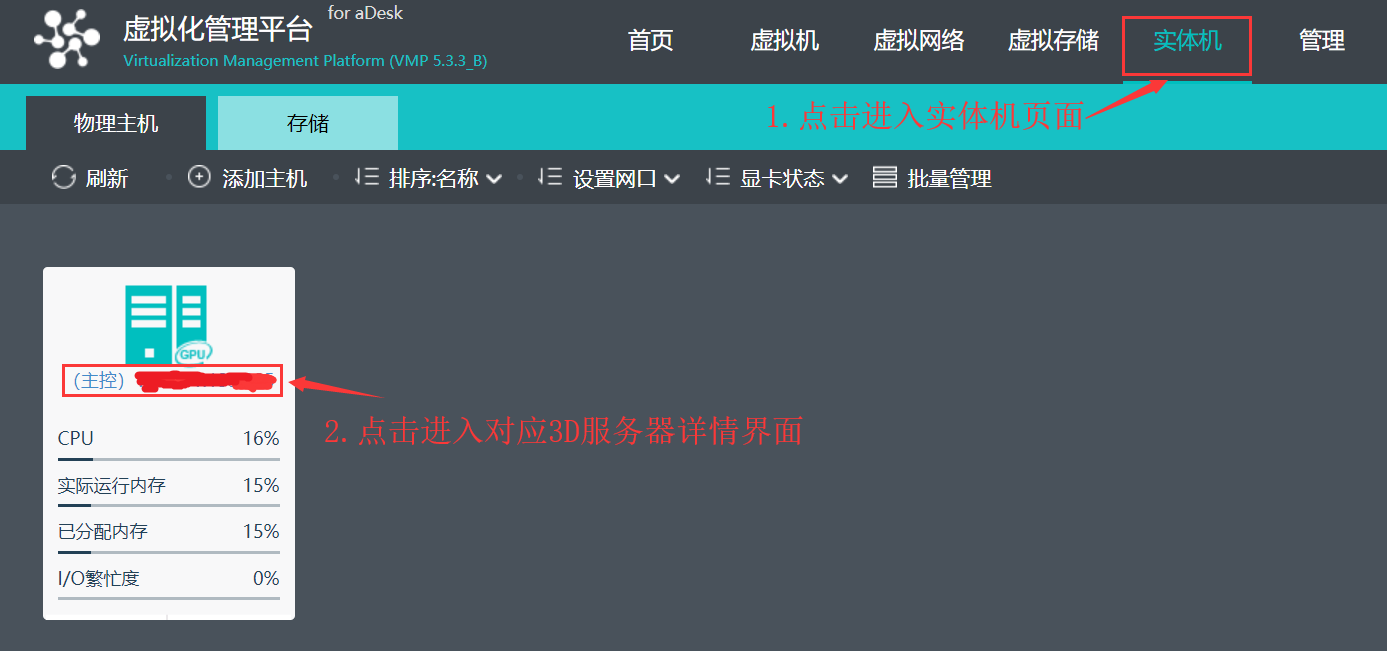
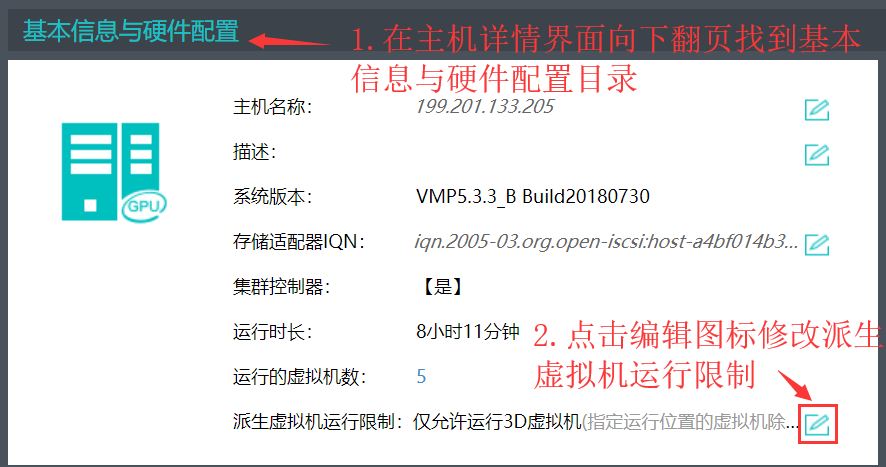
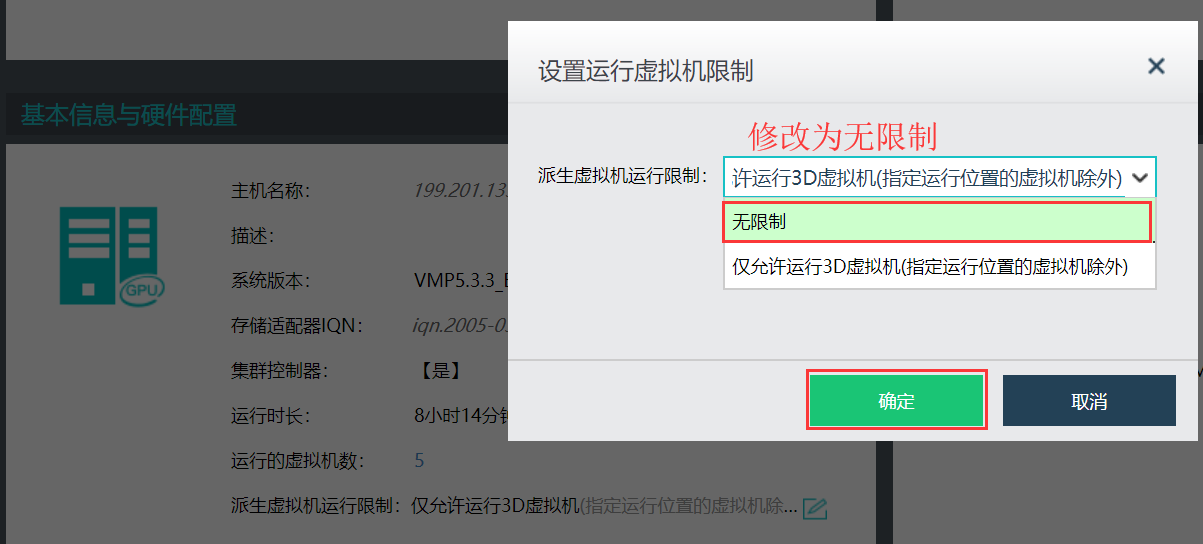
In the host details interface, change the derived virtual machine running limit to unlimited. The entry path is Physical Machine–Corresponding 3D Host Details–Basic Information and Hardware Configuration.
679115b603111b90f3.png (87.22 KB)
277965b6035a2003d5.png (75.9 KB)
719975b6035ef2670e.png (78.62 KB)
Original Link
https://support.sangfor.com.cn/cases/list?product_id=26&type=1&category_id=10383&isOpen=true