
【aDesk】5.4.0R2 Version aDesk vdi broadcast black screen, flower screen, mosaic
Problem Description
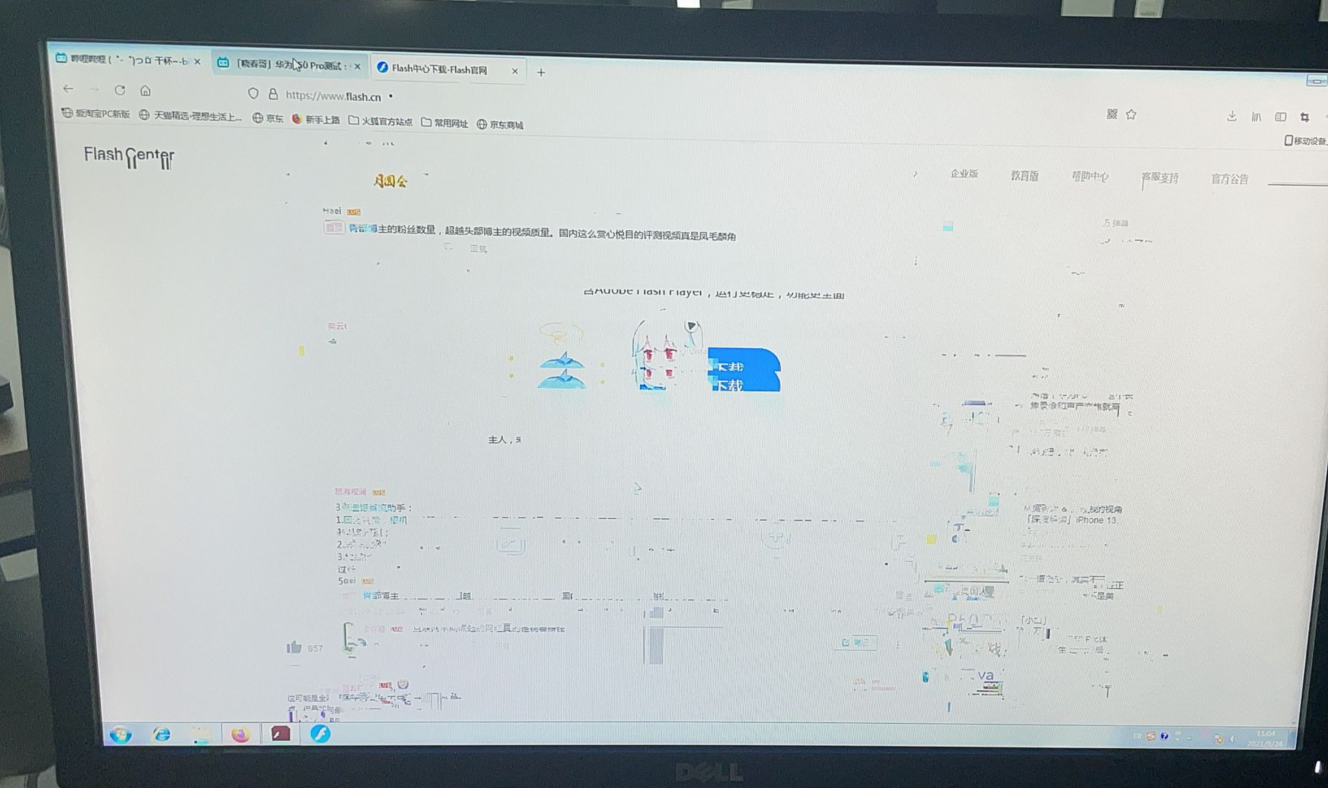
The broadcasting function of Jiyuyu will cause black screen, flowery screen, mosaic etc., phenomena, and the classrooms that were originally Powered on will also have black screen phenomena.
On-site network environment: Two Ruijie switches are stacked and connected to the box, and multicast suppression and IGMP snooping and.
Effective troubleshooting steps
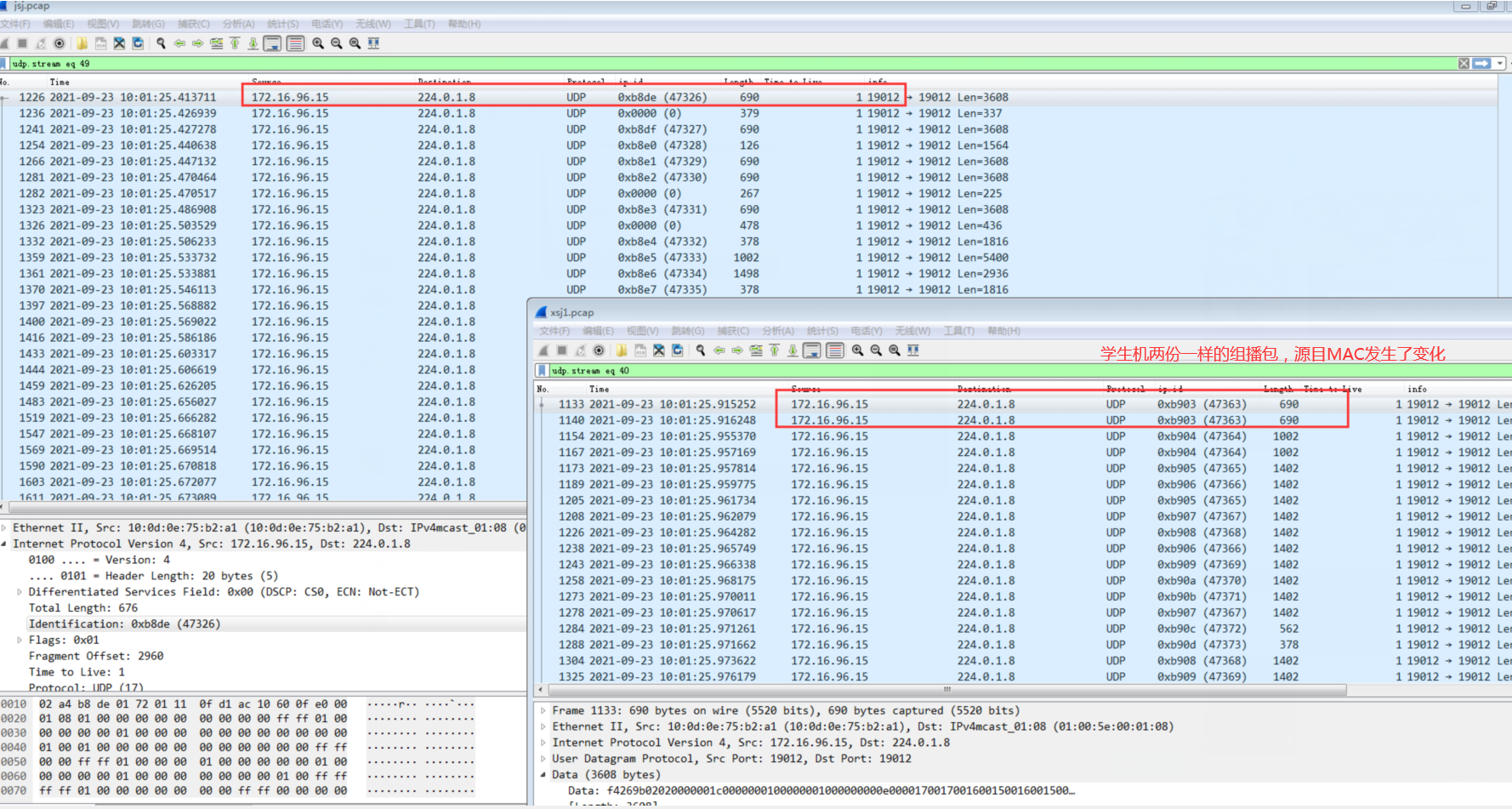
- Troubleshoot according to typical scenarios: https://support.sangfor.com.cn/cases/list?product_id=26&type=2, check that the relevant Details Connected, and capture the packet according to step Fri: Teachers' VM sends multicast packets Connected, and the student's computer also receives the multicast packets, but the student's computer receives two multicast packets. The Mon one and Mon same as the one sent by Teachers' VM, and the Source and destination MAC Address of the Tue one has changed. It can be inferred that there is an abnormality in the network environment of Error.
- Coordinate with the customer and Ruijie switch manufacturer to communicate and check the messages, and the switch manufacturer OK the switch Connected.
- Try to dismantle the stack of Ruijie switches, restart the switches, and Reset the IGMP snooping of the switches. The Mon broadcast can be Connected, but mosaics and distorted screens will appear times broadcasting again. It is speculated that the function of Jiyu Connected and is affected by the network environment.
- After replacing the switch with a Sundray switch, restarting the switch, and Reset on the IGMP snooping of the switch, the times broadcast can be Connected. However, mosaics and screen distortion will appear times broadcasting again, which verifies again that there is something Impacts in the LAN. 5. Check the box's VLAN 101. The subnet Netmask is 255.255.252.0. The IP Range broadcast domain is relatively large. There may be Other Unknown network devices Impacts the multicast message. Mon new Unused vlan 200 was New for Test Connectivity. After the new vlan 200 was implemented on the Sundray switch, the Jiyu broadcast function Connected. When capturing packets on the teacher and student ends, there was only Mon Connected message, and the phenomenon of receiving two messages on the student machine disappeared.
- Switch the student computer Switch to the Ruijie switch and use the New created VLAN 200 network Test Connectivity. The Jiyu broadcast function Connected. When capturing packets on the teacher and student ends, there is only Mon Connected message. The phenomenon of receiving two messages on the student computer disappears.
Root cause
Passed Test Connectivity, it was found that there were Unknown factors in the VLAN 101 IP Range Medium the LAN environment Impacts the multicast function, causing the student computer to receive Mon Connected multicast message and Mon Error multicast message, thus Impacts Polar Domain broadcast function.
solution
Adjust the LAN environment and New VLAN to avoid interference Other factors in the network.
Suggestions and Conclusion
When you have no troubleshooting ideas, you can eliminate the problem Passed Test Connectivity.
Original Link
https://support.sangfor.com.cn/cases/list?product_id=26&type=1&category_id=11461&isOpen=true