
【aDesk】5.4.10 Version vdi Connected VM cannot Change VM font
Problem Description
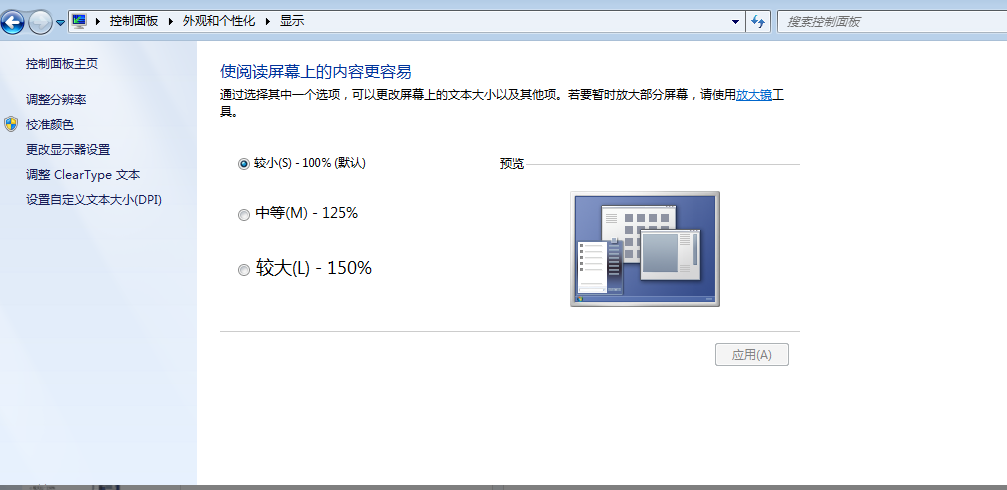
The font of the vdi client VM is gray and cannot be Change
Root cause
Version version 5.4.10, due to the multi-session function, the vdi client cannot Change font inside the virtual machine when logging into the virtual machine
solution
- Auto unlock after vdi client is Running, rightIcon its icon and Select [System Settings]Auto unlock after the pop-up dialog box, Select [Enabled DPI]
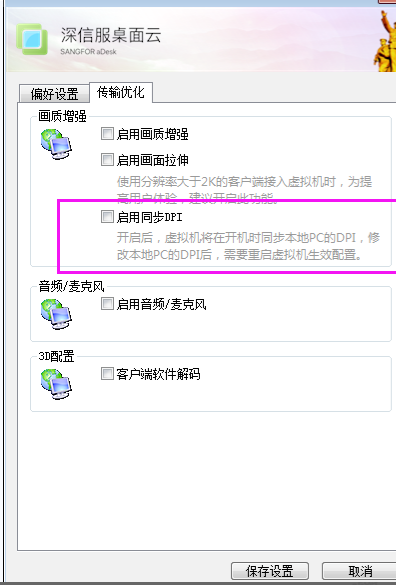
- After reconnecting Connected VM, the font changes on the physical machine will be synchronized to VM [Reset VM Effective]
Original Link
https://support.sangfor.com.cn/cases/list?product_id=26&type=1&category_id=11494&isOpen=true