
【aDesk】500 box connected to a monitor with HDMI interface with audio, but no sound is played
Problem Description
The 500 box HDMI interface is connected to a display device with audio playback, but there is no sound when playing audio
Process——
- Check if the box ROM Version Connected
- Computer administration and management – Device Manager – View sound device driver and it Connected
- Right-click the sound icon in the lower right corner – Playback device – Play audio inside the virtual machine, and the volume fluctuates
[attach]373197[/attach] - Auto unlock after box interface, in the lower left corner, go to Settings – Sound Settings – Playback Device, Select HDMI audio, and , the sound will play normally in the virtual machineConnected
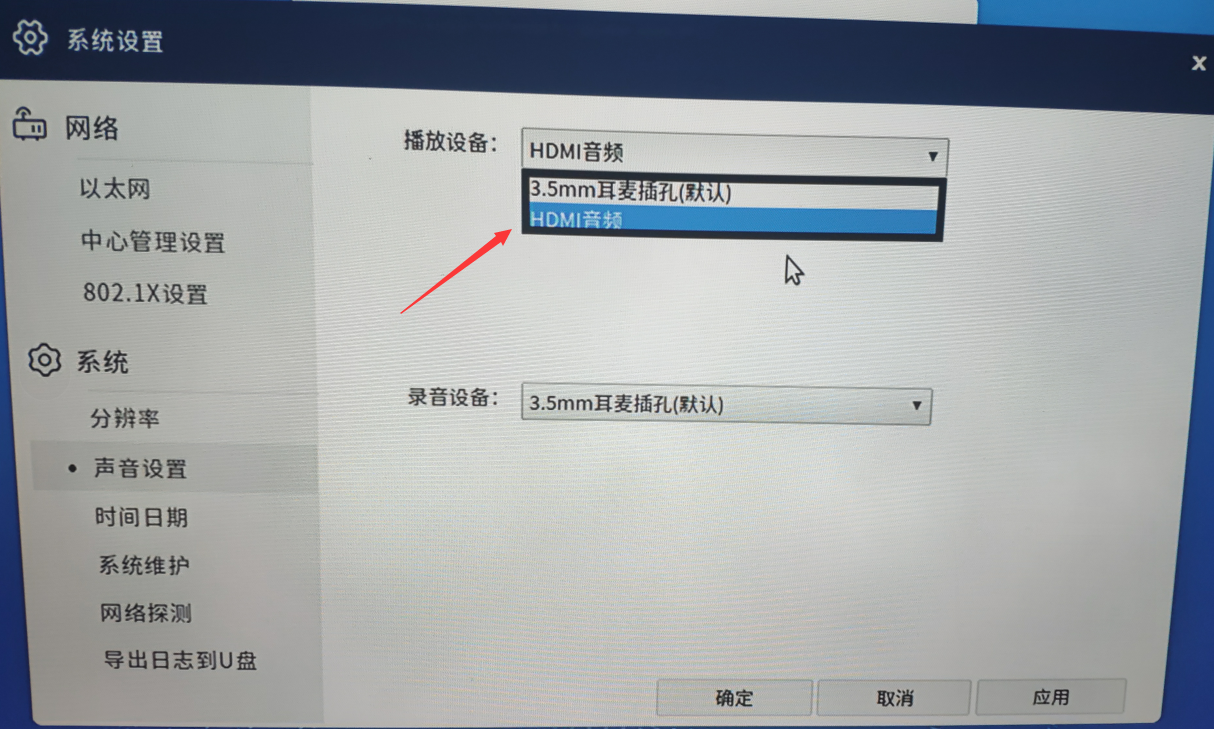
232455d38760245397.png (1.47 MB)
Root cause
The playback device on the box does not Select HDMI audio
solution
In Settings box settings interface, go to Sound Settings – Playback Device – Select HDMI Audio
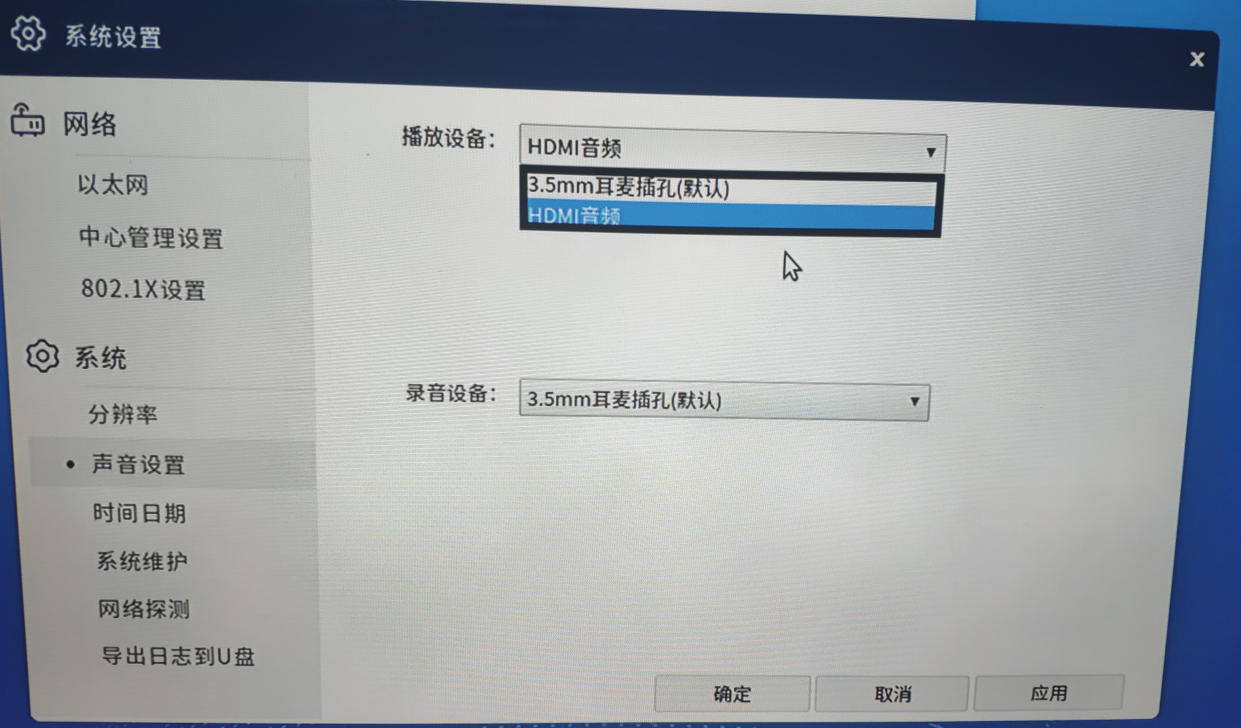
590245d3876724088f.png (1.49 MB)
Original Link
https://support.sangfor.com.cn/cases/list?product_id=26&type=1&category_id=10748&isOpen=true