
【aDesk】545 Blue screen appears Below Update Template
Problem Description
- After upgrading to 545, a blue screen appears Template the VM template
Warning Information
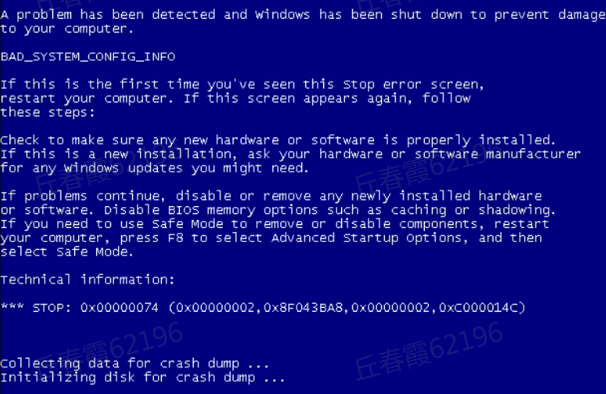
177435f90502368108.png (263.1 KB)
Process
- OK the blue screen code and dump File (if it is a known problem, handle it according to the known problem)
- Take Mon snapshot of VM Above Operation. In safe mode, replace all files Medium Mode C:\Windows\System32\config\RegBack File in the C:\Windows\System32\config\ directory (check whether Connected after replacing File View safe Mode)
Note: To OK whether User Update Mon VM, Mon blue screen will appear on VM. Is it Powered on Above Update Template?
solution
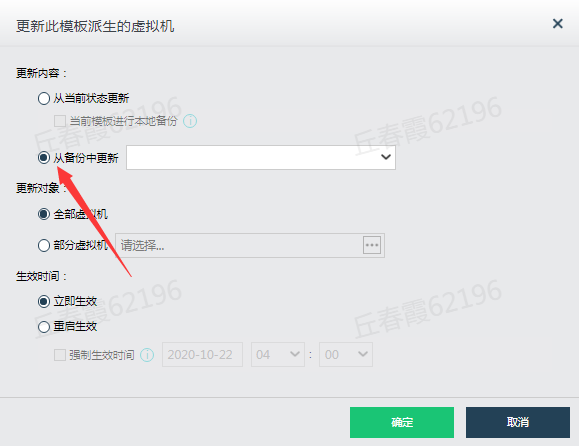
The specified backup can be restored after Restore
951095f905188a7f00.png (32.5 KB)
Original Link
https://support.sangfor.com.cn/cases/list?product_id=26&type=1&category_id=10974&isOpen=true