
【aDesk】560 VDC is connected to 680HCI, and the template cannot be found in Medium New exclusive Desktop Resources Template VDC
Problem Description
The 560 VDC is connected to the 680HCI, and the template cannot be found in the New exclusive Desktop Resources Template the VDC.
Warning Information
Auto unlock after Template VM with Windows 7 Ultimate SP1 can be seen on HCI, but this template cannot be selected Auto unlock after VDC.
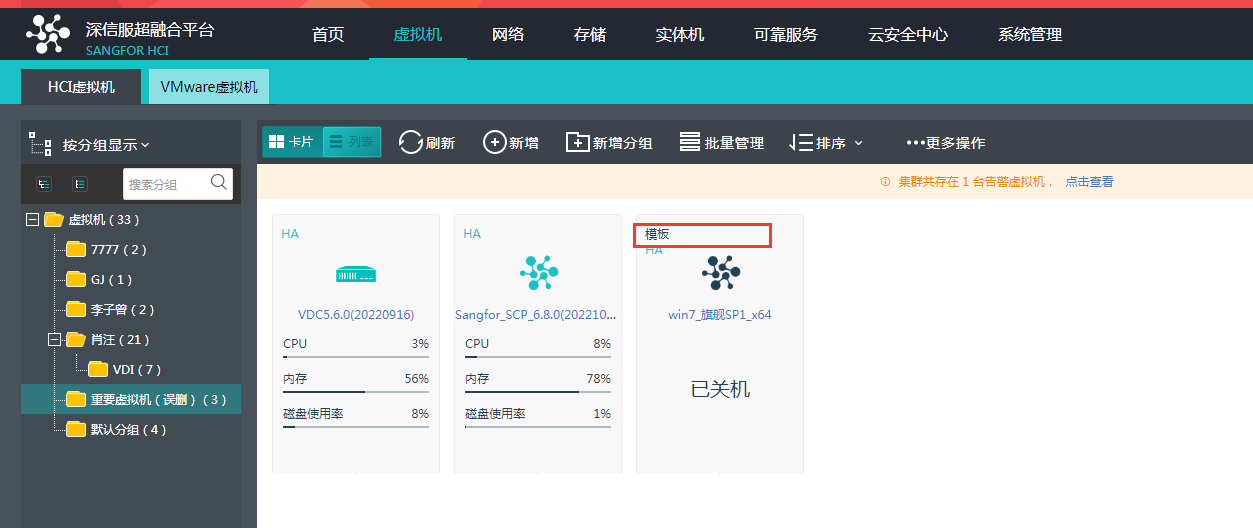
There is only Mon Template named win7 (vdi template). 
Effective troubleshooting steps
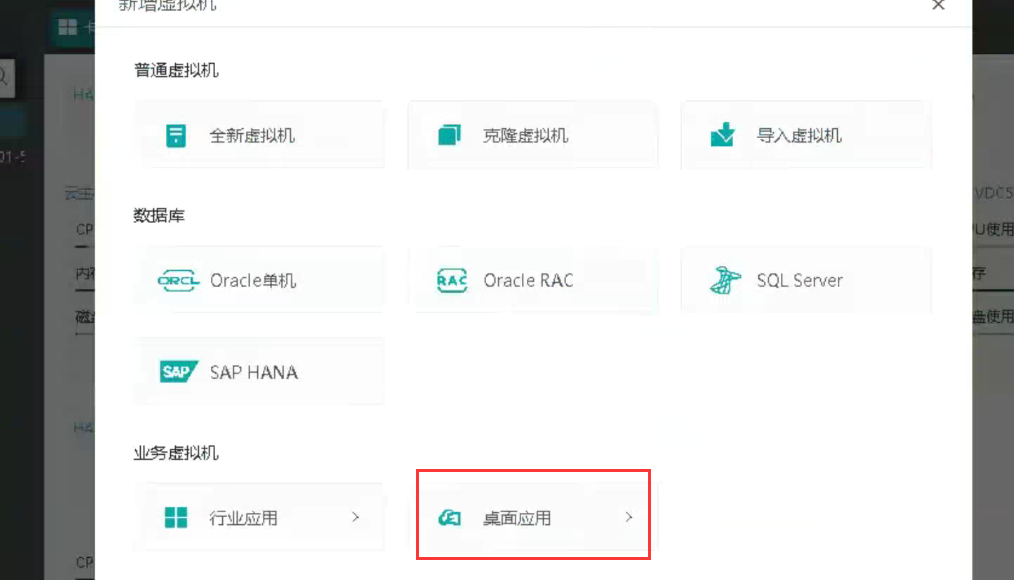
- Deploy a Template HCI to derive VM. New Template VM, you must Select Desktop app Type, otherwise it cannot be used as a vdi Template;
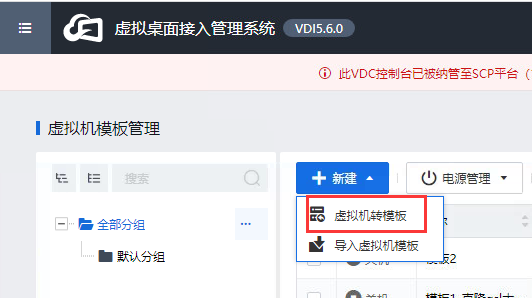
- Auto unlock after View [VM Template administration and management] interface on the VDC, click, and Click the wizard to Select the cluster where the New VM is Cluster and VM to convert it into a Template, You can select this Template Auto unlock after New a new Virtual Desktop.
solution
Auto unlock after New virtual machine in HCI, Select Desktop app Type.
Operation Impacts Applicable To
None
Original Link
https://support.sangfor.com.cn/cases/list?product_id=26&type=1&category_id=13421&isOpen=true