
【aDesk】A black frame appears when typing with Sogou input method editor xubuntu16.04
Problem Description
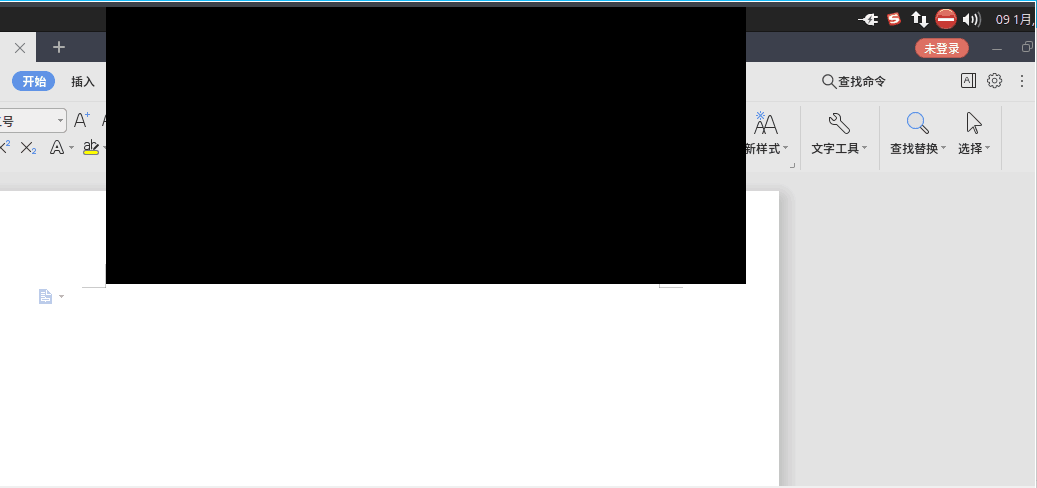
Black screen appears when using Chinese input method editor in xubuntu16.04
Warning Information
228405e534458609a6.png (27.21 KB)
Process——
- The same Software Install Auto unlock after xunbuntu16.04 VM on vmwareworkstations and it works normally
- Uninstall the xubuntu agent and it works Connected. It is inferred that there is a compatibility issue AND the agent and input method editor.
- Disable Mon process of Sogou input method editor, killall fcitx-qimpanel, and it will Restore Connected. The problem will still exist after Reset.
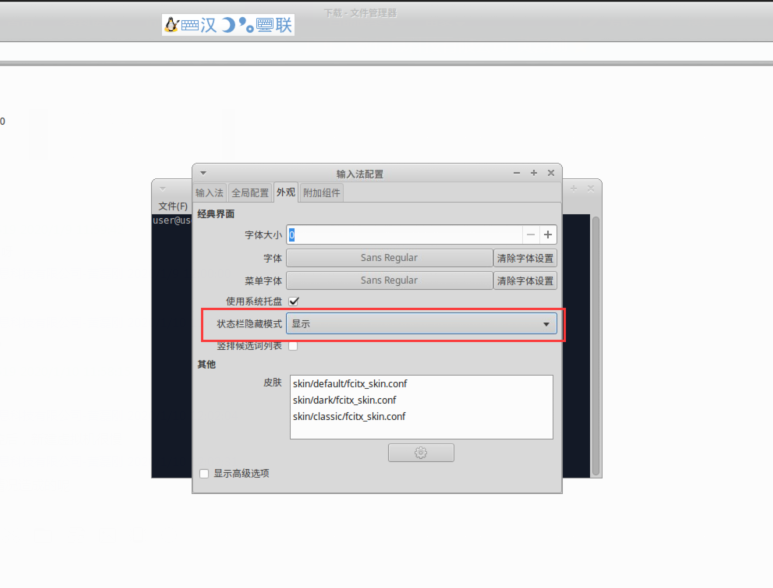
- Disable the Process input method editor: sudo mv /etc/xdg/autostart/fcitx-qimpanel-autostart.desktop /etc/xdg/autostart/fcitx-qimpanel-autostart.desktop.bak
- After Disabled, you need to call up the floating window in the input method editor settings
939845e5346049d0f7.png (93.19 KB)
Root cause
There is a conflict between agent AND Sogou input method editor
solution
Disabled 1 Process of Sogou input method editor
Original Link
https://support.sangfor.com.cn/cases/list?product_id=26&type=1&category_id=10858&isOpen=true