
【aDesk】A remote startup Failed
Problem Description
The remote Powered On Teachers' VM Failed (Teachers' VM Install in a VM).
Warning Information
After Click the Powered On, there is no response and the student's computer does not Powered On.
Effective troubleshooting steps
Checking the rvlagent log Medium Teachers' VM (this log is in the VM C:\Windows\Temp\vdagent.log), it was found that rvlagent sent the MAC Address of the client to be powered on to the box logged Log In by Teachers' VM Thin Clients (as shown below), but after comparison, it was found that the MAC Address Yes Teachers' VM box itself, so the student computer did not receive the power-on command.
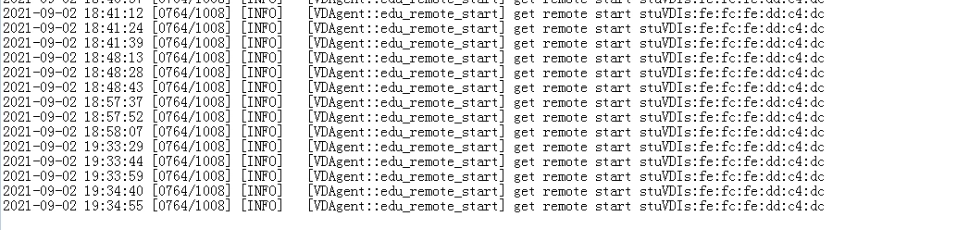
The following Yes processed MAC Address.
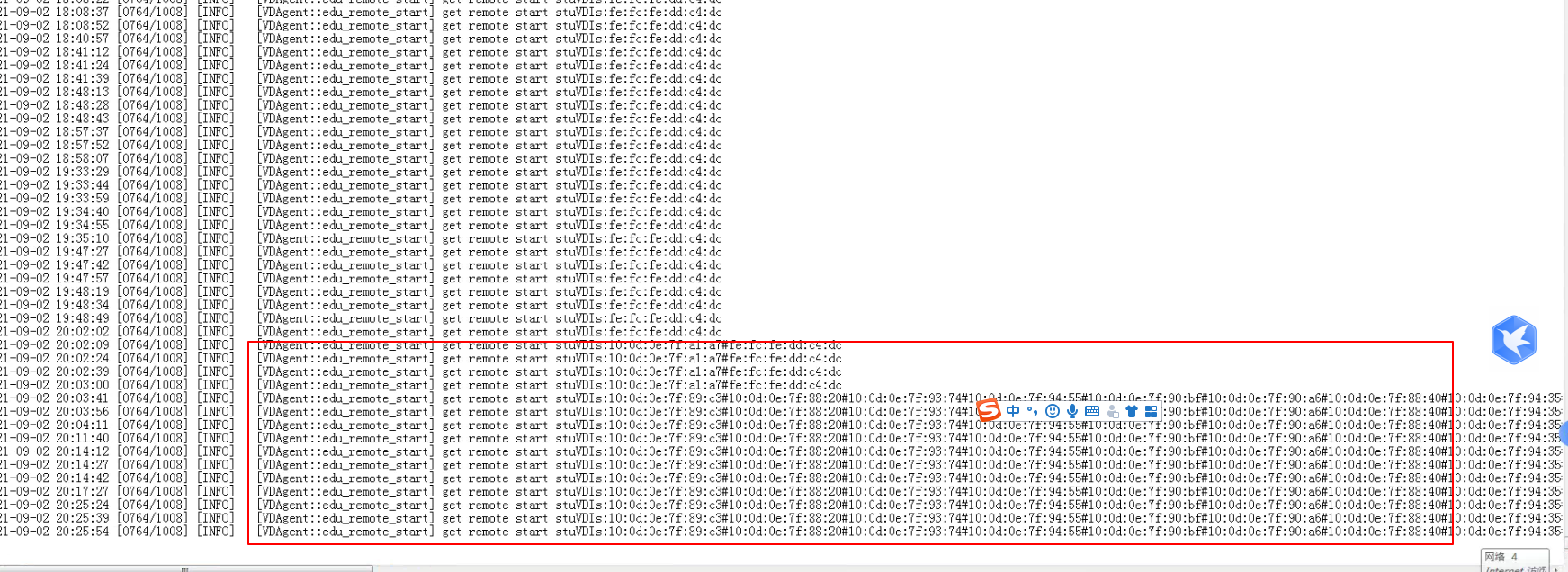
Root cause
Teachers' VM remote Powered On of the teacher's computer: Jiyu's Process will load our plug-in, the plug-in will communicate AND our Process, and our Process will obtain the MAC Address of all Thin Clients in the group where Teachers' VM computer is located on the VDC. Below, the MAC Address of the Thin Clients to Powered On will be sent to rvlagent, which will send it to the box of Teachers' VM. Then the box where Teachers' VM computer is located will execute the Powered On command of the student's computer.
solution
Just put Teachers' VM AND the student's computer in the same client group.
Original Link
https://support.sangfor.com.cn/cases/list?product_id=26&type=1&category_id=11433&isOpen=true