
【aDesk】Abnormal client Subject change
Problem Description
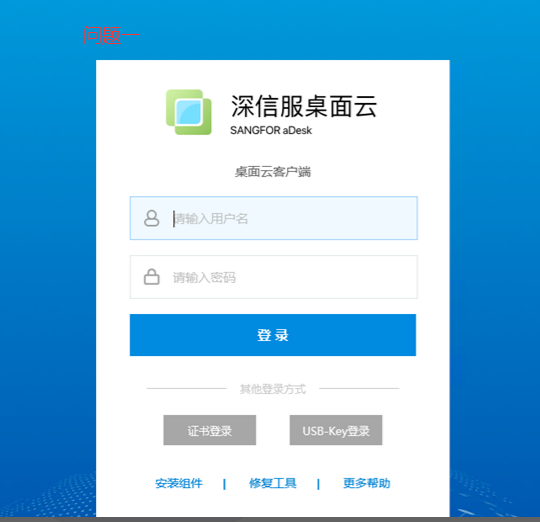
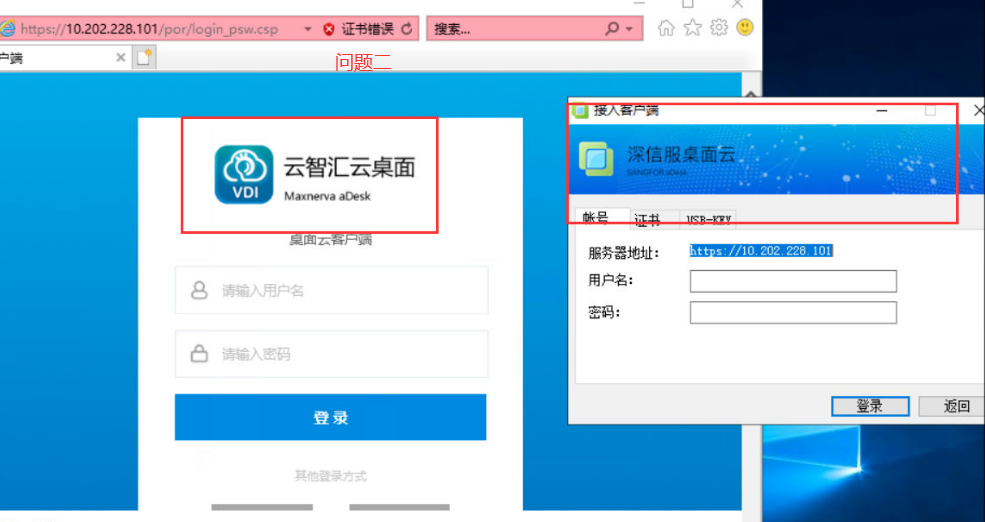
- After changing Subject, the box Subject has changed, but the browser Subject has not changed
- After changing Subject, the box and Browse… Subject are changed, but the vdi client Subject is not changed
Warning Information
Effective troubleshooting steps
Question Mon
- Check the Subject Settings of the VDC interface (Select Subject corresponding theme to change)
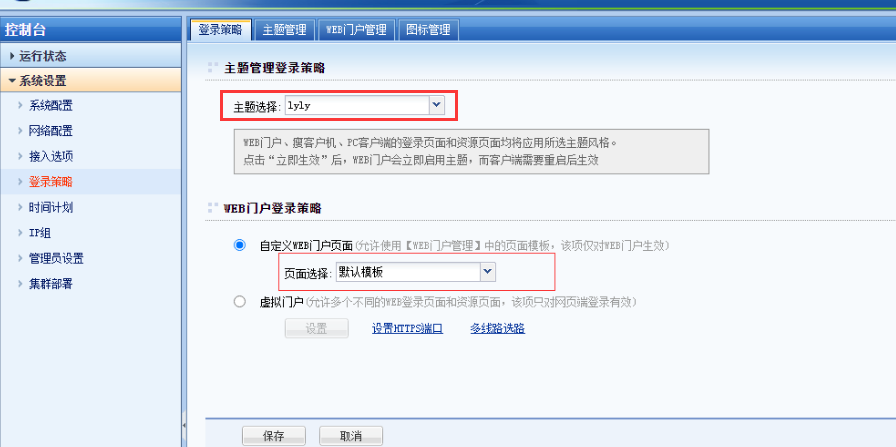
- Change the Browse… OR reset IE Clear cache Test Connectivity
Question Tue:
vdi client Subject has not changed - Log out and log in again
- Uninstall and reinstall the vdi client
- Enter the User Password on the vdi client to log in to Mon VM, load all components and then Test Connectivity
(Generally, Mon is normal Passed logging into VM and loading all components)
Root cause
Problem Mon: Settings Error OR Browse… cache
Problem Tue: The vdi client Subject requires the user to Log In to load all components (maybe the component is not fully loaded)
solution
Problem Mon: Check the VDC Settings; reset ie
Question Tue: Log in to the VM and load all components
Original Link
https://support.sangfor.com.cn/cases/list?product_id=26&type=1&category_id=12299&isOpen=true