
【aDesk】Abnormal Printer Service behavior inside the virtual machine is Settings to Status
Problem Description
The Print Spooler Service of most VM at the Printer is always Settings to Disabled (with no regular feedback), and it will be Settings to Disabled again when started manually
Warning Information
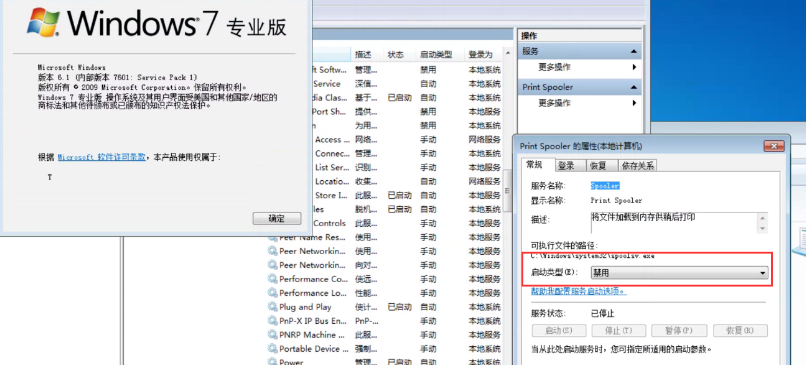
Effective troubleshooting steps
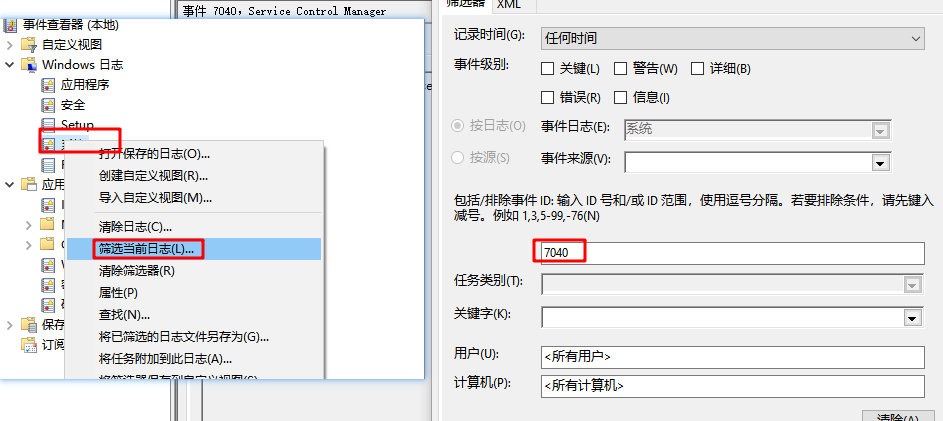
- Press Win+R and enter eventvwr View Windows event log and filter the log with event ID 7040 as follows.
It was found that after the Printer behavior Service the printer service Print Spooler was Settings to automatic, it was immediately Settings to Disabled after a few seconds.
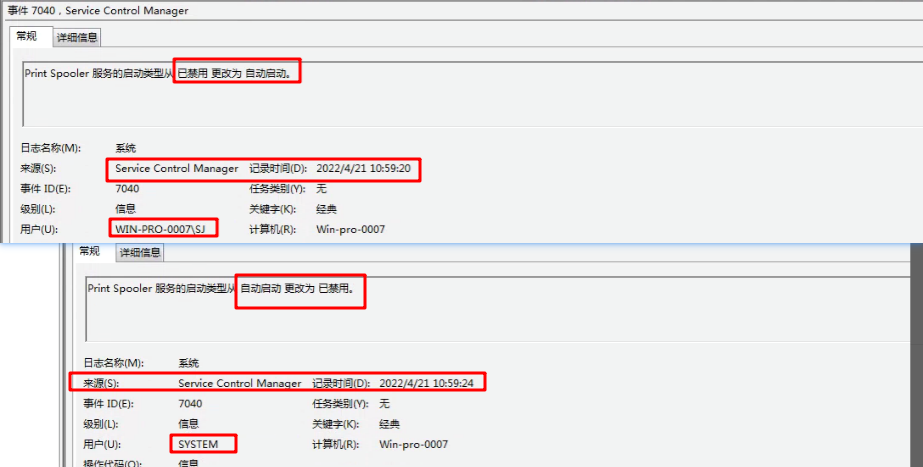
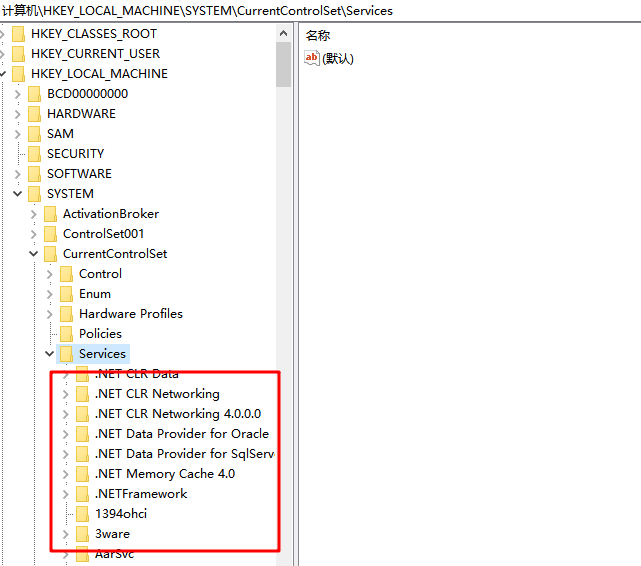
So I manually set the startup behavior to automatic, and found that it would be Settings to Disabled again Status. - Since the startup behavior of Windows services (drivers) Auto unlock after Powered On time is record Auto unlock after Registry HKEY_LOCAL_MACHINE\SYSTEM\CurrentControlSet\Services, and each of its sub-entries updated corresponds to Mon Service, Name is the Name of Service.
How View the Service Name of the Printer service:
Press Win+R and enter services.msc, find Print Spooler and double-click it to View Type, and you can find the printer Service Name is Spooler.
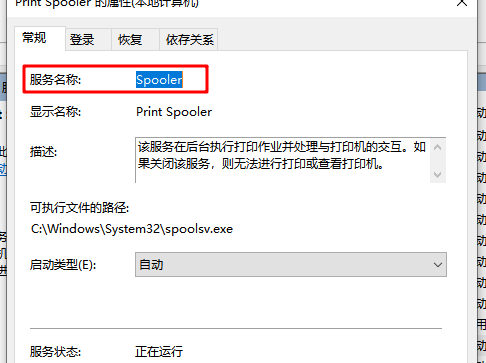
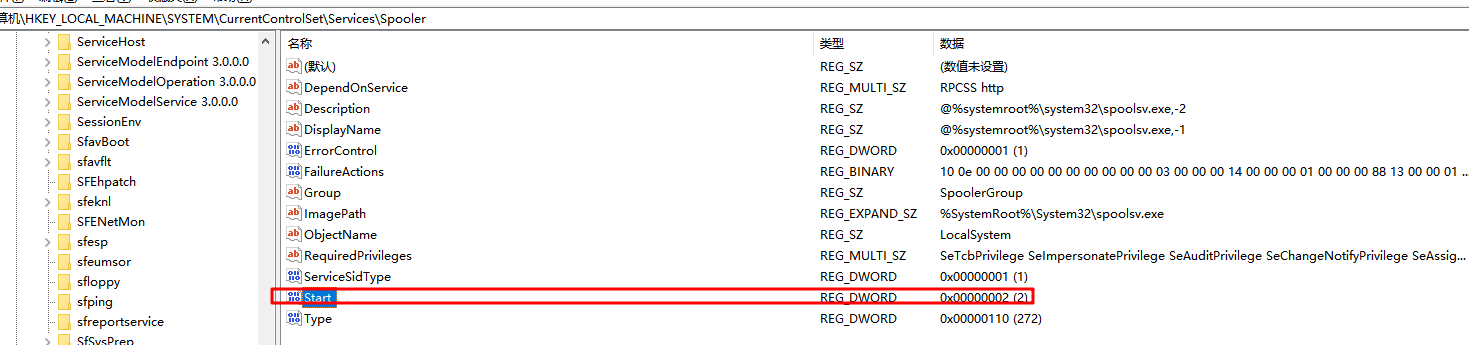
So the Printer Service to the printer service is HKEY_LOCAL_MACHINE\SYSTEM\CurrentControlSet\Services\Spooler
Its startup behavior is controlled by the Registry Start (2 for automatic, 4 for Disabled).
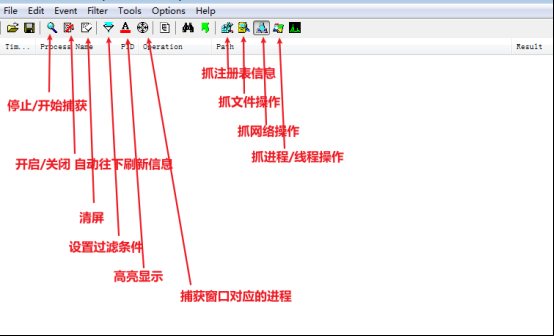
- So use procmon to monitor Registry.
3.1、Basic usage is introduced as follows
3.2、Settings filtering Clients as follows:
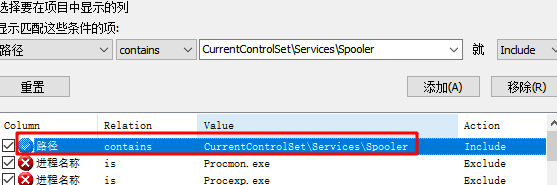
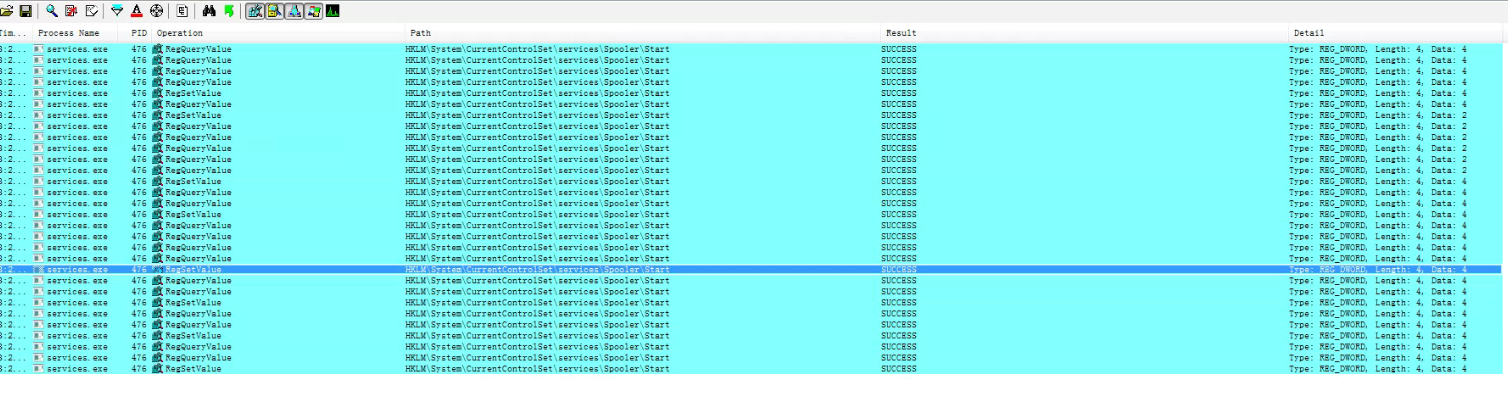
It is found that services.exe Auto unlock after constantly Change this Registry, and the Value of start Settings is 4 (Disabled)
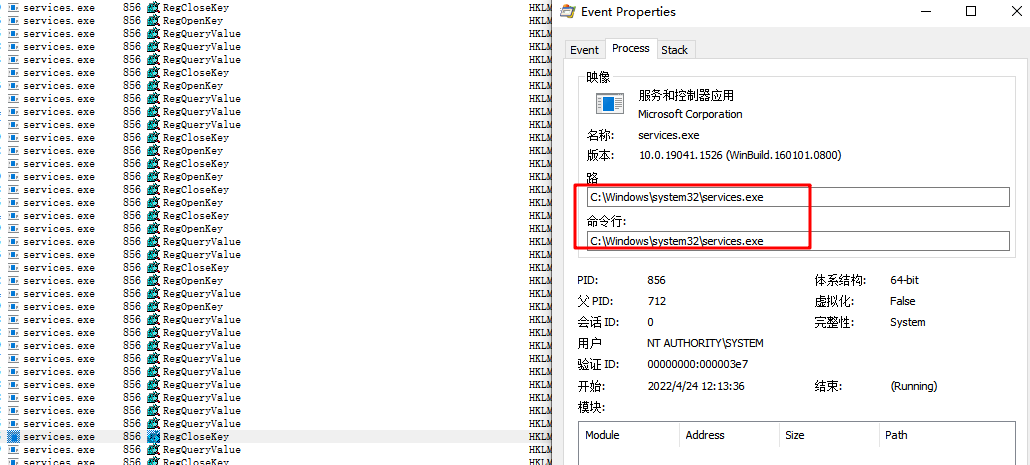
Then double-click Mon of the entries and find that it is in the system32 directory.
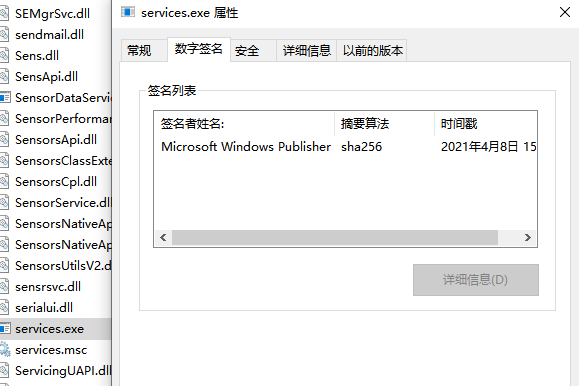
And the File signature also belongs to Microsoft, Description Yes a third-party Software services.exe Change the Registry, rather than a virus.
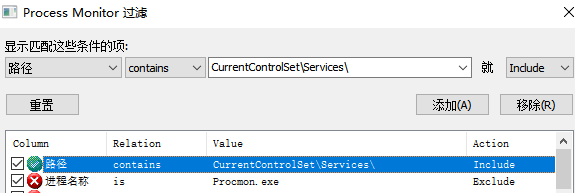
4. Change the filter Clients to CurrentControlSet\Services Path to View if there are Other Process OR services Auto unlock after Change
I found that [color=rgb(0, 104, 189) !important]UnAccessAgent.exe was also Auto unlock after Change
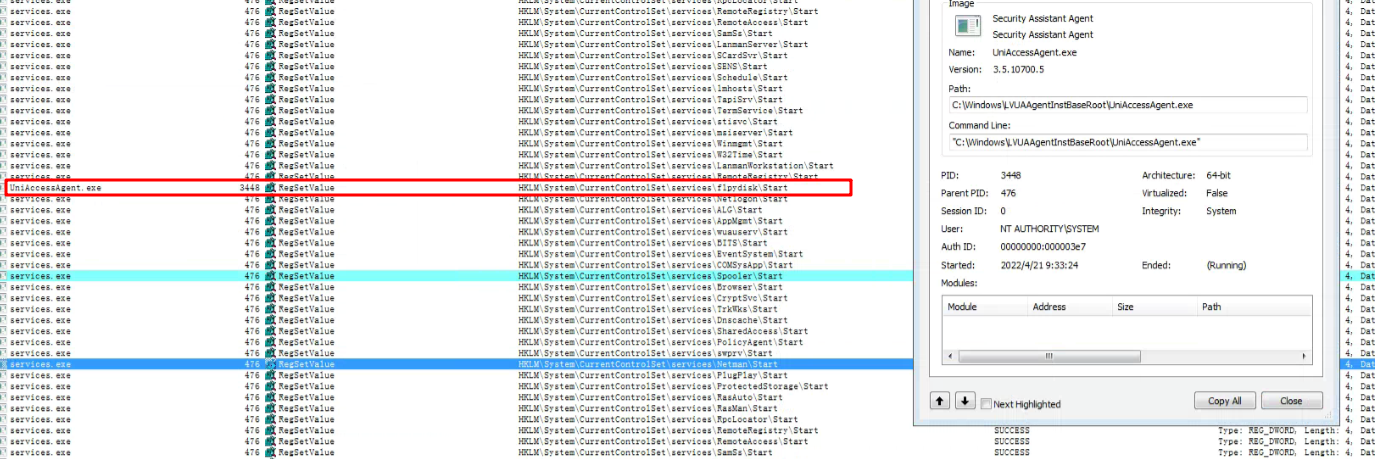
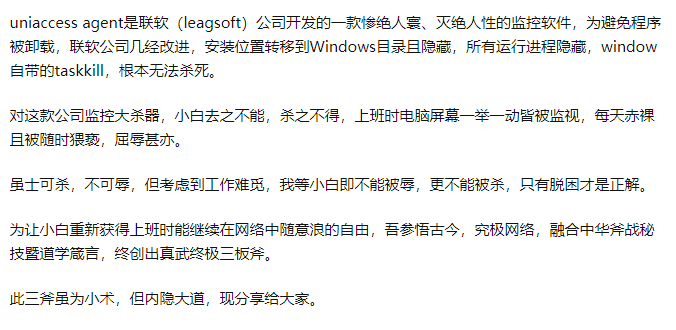
5. We communicated and uninstalled Software (taking a snapshot before uninstalling) and found that it Restore Connected. Later, the customer checked the configuration of this Software and found that this software had Policy that Deny Printer Service from automatically starting at startup.
There is an introduction to this Software that you can refer to:
https://www.zhihu.com/question/308601708
solution
Reference processing steps
Operation Impact Scope
None Change software Policy Software end
Suggestions and Conclusion
For some Error Error, errors, and failures of the system OR App itself, you can try to use procmon to observe whether there are Error File Operation and Registry Operation, so as to locate Cause the problem.
Original Link
https://support.sangfor.com.cn/cases/list?product_id=26&type=1&category_id=12383&isOpen=true