
【aDesk】Abnormal use of Bluetooth device barcode scanner
Problem Description
**
Mon. Problem Description
**
A customer has a Bluetooth device that is not working Error. The Bluetooth connection from VM Connected, and VM can be discovered when connecting to the Bluetooth from the terminal, but pairing Failed.
- This Bluetooth device has a base, which is connected to the box via Yes USB port. The base is mainly used to charge the Client device (barcode scanner) and to be used as a Bluetooth transmitter.
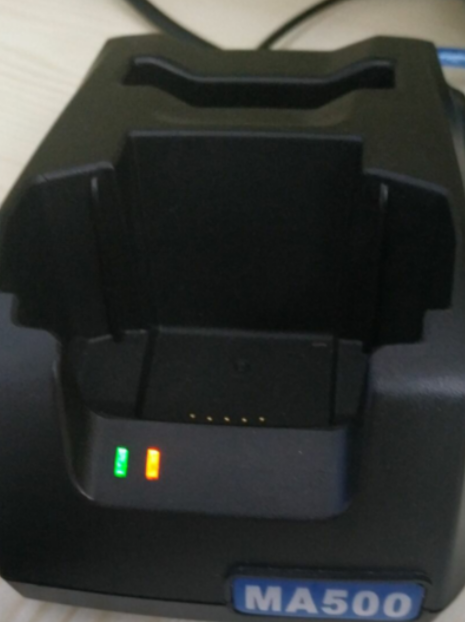
- After plugging in the baseBelow the virtual machine can recognize the Bluetooth device Connected, and it can also be seen Connected in the device manager
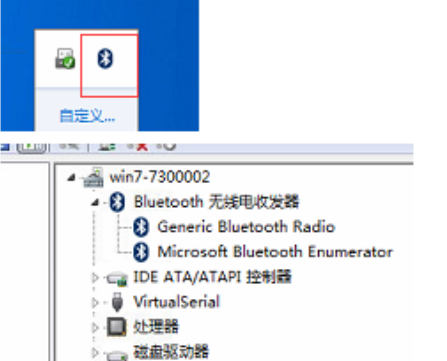
- At this time, move the mouse to the Bluetooth logo Select Add Device, and you can see the Client device or mobile phone (here the test is done with a mobile phone)
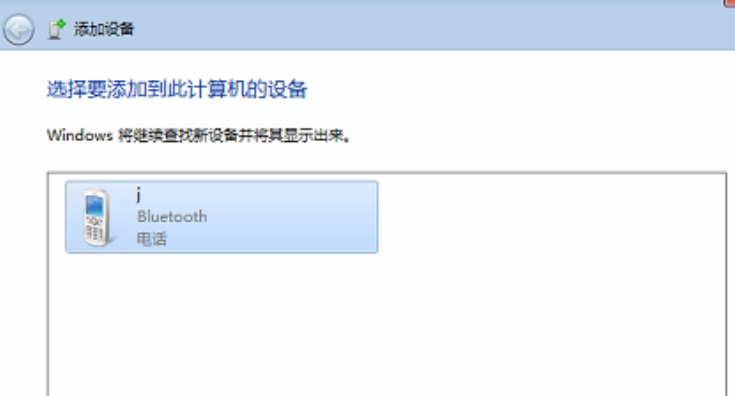
When you click on this page, Select AND the mobile phone or Client to Powered on. Open this page, the mobile phone or Client can also connect to the VM and match VM Connected. - HoweverYes if this interface Close and VM is not connected to the mobile phone, Client can connect to VM within about 2 min, but after about 2 minBelow the mobile phone can no longer connect to VM.
- Client and terminal and VM are Successful connected, they will be disconnected after Mon while (similar to AND feeling of logging out None traffic). Below disconnecting, it returns to the original Status. You cannot actively connect Open the virtual Client without opening the VM
Warning Information
**
Tue. Warning Details/Fault phenomenon
**
The Fault phenomenon is as shown in the figure:
Refer to the figure above
Effective troubleshooting steps
**
Wed. HandlingInvestigationProcess
**
- Add whitelist Test Connectivity, no
- Add reset list Test Connectivity, Value is 1, 2, 3, and Test Connectivity doesn't work
- Transfer to R&D View the Mon investigation: Since the barcode scanner connected to the USB Bluetooth transmitter was not used, there was no data packet in the virtual machine and no error was reported in the log.
- Second times: After packet capture and comparison, there was no Error, and there was no data packet during the Bluetooth connection process. Passed changing the Bluetooth Power Management Settings, Connected Restore normal!
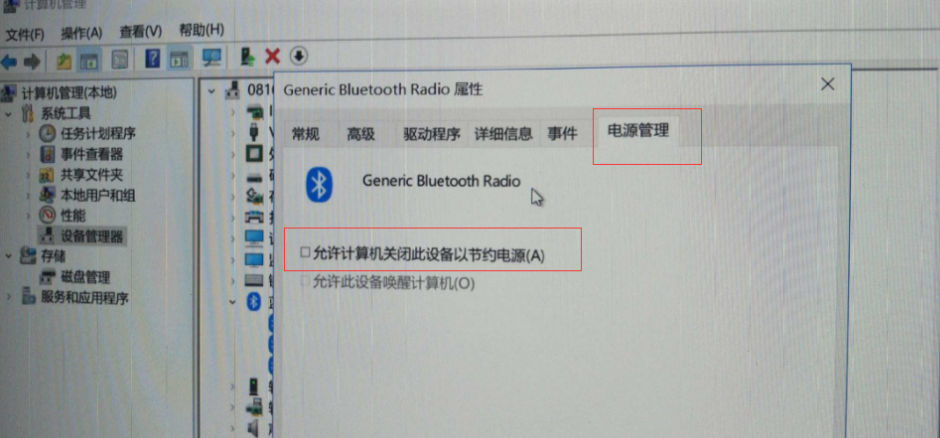
After removing this check, it Connected. Below, Test Connectivity win7 and win10 and they both Connected.
Root cause
**
Thu. Fault Analysis Conclusion
**
Since the "Allow the VM to Close this device to save power" option Default Allow this Bluetooth device on the virtual machine, the Client cannot connect to the VM if VM virtual machine does not turn on this device.
solution
See troubleshooting steps
Original Link
https://support.sangfor.com.cn/cases/list?product_id=26&type=1&category_id=12063&isOpen=true