
【aDesk】Abnormal use of some functions Software Kingdee software
Problem Description
Some functions Software Kingdee software are not working Connected
Warning Information
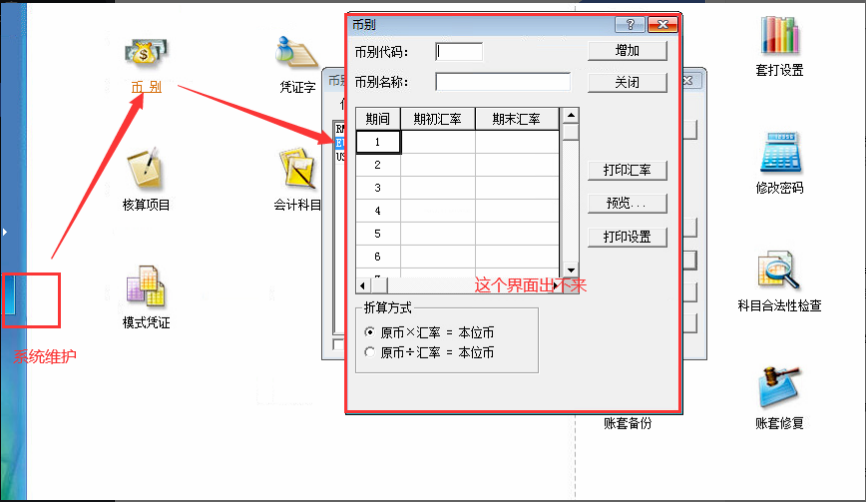
Effective troubleshooting steps
- OK Count Error VM, which is a small number.
- Take a snapshot VM and uninstall the agent Test Connectivity. It is found that it still does not work after uninstalling the agent.
- Test Connectivity a pure VM still causes problems
- Kingdee Version is 8.1. I checked Version corresponding version release Time on Baidu and found that Version Software version was released in 2008. At that Time, Win7 had not yet been released. I inferred that it was a compatibility issue AND the system Version. Auto unlock after Kingdee Desktop shortcut Icon, right-Click – Type, Select the program in compatibility Mode, select the compatible mode of XPSP3, and reopen Open to use it Connected.
Root cause
The Kingdee Software Version too old. When this Version came out, Windows 7 had not yet been released. This problem has been solved Auto unlock after Kingdee 13 and later Version.
solution
See troubleshooting steps
Suggestions and Conclusion
Auto unlock after you encounter some Software compatibility issues, you can OK the release time of the Software Version Passed Baidu etc., methods to OK whether it AND this system Version Auto unlock after Time
Original Link
https://support.sangfor.com.cn/cases/list?product_id=26&type=1&category_id=11953&isOpen=true