
【aDesk】Abnormal use of the touch function of seewo smart blackboard
Problem Description
Version seewo BV86EV smart blackboard, when using the X66 box, long-pressing the touch screen does not have the right-click function, while the 200 box Connected.
Warning Information
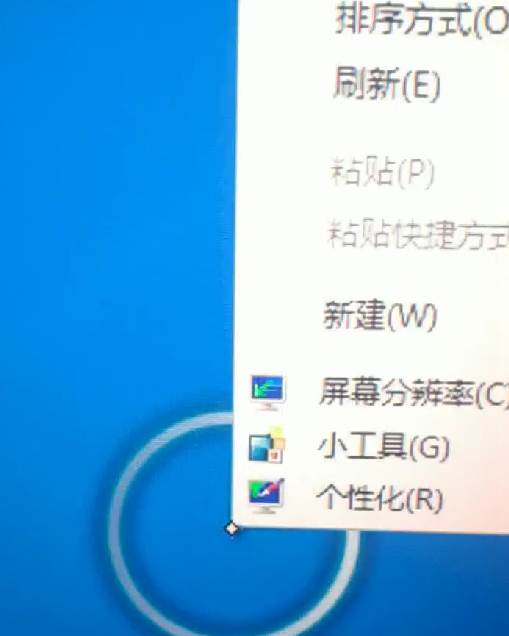
Effective troubleshooting steps
- Connect the peripheral to the Physical Machine, Select "Sort devices by connection" in the device manager, and Expand all USB buses in turn to obtain the status and VPID of the peripheral displayed in the device manager.
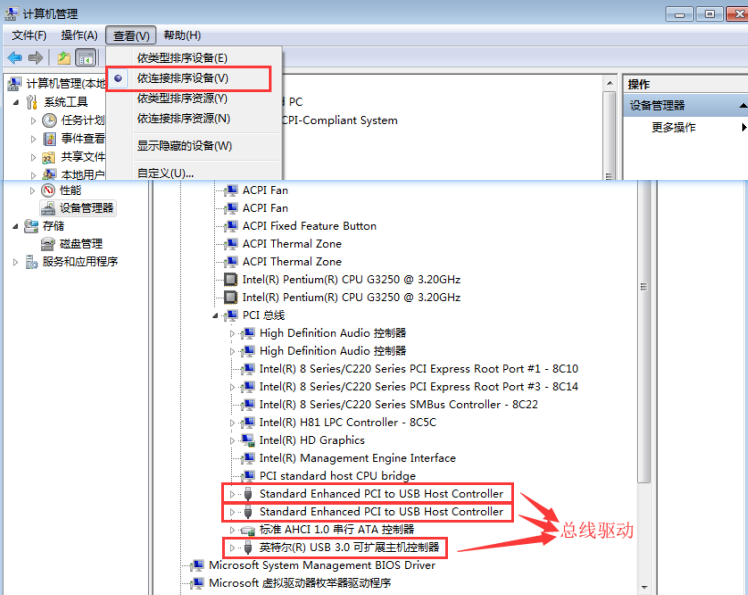
The actual situation is as follows:
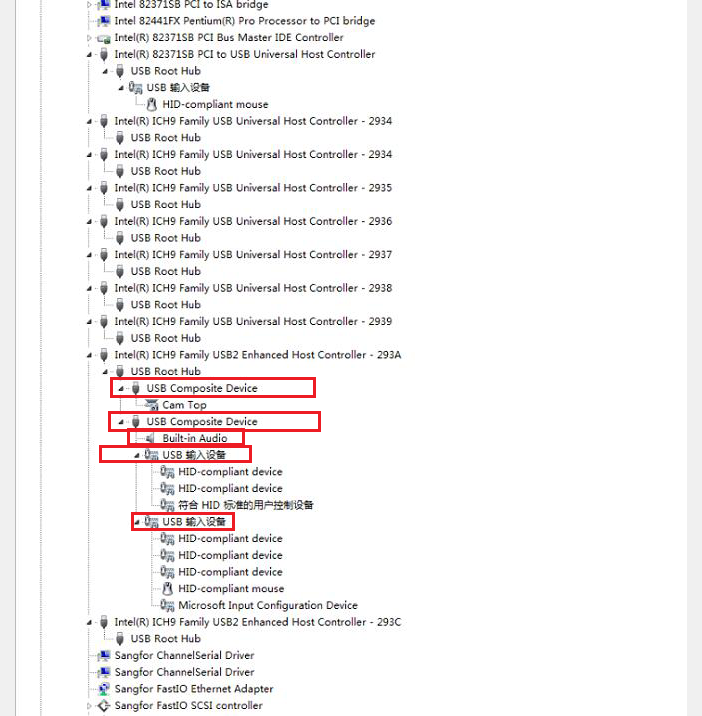
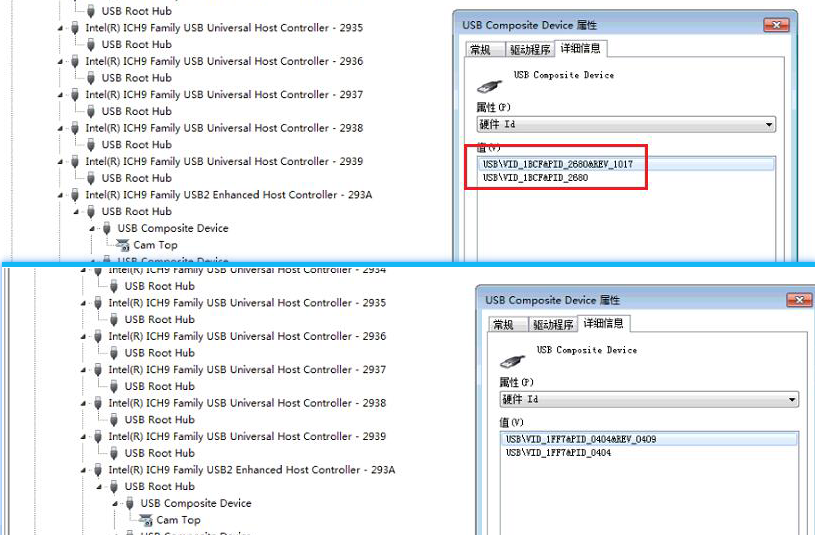
It can be seen that this external device is composed of two composite devices, Mon Yes camera device (1BCF:2680), Mon Yes Audio device (1FF7:0404), and Mon Yes USB input device (1FF7:0404). - Comparing the mapping of peripherals and 500 box and 200 box (check directly in the USB device manager of the navigation bar), it is found that 500 box only maps the camera device (1BCF:2680), and does not map Audio and USB input devices (1FF7:0404).
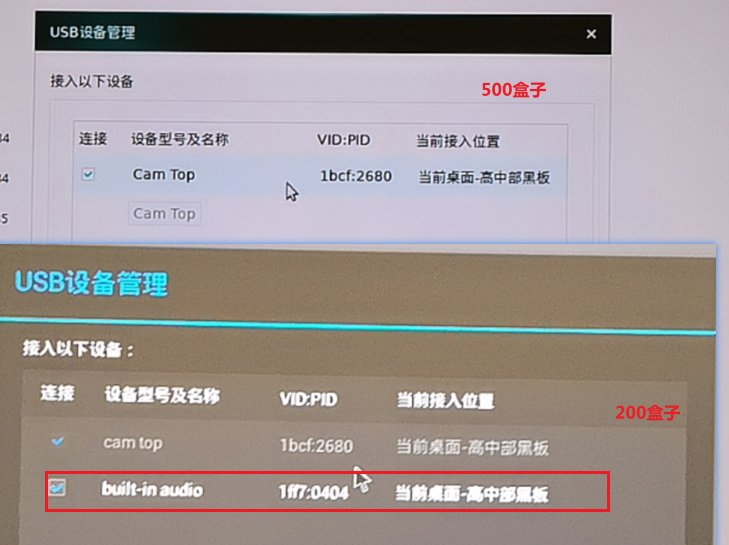
- After Settings Mon whitelist for 1FF7:0404, touching and pressing to display the right-click menu Restore Connected.
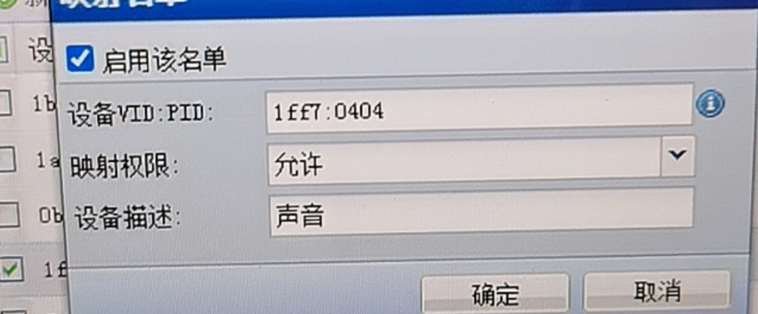
- However, the mapping, the customer reported that during the WeChat voice call, the corresponding party could not hear the voice I sent, but we could hear the other party's voice Connected. So Auto unlock after setting the recording device as the Default recording device inside the virtual machine, the problem of no sound was solved. The specific Operation method is as follows:
[Right-click the volume icon on the taskbar]–>[Click playback device (OR recording device)]
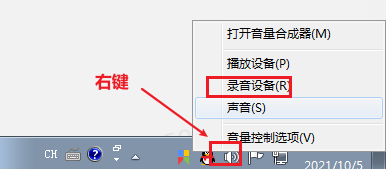
Open dialog box, right-click the device you want to Switch to, Click as Default Device, and Click OK.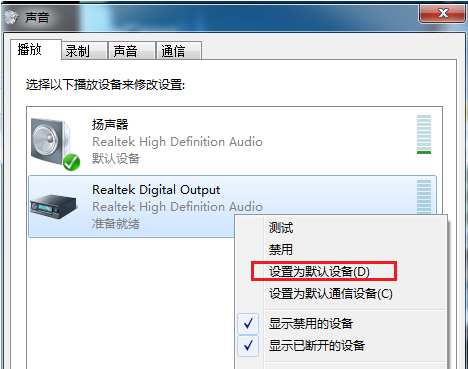
- After further Test Connectivity, the customer , when making a WeChat voice call, the other party heard our voice with noise and the sound was intermittent. After trying to Settings Audio list, the sound quality problem was solved.
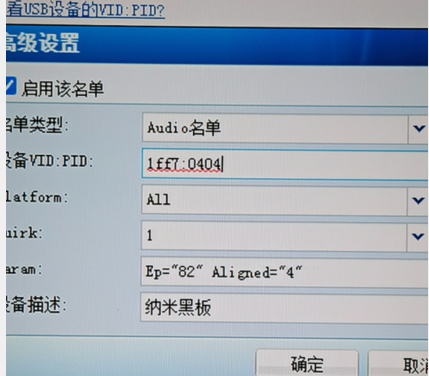
solution
Reference troubleshooting steps
Original Link
https://support.sangfor.com.cn/cases/list?product_id=26&type=1&category_id=11456&isOpen=true