
【aDesk-SBC】Original Remote App Resource Open Error directory Name
Problem Description
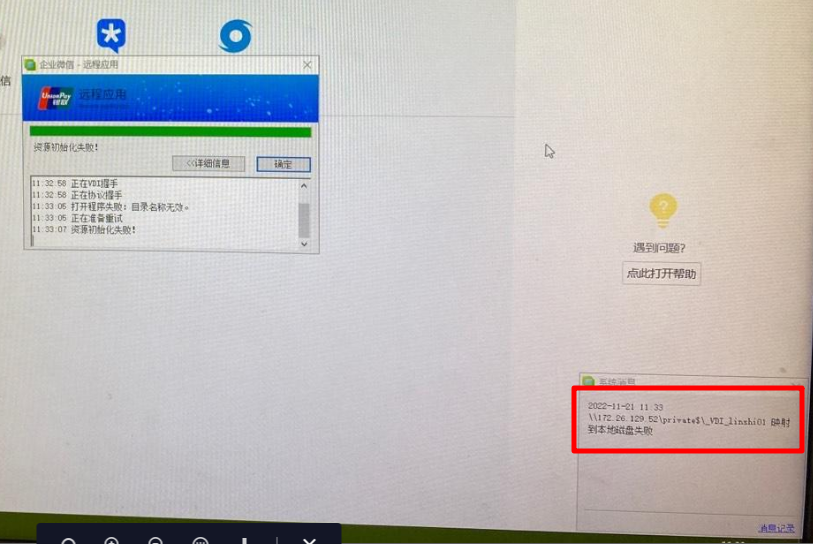
WinServer publishes WeChat Remote App, clicks WeChat resource and Tips the directory Name Invalid, and there is an error in the lower corner as follows
Warning Information
solution
- Auto unlock after log file containing vdi users in the Agent Install directory (the following Path) User the vdi server and View there is the following error:
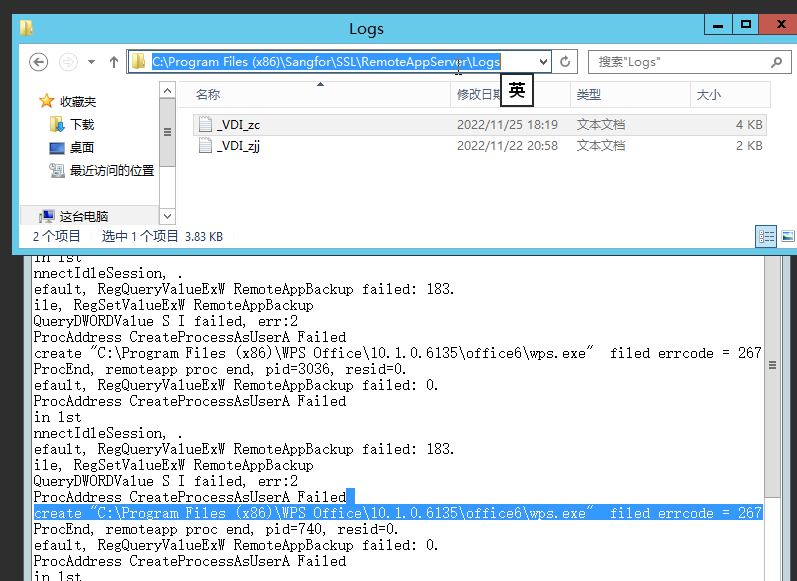
Use net helpmsg 267 to query the corresponding Error code: The directory Name Invalid

- Check the WeChat Settings on the VDC. It turns out that the WeChat Working Directory Settings with Mon directory called Z:\My Document.
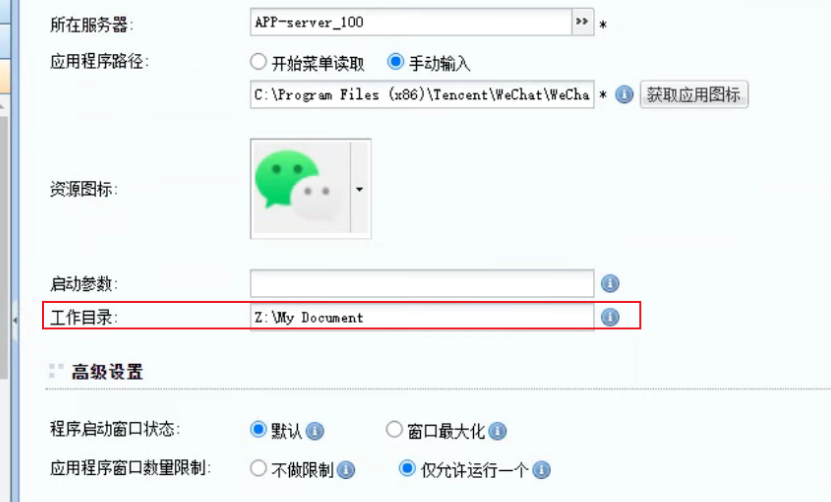
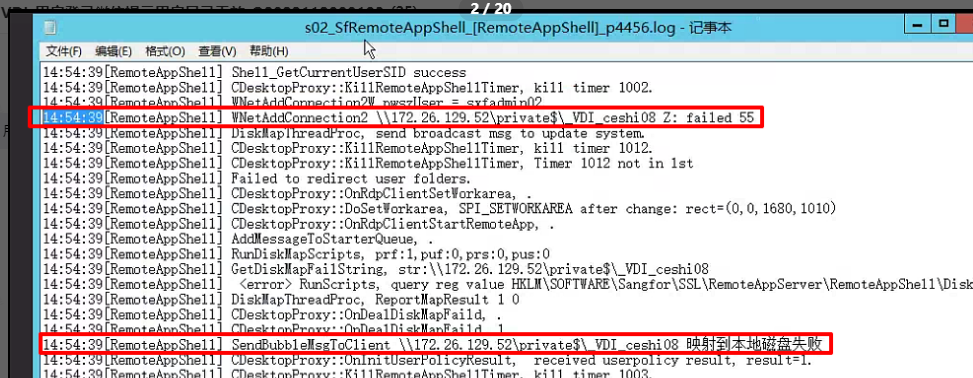
- This directory does not exist on the remote app server. Yes User Path that is automatically mounted to the SBC server when the user logs in automatically. This also corresponds AND the error "Map to Local Group disk Failed" on the page.
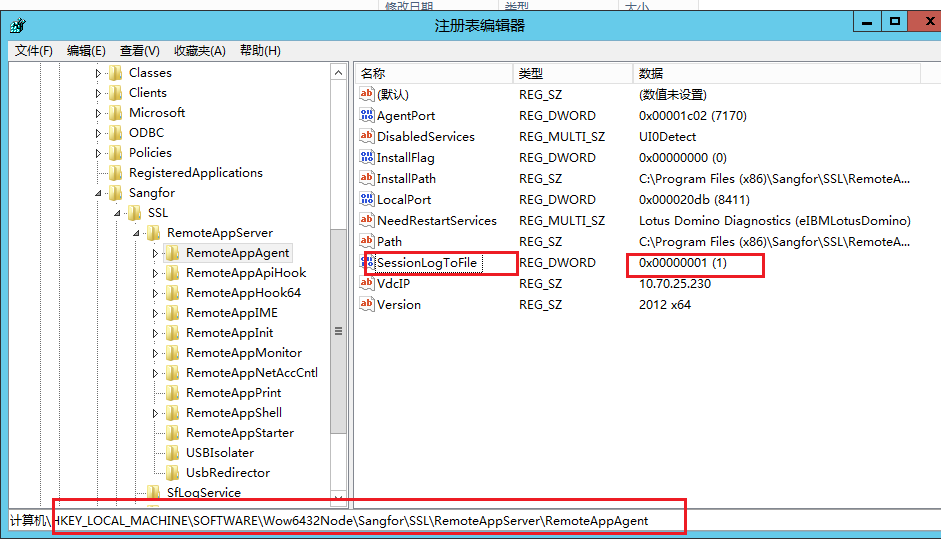
- Change the following Registry key value to 1
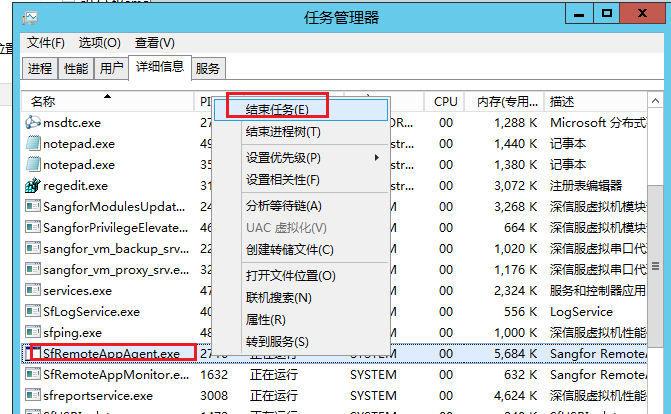
Manually Finish sfremoteaapagent Process Medium Task Manager. **Be careful not to choose to Finish Process tree. **Open detailed Log In of User
- Use User to Log In again, reproduce the phenomenon, check the remoteappshell log in View %appdata% directory (note that the User name must be Change to the User Name of the corresponding User on the SCB server, such as C:\Users\_vdi_sangfor\AppData\Roaming), and find the following error:
- Continue to check the corresponding agent File on the file server and find that the Time of Create the directory is a few minutes later than Time when User Log Inmin

In other words, when User Log In Resource access, the corresponding directory has not been created yet, resulting in the inability to mount it. - The final customized colleague Yes the variable used to send messages to the File server on the VDC used a global variable, which caused Send Msg sent to all Virtual Drive servers, resulting in message blocking.
Suggestions and Conclusion
- The meaning of the Error codes in the log can be queried using net helpmsg.
- When you encounter the problem that Tips directory is invalid when SBC Open the resource, in addition to checking whether the published exe Path (note File extension) exists, you also need to check the Working Directory. This problem can also be used as a general troubleshooting idea for viewing logs in SBC scenarios.
- Access the scheduling logic of SBC:
If this User has Open the SBC Resource, the SBC server accessed by subsequent accesses to the SBC Resource will give priority to accessing the this SBC server.
If this User does not Open SBC Resource, Open SBC Resource, and then Close the SBC Resource, the system will be rescheduled. There is no priority access to a certain SBC server.
Original Link
https://support.sangfor.com.cn/cases/list?product_id=26&type=1&category_id=13510&isOpen=true