
【aDesk-SBC】Product related issues: Open Remote App SBC opens Software displays Error
Problem Description
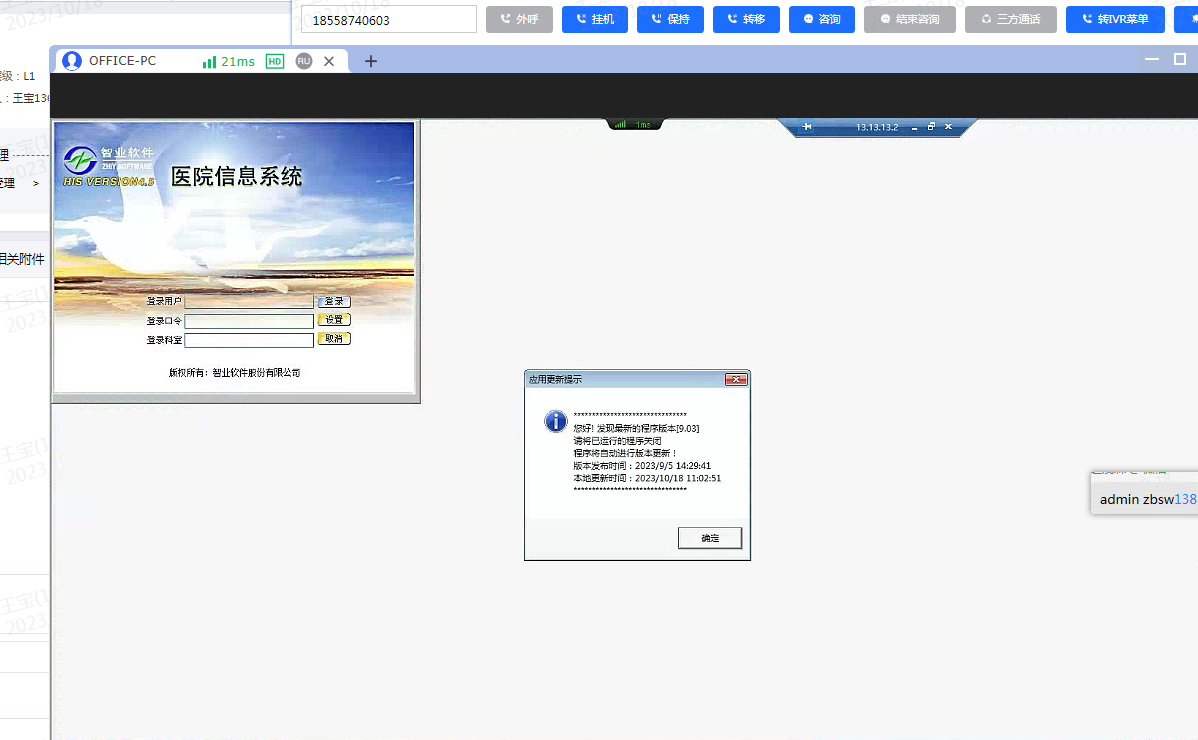
Use the Virtual Desktop publish the HIS Details system. After accessing it using the Kylin client, Software window is displayed Auto unlock after the upper left corner with a gray-white background.
Warning Information
solution
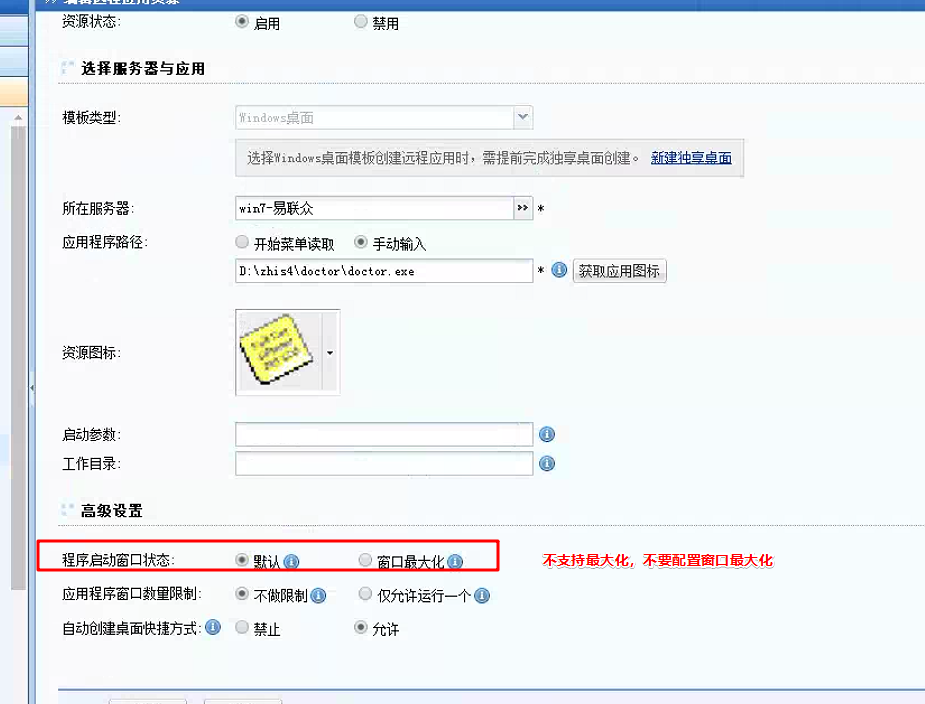
- Software itself does not support maximization. Change setting [Program startup window Settings] of this SBC Resource on the VDC to the default solution.
Original Link
https://support.sangfor.com.cn/cases/list?product_id=26&type=1&category_id=26448&isOpen=true