
【aDesk-SBC】Remote App accessing TIM with ResourceConnected Tips the personal File has no Role
Problem Description
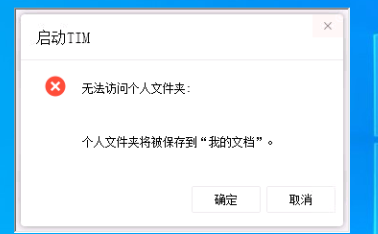
Remote App joins a TIM Resource, an error message appears when starting TIM, indicating that the personal folder cannot be accessed.
Unable to use TIM Software
Warning Information
Effective troubleshooting steps
- Check whether the corresponding app server is generated under the _vdi_zl user directory corresponding to the login User system
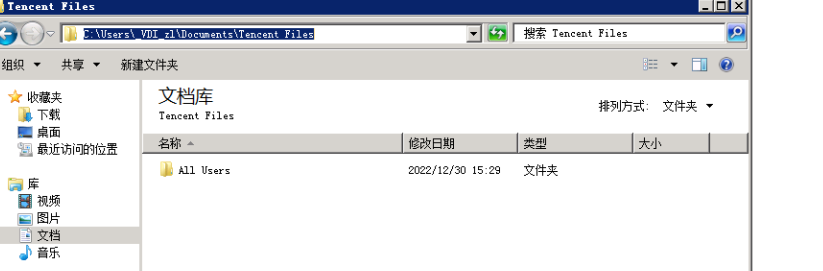
Check that the above directory Role are Connected.
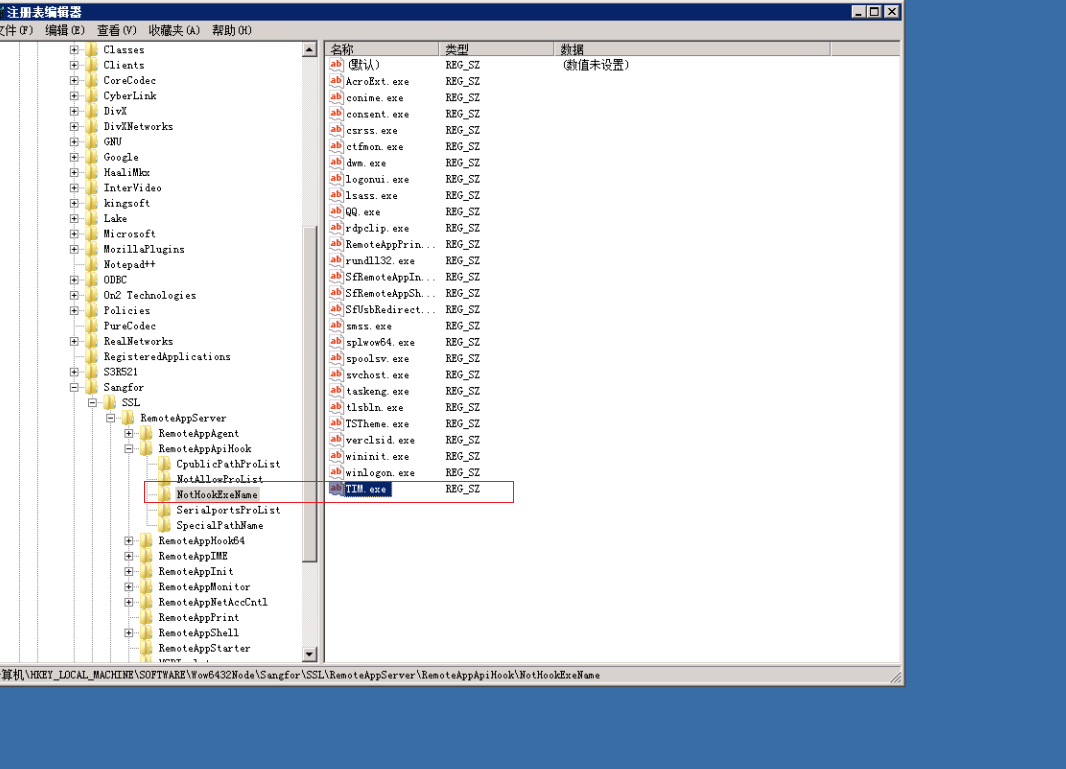
2. Passed app server as the _vdi_zl User Log In mstc, and manually double-click to Running TIM.exe. TIM.exe can Powered on. Description User Role are Connected. 3. Registry NotHookName list TIM.exe in the registry, and Remote App Connected Connected.
Root cause
The agent component hook causes the tim document permissions to be Error.
solution
Registry NotHookName list TIM.exe in the registry, and Remote App Connected Connected.
Suggestions and Conclusion
If this solution does not work, try the following link
https://blog.csdn.net/i1377784455/article/details/113448751
Original Link
https://support.sangfor.com.cn/cases/list?product_id=26&type=1&category_id=13644&isOpen=true