
【aDesk-SBC】Remote App Resource Process Error Log Out
Problem Description
In version 5.5.3R2, Auto unlock after newly deployed SBC server is deployed on a Service server, the message "Session Process Error" Tips all remote application Resource.
Warning Information
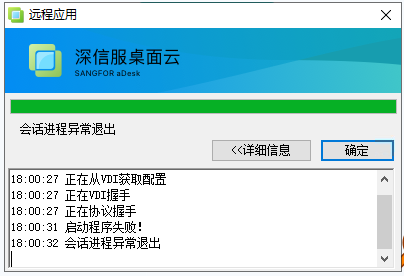
solution
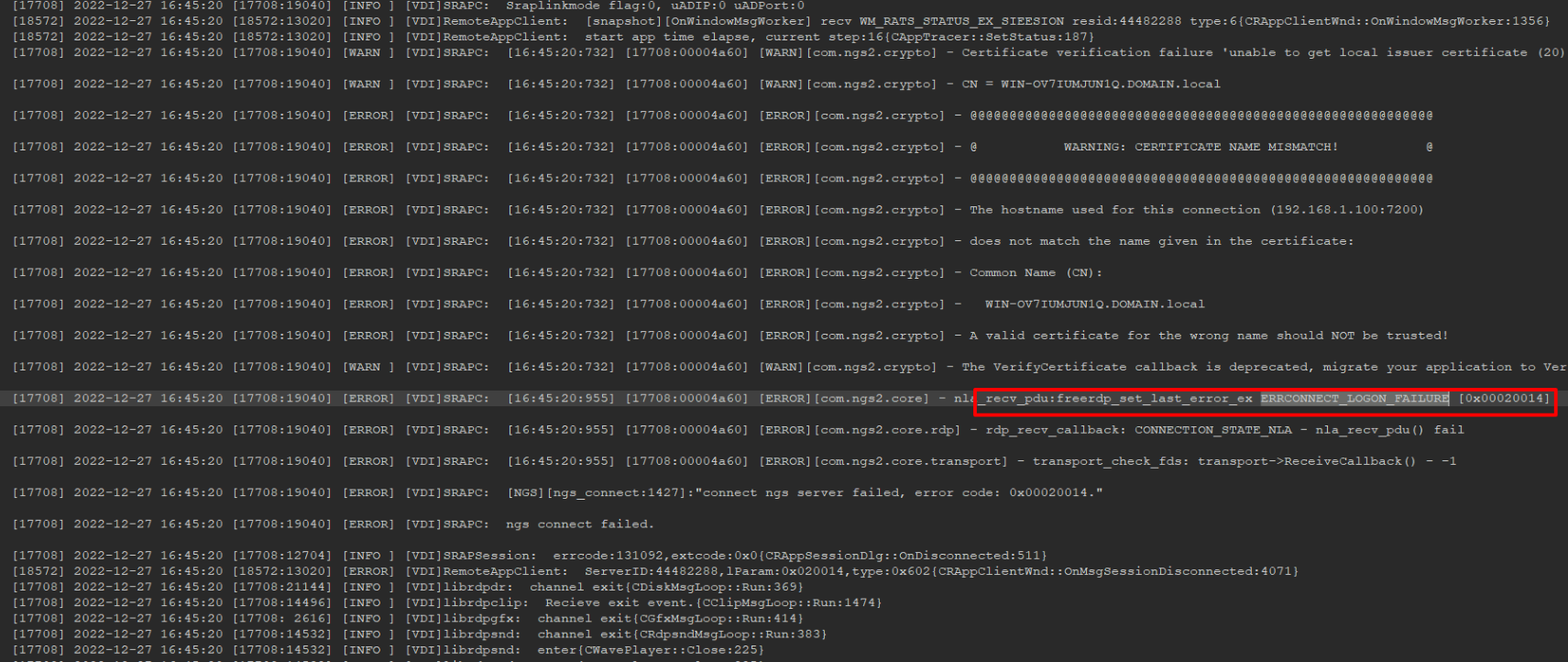
- View client log and find the following Login failed. failure error: "ERRCONNECT_LOGON_FAILURE"
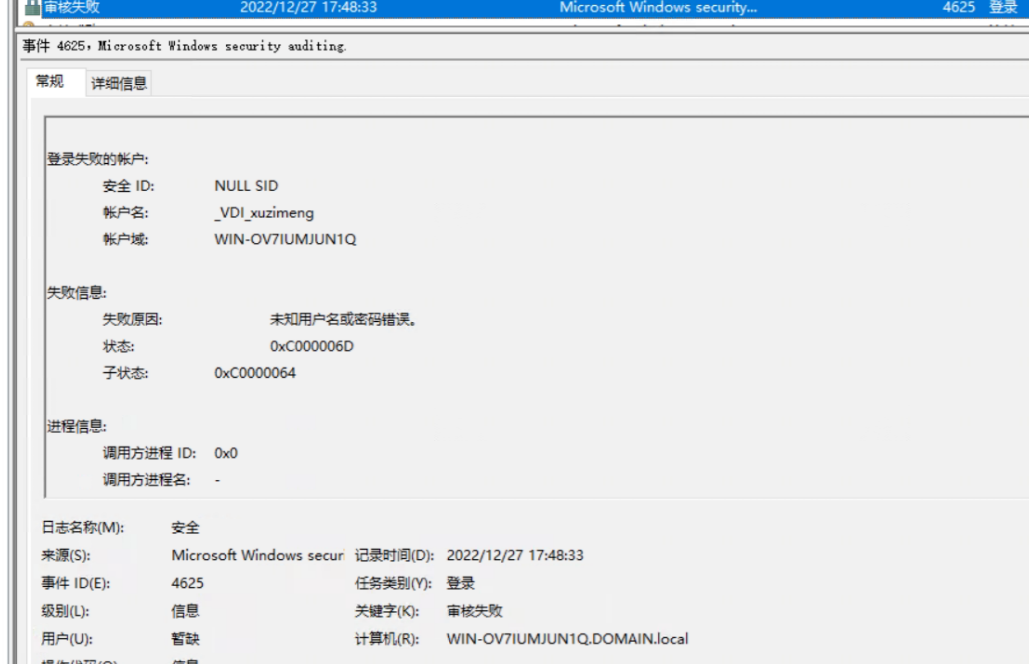
- Check the SBC server Network Security Logs log for Unknown User names OR Password.
- Check the SBC server environment and find that the SBC server has a Domain and AD domain Service Install. It is itself Mon domain control server (AD domain services will be automatically deployed if Windows Server Essentials Service).
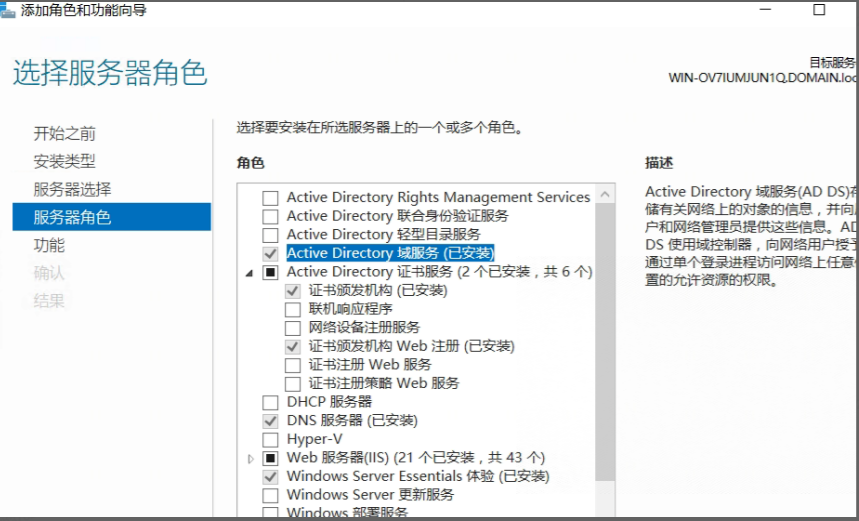
- There are this compatibility issues between the domain Service AND the SBC server, and they cannot . The customer's environment was newly deployed, so the problem was solved by reinstalling the system without Install Windows Server Essentials Service.
Suggestions and Conclusion
There are this compatibility issues between the domain Service AND the SBC server, and they cannot be used together
Original Link
https://support.sangfor.com.cn/cases/list?product_id=26&type=1&category_id=13635&isOpen=true