
[adesk] After enabling Clipboard audit, Windows internal File Copy reports an error and VM does not enable TLS1.2
Problem Description
After enabling Clipboard auditing, Windows reports FileVM does not enable TLS1.2.
Warning Information
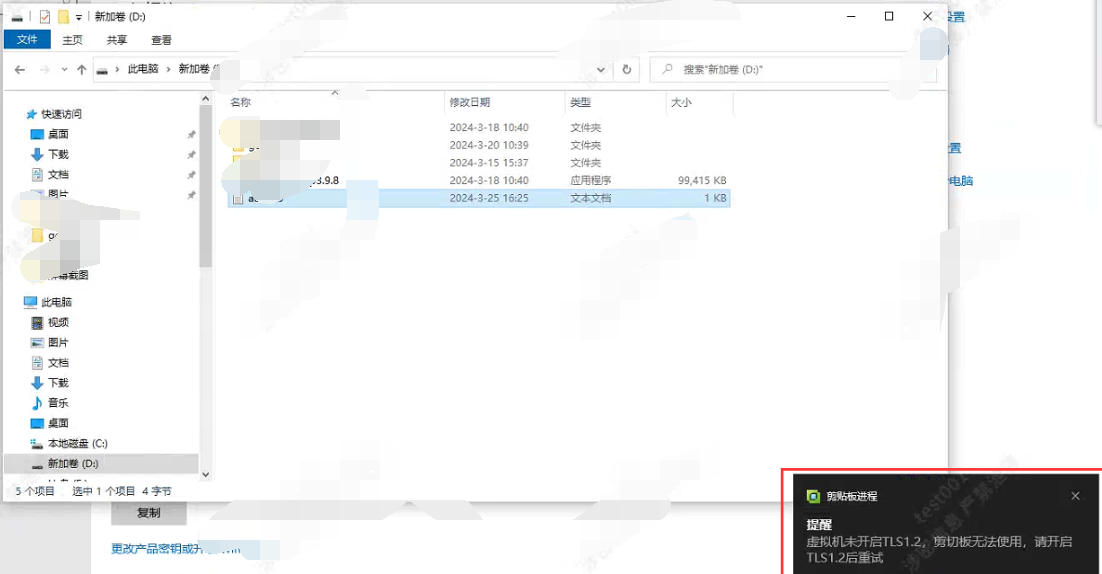
solution
- Auto unlock after enable TLS 1.2 on Windows 10, follow these steps:
Open Control Panel. Auto unlock after Control Panel, select Network and Internet. Auto unlock after "Network and Internet" options, Select "Internet Options". Auto unlock after Internet Options window, Switch to the Advanced tab. Auto unlock after the Security section, find the Use TLS 1.2 option. Check the "Use TLS 1.2" option. Click “App” button and then Click “OK” button Save the changes. Finish the above steps, TLS 1.2 protocol will be Enabled Windows 10 Protocol. Note that these steps may vary slightly for different versions of Windows 10, but the Operation process Yes similar. - After Open, the Clipboard can be Powered on, and the Report Center can audit the Operation record of Clipboard.
Is Yes temporary solution?
No
Original Link
https://support.sangfor.com.cn/cases/list?product_id=26&type=1&category_id=27122&isOpen=true