
[adesk] After replacing the host, the new host None virtual machines Running
Problem Description
The customer reported that the new host had Running for two days, but there was still no VM. 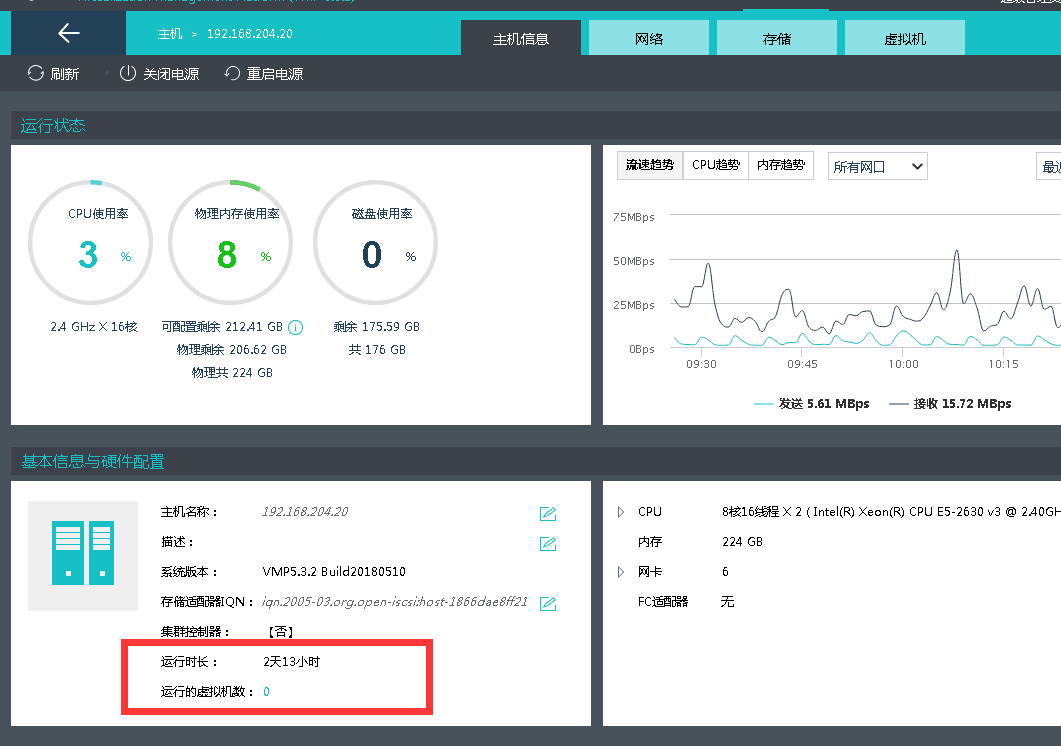
Process——
- Check whether Auto unlock after network port status of the newly replaced host is normal on the VMP Interface. As shown in the figure below, green means the Interface Online, and gray means the Interface Offline.
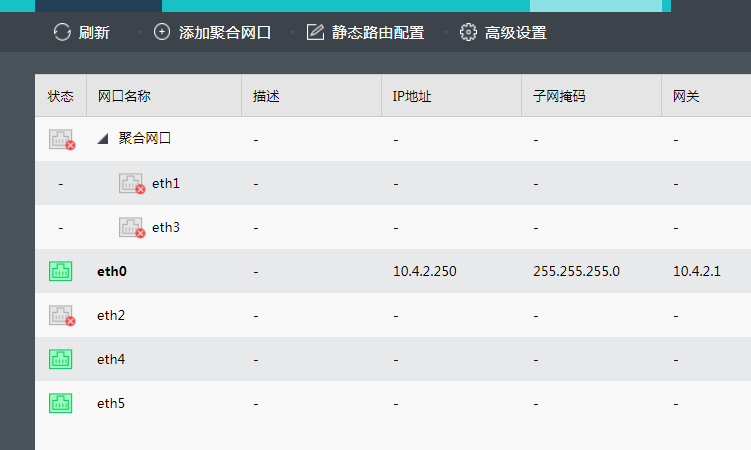
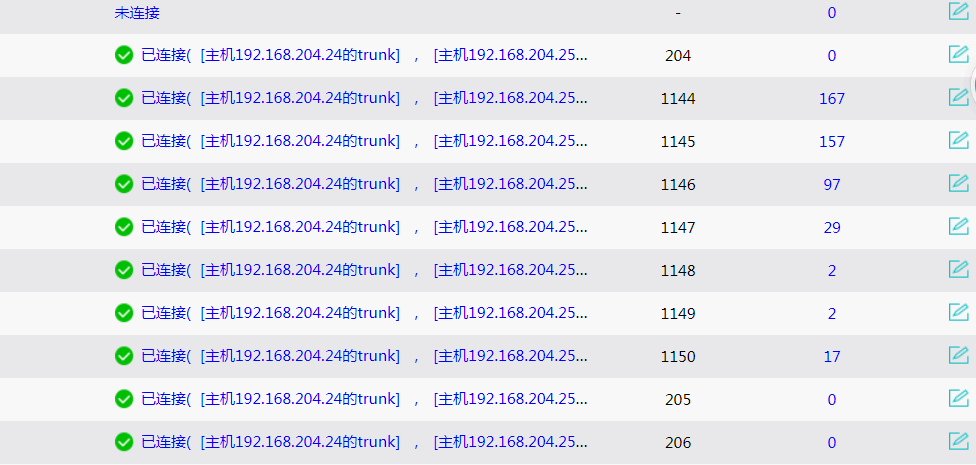
- Check whether the virtual switch is bridged to the service network port of the newly replaced host. As shown in the figure below, Click Auto unlock after Virtual Network->Connect to Physical Network Status and OK the VM switch is not connected to the newly replaced host.

Root cause
VM connected to the virtual machine is not bridged to the service Interface of the newly replaced host. When VM automatically Select Run Location Powered On, this host will not be Select.
solution
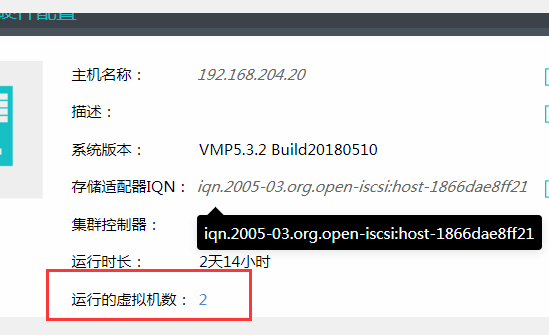
Auto unlock after the virtual network, bridge the virtual switch to the service Interface of the newly replaced host, the virtual switch will turn green, and VM will automatically run to the newly replaced host when it is Running, as shown in the figure.
Original Link
https://support.sangfor.com.cn/cases/list?product_id=26&type=1&category_id=10797&isOpen=true