
[Adesk] After VM is activated, the lower right corner Desktop still Tips Not activated
Problem Description
After VM is activated, the lower right corner Desktop still Tips Not activated
Warning Information
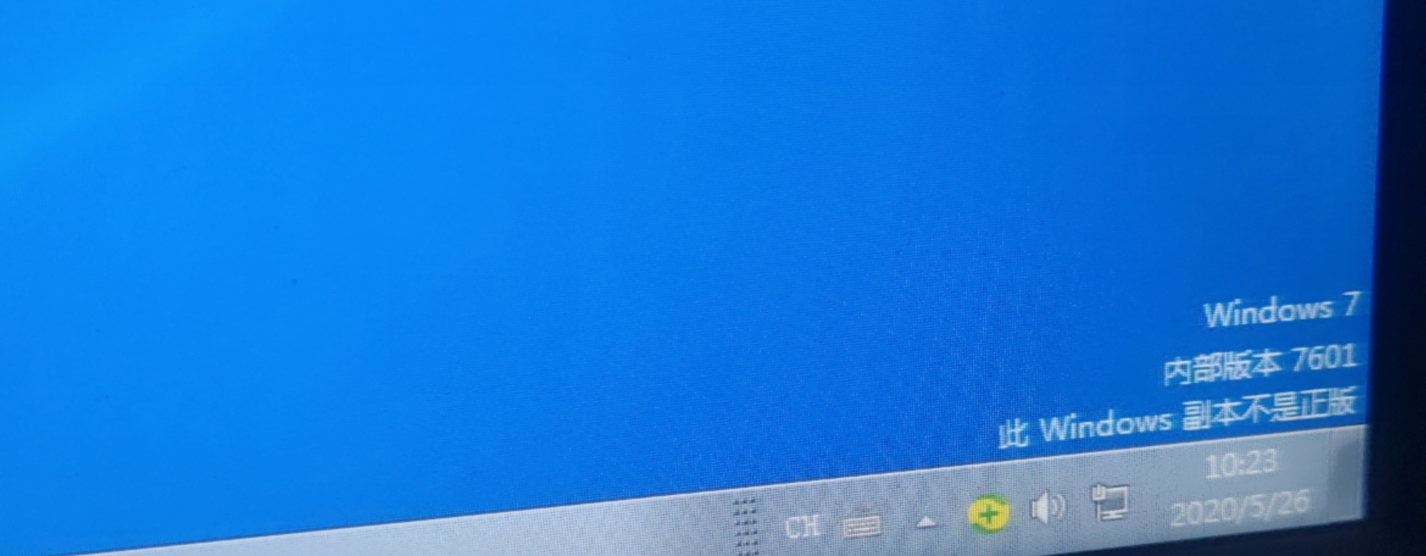
546475ee9d9aa06b86.png (1.39 MB)
Process——
- Open cmd VM.
- Enter in the command line: SLMGR -REARM
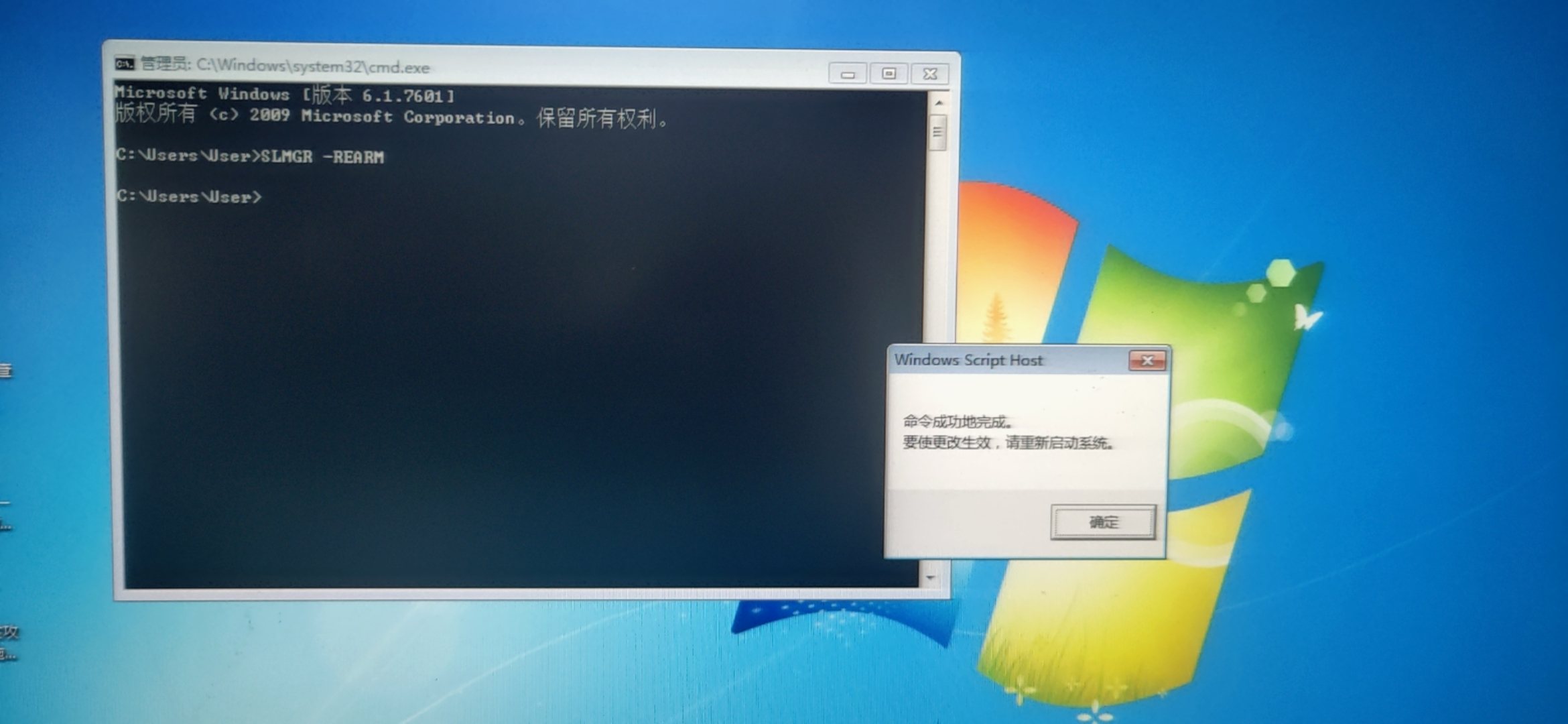
110795ee9da0377b85.png (3.88 MB) - Reset VM wait for 1-2 min until Connected.
Root cause
, the tool is activated, the Registry is not fully Effective.
solution
Passed entering SLMGR -REARM in the cmd command line and Reset VM.
Suggestions and Conclusion
You can use this as a reference if you encounter a situation in which Desktop still shows as not activated after the Not activated. This method can be found on Baidu.
Original Link
https://support.sangfor.com.cn/cases/list?product_id=26&type=1&category_id=10921&isOpen=true