
[aDesk] Create Resource, an error message is displayed New virtual machine: Failed to obtain storage Details (Operation Failed)
Problem Description
Mon VDS server is used for Test Connectivity. The virtual storage has been Creation completed and VM VM Template Finish.
Auto unlock after Create Resource in VDC, an error message is displayed when New a new virtual machine: Failed to obtain storage Details (Operation Failed).
Warning Information
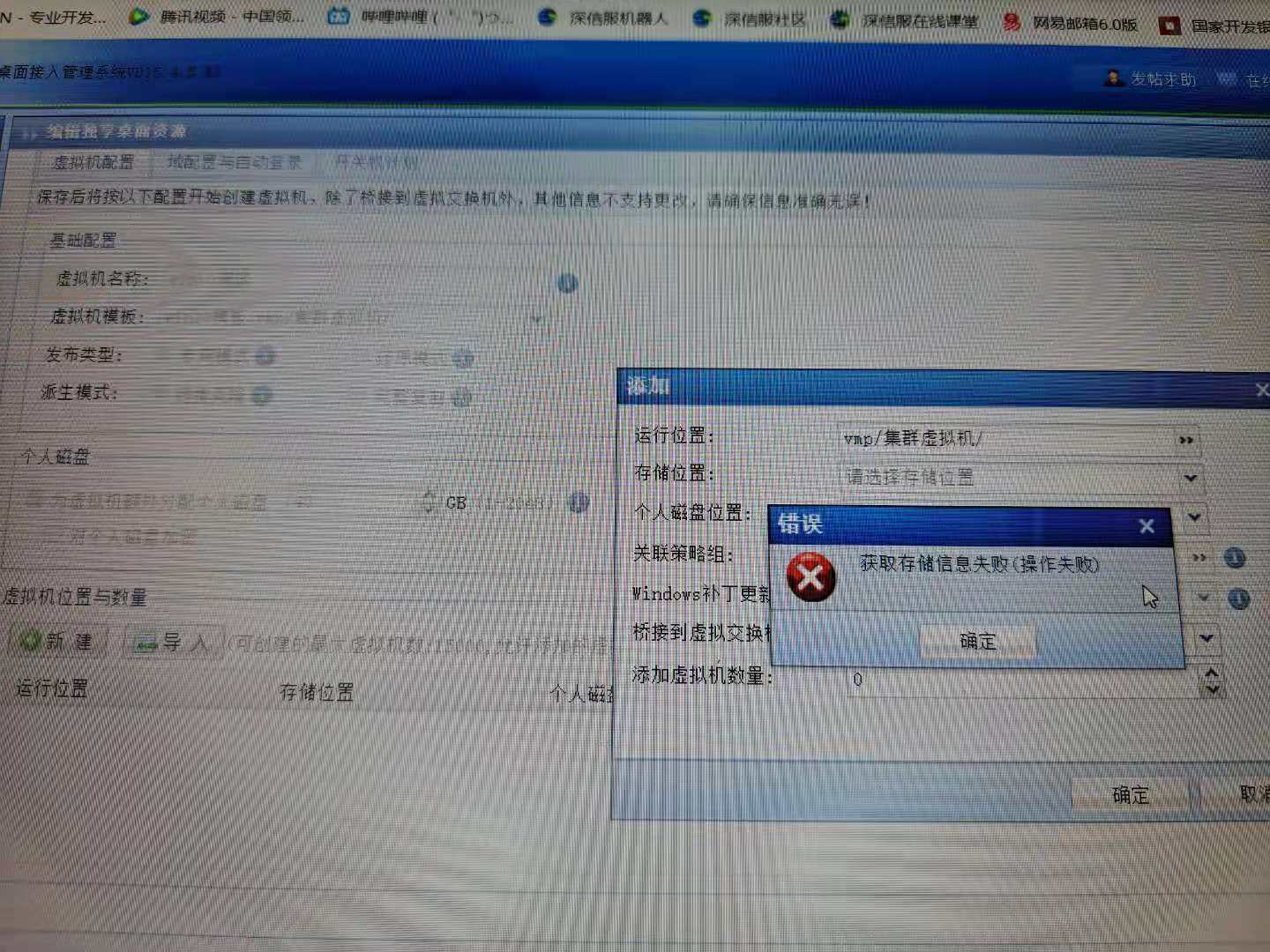
Error Details (203.99 KB)
Effective troubleshooting steps
- View VDC Medium verify that the vmp Address has been Add the HCI GUI controller, and Tue can communicate with each other Connected.
- Auto unlock after VDCMedium the 443 port of telnet vmp Connected;
- Log in to VMP Medium View the virtual storage Connected;
- View the inter-host communication port of VMP and find that the eth0 port Yes still Select Default default, and the vmp Address Yes Settings Auto unlock after the eth1 port;

Problem network card.png (162.74 KB) - Passed Auto unlock after inter-host communication port to eth1, when New Resource Auto unlock after VDC, New VM can obtain relevant Details and Finish Resource Create and VM creation.
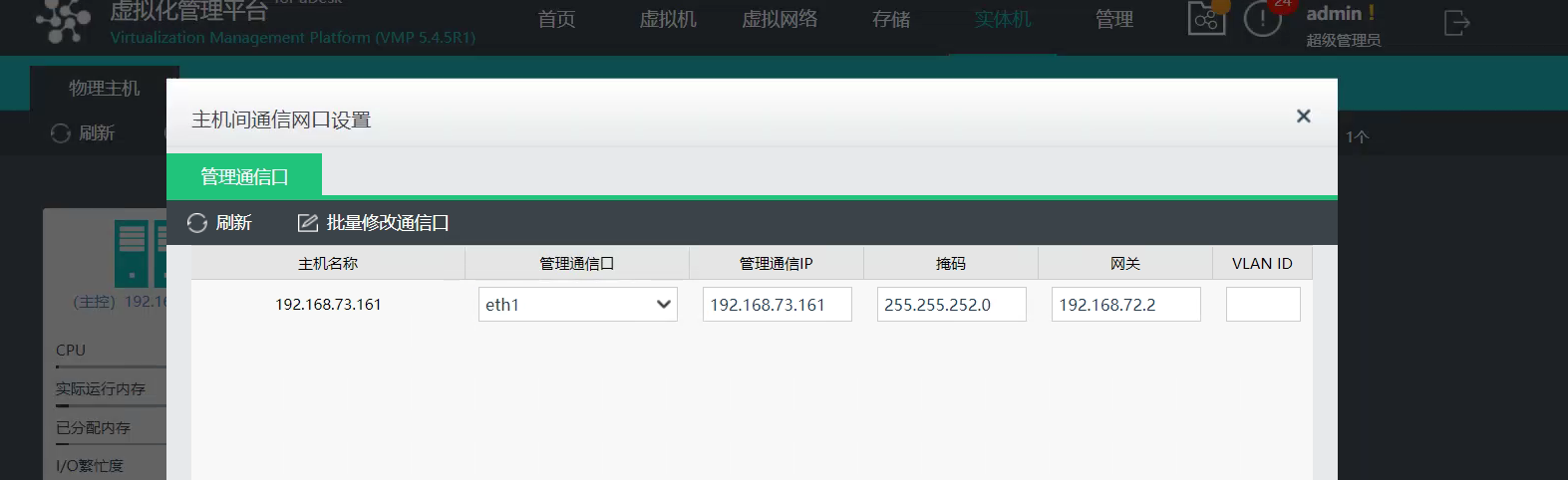
Settings Successful (138.09 KB)
Root cause
The Interface Address Medium to the vmp address Add in the VDC is not Yes communication port between hosts Medium VMP, so the VDC cannot obtain relevant Details.
solution
Change network port corresponding to the communication port between Interface to VDC and Add Interface corresponding to the VMP address
Suggestions and Conclusion
The implementation of the Test Connectivity needs to follow the standard process. The planned host communication ports need to be Settings Auto unlock after VMP Below connected AND VDC.
Original Link
https://support.sangfor.com.cn/cases/list?product_id=26&type=1&category_id=11562&isOpen=true