
[adesk] Domain User Log In does not match the corresponding Policy group
Problem Description
The domain User User Policy and custom Policy group used by the VM policy, after Log In, User Policy matches the Default Policy group
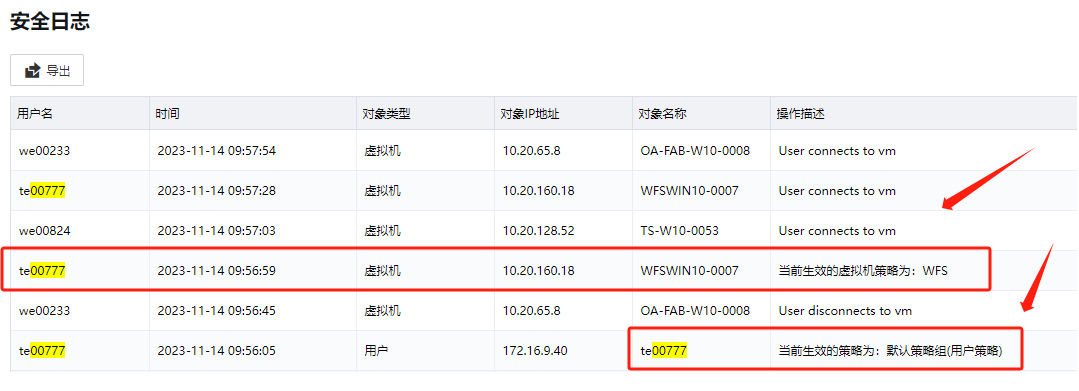
Warning Information
None
Effective troubleshooting steps
- Check that User Policy and VM Policy Settings are the same, non-Default Policy group.
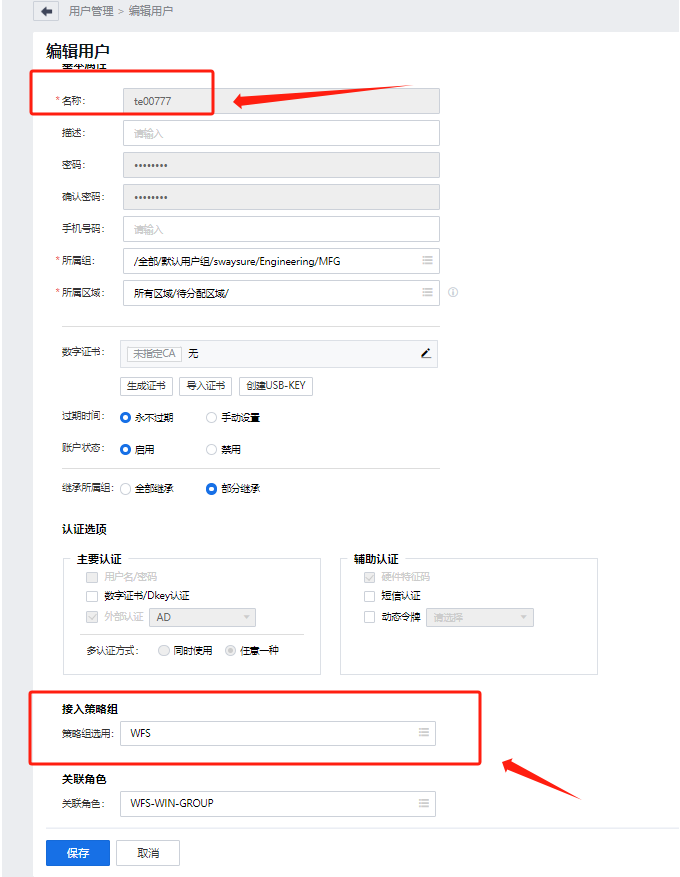
- When Log In, User uses an Uppercase User. Use Lowercase User to match the correct User Policy.
Root cause
AD domain User must log in using Lowercase letters to match the correct Policy group
solution
Use Lowercase User to match the correct User Policy.
Original Link
https://support.sangfor.com.cn/cases/list?product_id=26&type=1&category_id=25407&isOpen=true