
[aDesk] File Export audit checked Allow PC Predefined disk but still cannot Select local PC disk
Problem Description
Export File export audit checked "Allow PC Predefined disk" but still cannot Select local PC disk
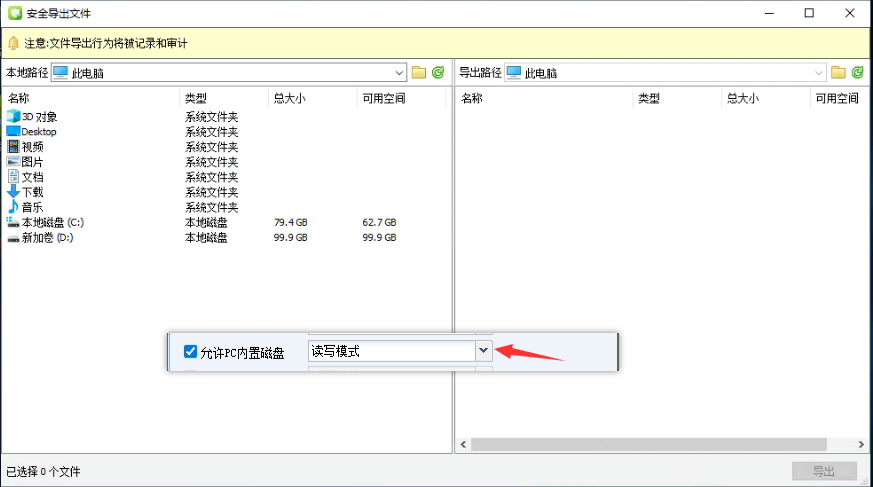
Effective troubleshooting steps
1.Agent Connected
2. Check VM My Computer and you cannot see the mapping of the local disk (solve the problem of the local disk not being able to be mapped first)
3. According to the troubleshooting of PC disk mapping Failed, Click jump
Root cause
PC disk mapping Failed causes File Export audit to not see the Physical Machine disk
solution
-
Check if there is a Value of SRAPDiskSv and Hworder and Order under HKEY_LOCAL_MACHINE\SYSTEM\ControlSet001\Control\NetworkProvider. If there is no SRAPDiskSrv, Description it is not installed. Then enter the disk mapping File View %vdi% directory and Running cmd with administration and management Role. Finally, execute "Installer.exe install"
Reset VM -
Reinstall the agent directly
Operation Impact Scope
Reinstalling the agent requires Reset VM
Original Link
https://support.sangfor.com.cn/cases/list?product_id=26&type=1&category_id=11144&isOpen=true