
[adesk] Template machine expands Capacity the C drive. The interface shows that the capacity has been expanded, but the expanded disk cannot be seen administration and management VM disk management
Problem Description
Template machine expands Capacity of the C drive. The interface shows that the capacity has been expanded, but the expanded disk cannot be seen administration and management virtual VM disk management
Root cause
To solve this problem, you need to first check whether there is a Restore partition in the middle of the C drive. This case Applied to User/Group the case where you find that there is a Restore partition in the disk management after capacity expansion, which causes the capacity expansion to Connected.
solution
Before Operation, take a snapshot of VM or back up key data to prevent misoperation;
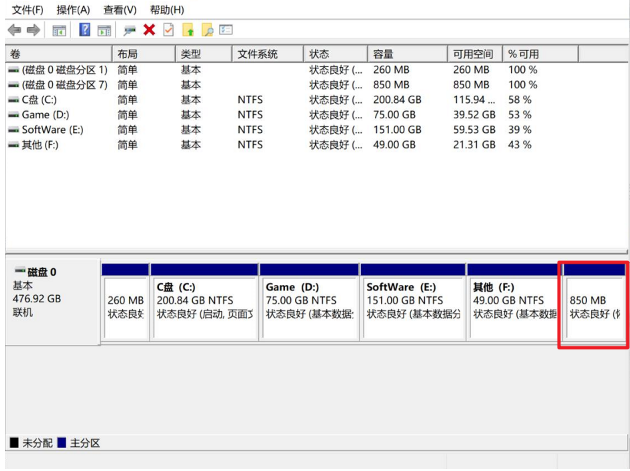
- First View Disk administration and management, the recovery partition will be displayed Restore brackets
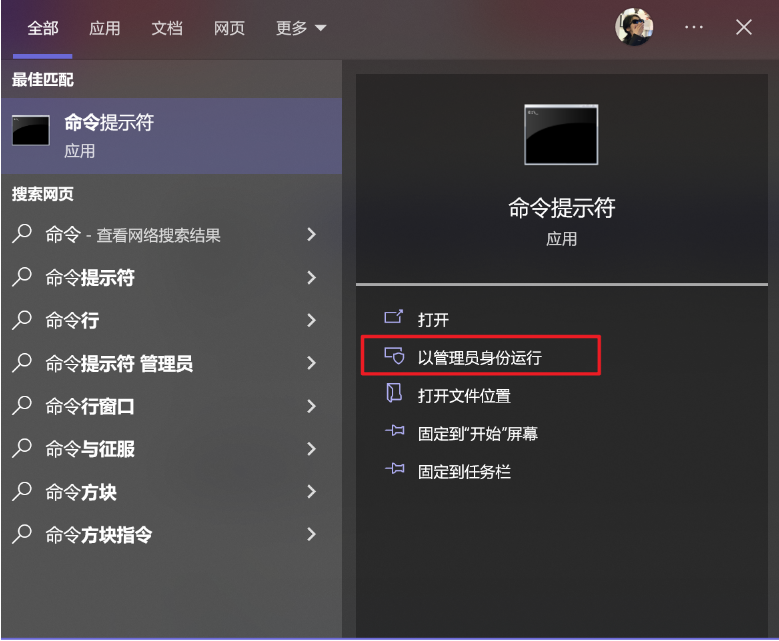
- Search for Command Tips and Select Open as an administrator
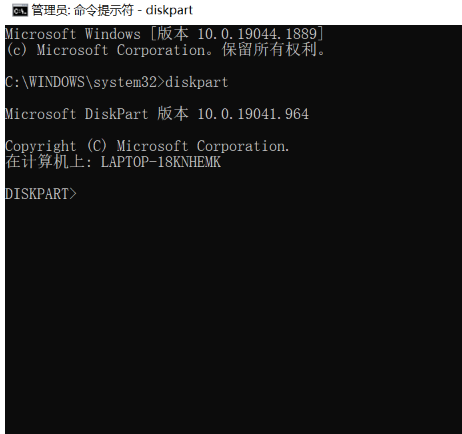
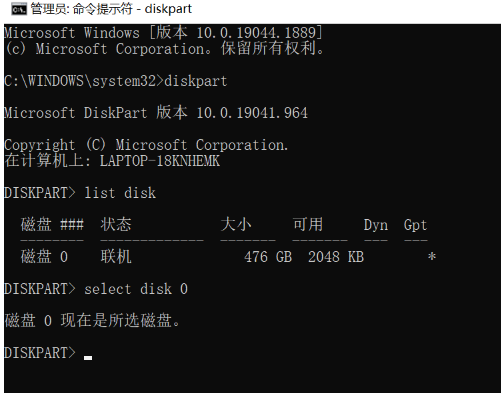
- Type diskpart and press Enter
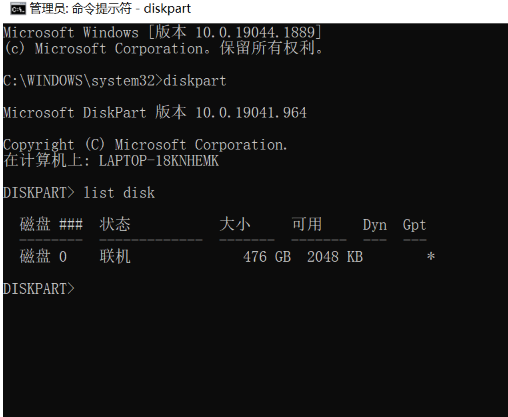
- Enter list disk and press Enter to display the physical drive list
- Enter select disk 0, 0 is the selected disk number
- Enter list partition to display the partition list
Since Restore partition has been Delete, it is not displayed here.
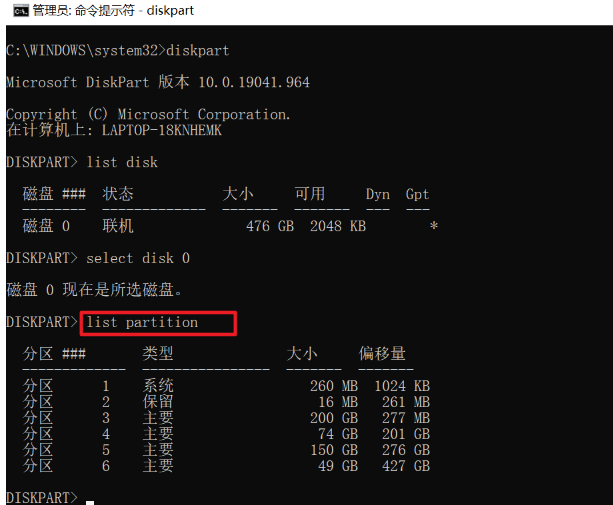
7. Enter select partition x, where partition x is the number of the recovery partition.
8. Enter delete partition override to delete Delete Restore partition, and then try to expand administration and management volume in disk management
Suggestions and Conclusion
Before Operation, take a snapshot of VM to prevent misoperation
Original Link
https://support.sangfor.com.cn/cases/list?product_id=26&type=1&category_id=13665&isOpen=true