
[aDesk] VDC Upgrade failed., Tips there is an AD domain user with Uppercase User name containing uppercase letters associated with the Associated VM
Problem Description
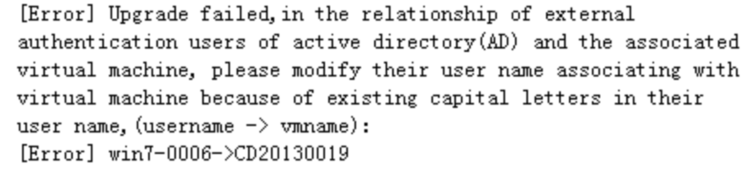
The old Version VDC is upgraded to version 5.2 or later. The VDC has been Settings LDAP domain authentication. The upgrade fails with Failed following error:
167695c9dbf3ecd9f5.png (55.78 KB)
Warning Information
[Error] Upgrade failed,in the relationship of external authentication users of active directory(AD) and the associated virtual machine,please modify their user name associating with virtual meachine because of existing capital letters in their user name,(username -> vmname):
[Error] xxxx->xxxx
Root cause
When the AD domain User name is case-insensitive in Version 5.2, the Default domain User names are all lowercase letters. If the VDC device has a domain User with uppercase letters that is Associated VM, the Upgrade failed..
solution
According to the Tue error Details in the error prompt (listing the existing domain User names containing Uppercase letters and their associated VM), manually unbind the VM User Associated the Uppercase domain user, then upgrade, and then rebind User VM after the upgrade (manually record the corresponding relationship).
Original Link
https://support.sangfor.com.cn/cases/list?product_id=26&type=1&category_id=10641&isOpen=true