
[adesk] vdi client Connected Tips the check and Update control Failed
Problem Description
vdi client Connected Tips the check and Update control Failed
Warning Information
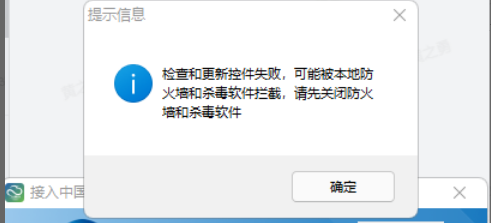
Effective troubleshooting steps
- Check whether Firewall Close.
- Use administrator Role Open vdi client and log in Successful.
- Use the vdtool tool to completely uninstall the vdi client component Below reinstall Install vdi client to see if Connected.
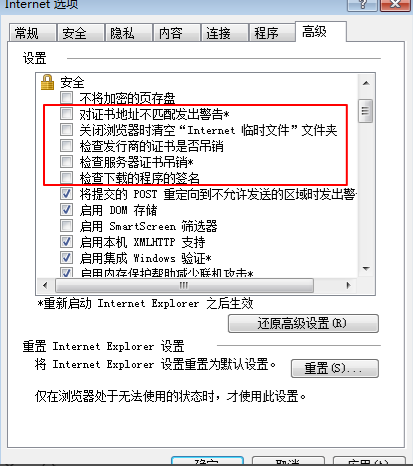
- Check whether the Browse… is normal when several checked options are removed in the advanced Settings of the Internet options of Connected IE browser.
Root cause
Environmental problem: the client Browse… the check certificate etc., Certificate.
solution
- Completely uninstall the vdi client Below reinstall Install.
- In the advanced settings of the IE browser internet options, uncheck the options in the picture above.
Original Link
https://support.sangfor.com.cn/cases/list?product_id=26&type=1&category_id=12159&isOpen=true