
[adesk] vdi client connection Tips the check and Update control Failed
Problem Description
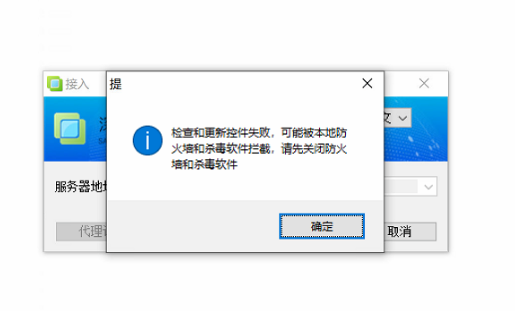
The vdi client connection Tips the check and Update control Failed. This may be blocked by the local firewall and antiFirewall. Please Close firewall and antiFirewallvirus Software first.
Warning Information
Effective troubleshooting steps
- Check that the client's Windows Firewall is Close.
- Use dbgview View log for obvious errors. Use dbgview View the log and find the following Error (failed to obtain the File signature):

Root cause
Due to environmental issues, the digital signature of the vdi component SangforUD.exe has been tampered with.
solution
- Use antivirus Software to perform a full disk scan.
- Find Other client that Log In Connected and replace SangforUD.exe in the path C:\Program Files (x86)\Sangfor\vdi\SangforUpdate to the same path as Error client.
Original Link
https://support.sangfor.com.cn/cases/list?product_id=26&type=1&category_id=12157&isOpen=true