
[adesk] vdi client Log In Tips User does not meet the Log In Policy and Deny Log In
Problem Description
After the client Settings the corresponding Users use different login pages Log In Policy and associates User, vdi client uses the Domain to Log In and Tips User login Policy does not match the Log In policy and the login Deny.
Warning Information
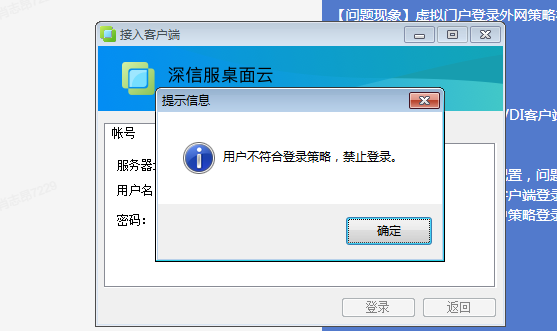
Effective troubleshooting steps
- View Users use different login pages Settings Policy Log In User
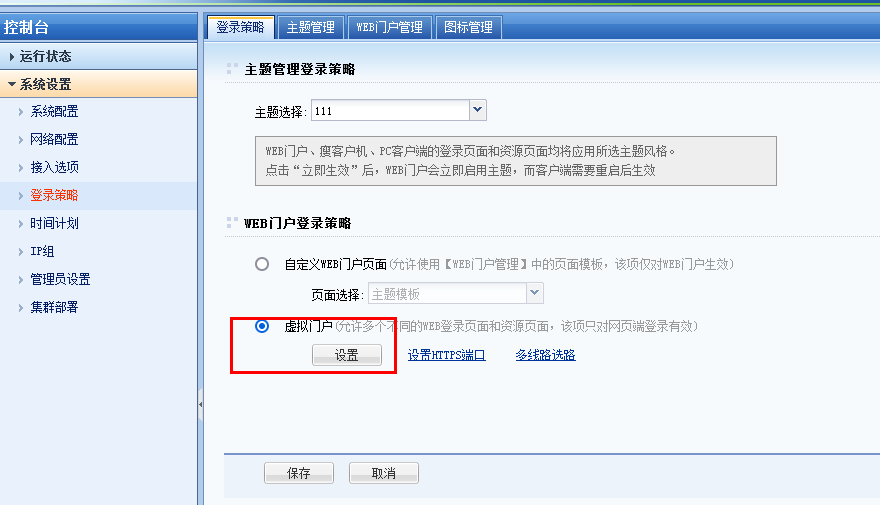
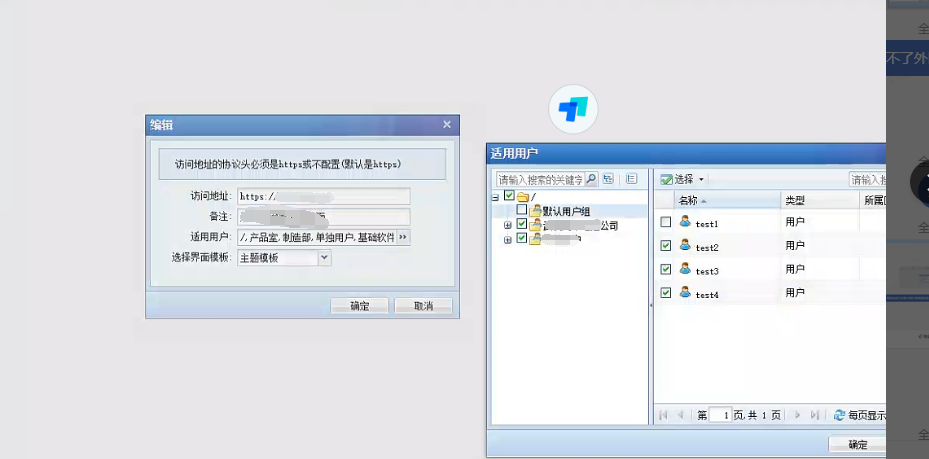
- There is a Domain Policy in the Log In policy. The Test Connectivity By Webpage Log In Connected, but the vdi client login Tips that Log In DenyLog In

Root cause
The principle of Log In Policy restriction is to check the host value in User Log In request header. When logging in on the intranet, the IP address address is the same as the host Value, which can match Policy Log In policy. When Log In from the external network, Domain will be resolved into an IP first. When the request is made to the VDC, Domain is resolved into the external network Source IP, resulting in a mismatch because Domain and the internal network IP address Yes Settings here.
solution
The IP address Domain resolution Add to the Log In Policy and associated with User. The vdi client uses the IP address to access the solution.
Suggestions and Conclusion
By Webpage host is Yes Domain when Log In via the web page. The client needs to use the IP address Domain to Log In Users use different login pages
Original Link
https://support.sangfor.com.cn/cases/list?product_id=26&type=1&category_id=13773&isOpen=true