
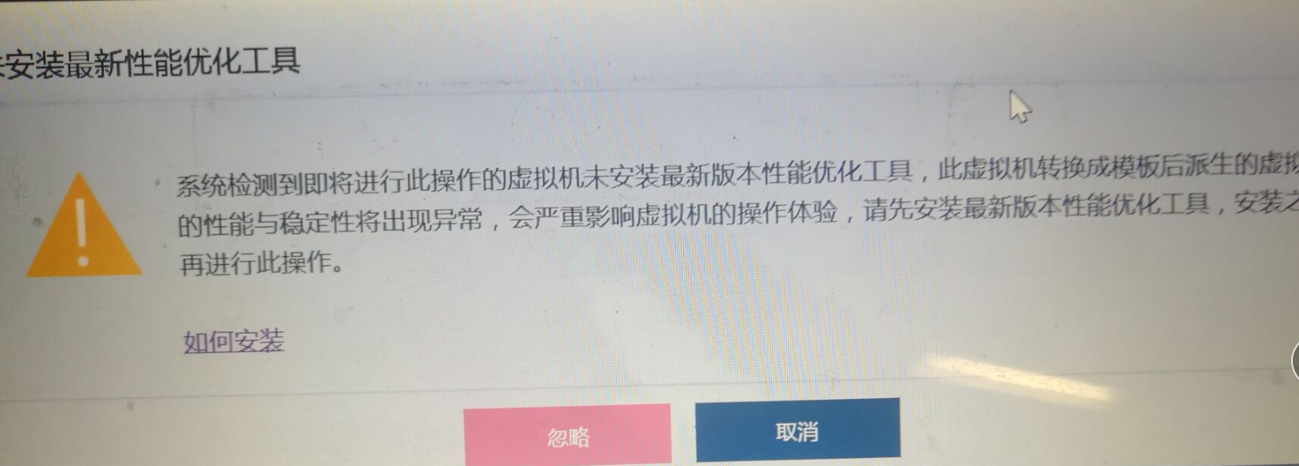
[aDesk] VM to a Template, Tips “The latest performance optimization tool is not installed” appears.
Problem Description
VM to a Template, Tips "The latest performance optimization tool is not installed" appears
Warning Information
185885bcaad826337f.png (719.48 KB)
Process——
- When the VM is converted to a template, the Tips "The latest version of the performance optimization tool is not installed" appears;
- Auto unlock after [VM] – [More] – [Details Status] View that the performance optimization tool Install VM;
- According to Tips "The latest performance optimization tool is not Install", try uninstalling and reinstalling.
Root cause
The Agent Version of the VM is inconsistent AND the Version the VDC and is not the latest version.
solution
- Auto unlock after "%vdi%" in [Start], View vdi directory, find "uninst" and double-click Running, and uninstall the Agent;
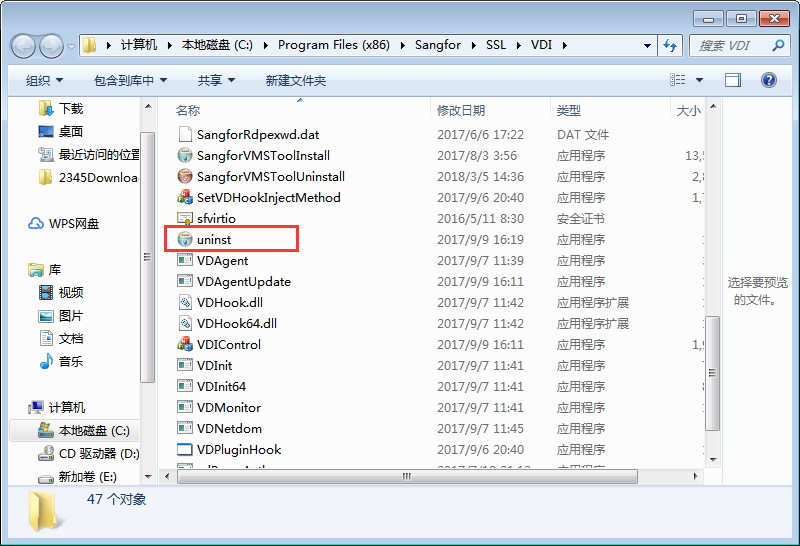
481655bcacec67be52.png (105.18 KB) - Re-download and Download Install Agent.
Method Mon: Configure Set IP Address VM, log Auto unlock after VM, Log In Download Agent, and Reinstall;
Method Tue: Use Remote Desktop or shared File to copy the Agent Download from VDC to the virtual machine and reinstall Install.
3 , reinstalling the Agent, the VM is Successful converted to a Template.
Original Link
https://support.sangfor.com.cn/cases/list?product_id=26&type=1&category_id=10534&isOpen=true