
[aDesk] When copying File to VM, Tips Error code is displayed: 0x8007046A: Insufficient server Storage Space, unable to process this command”
Problem Description
When copying File to VM, Tips Error code is displayed: 0x8007046A: Insufficient server Storage Space to process this command."
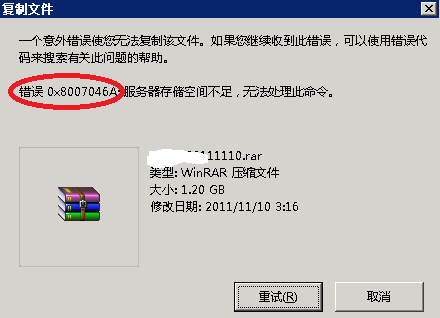
Process——
- OK the virtual Storage Space is sufficient
- View the remaining space on VM disk is sufficient
- View VM System Logs shows that Service server's Settings parameter "irps4tacksize" is too small to allow Service server to use local devices. Please increase the value of this parameter
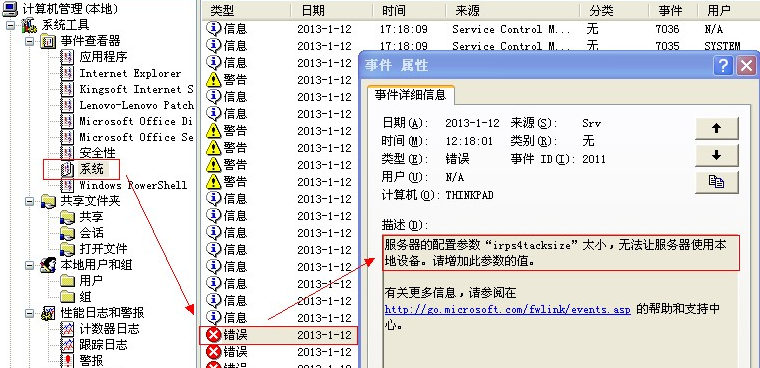
solution
- Enter "regedit" in the Registry to Open registry;
- Find the Path HKEY_LOCAL_MACHINE\SYSTEM\CurrentControlSet\Services\LanmanServer\Parameters\IRPStackSize and change Value to 15.
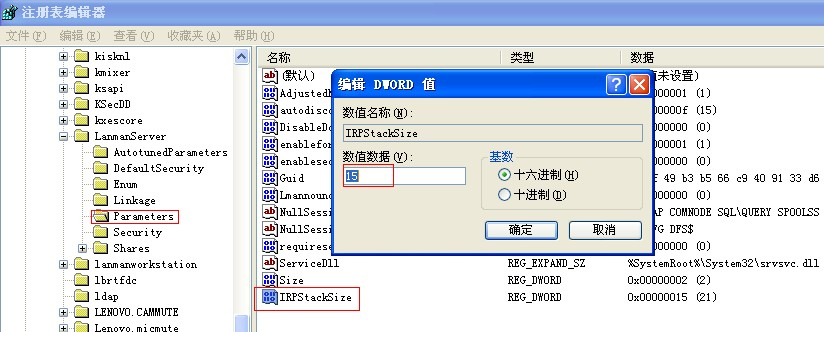
- Reset service or Reset VM.
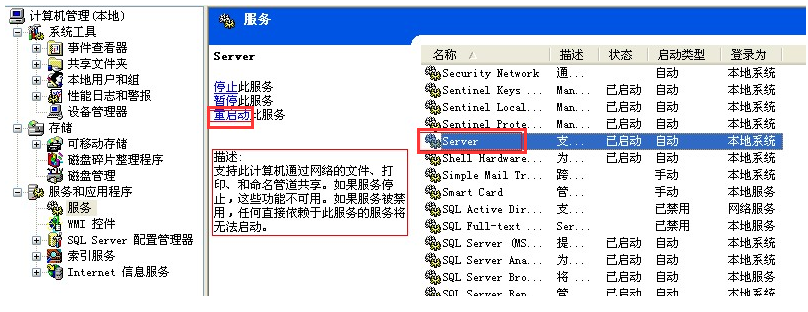
Original Link
https://support.sangfor.com.cn/cases/list?product_id=26&type=1&category_id=10616&isOpen=true