
[adesk] win10 VM disk partition compression volume error
Problem Description
When VM is partitioning the disk and compressing the disk volume, an error is reported: The service cannot be started. Cause may Yes it has been Disabled or the device associated with it has not been started.
Warning Information
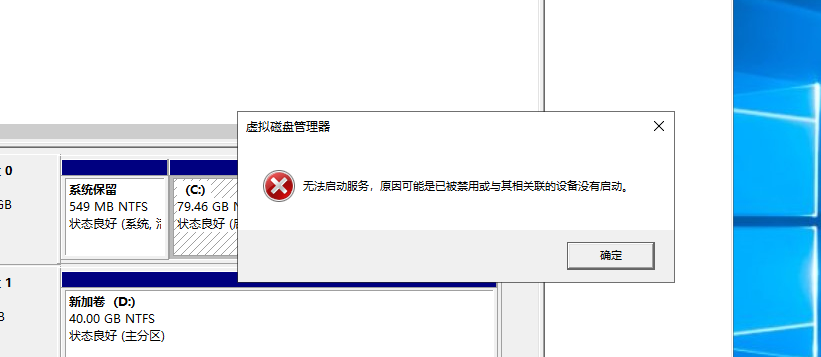
700925f3144d1ed993.png (71.37 KB)
Process——
- The win7 VM also has the same error, Enabled Disk Defragmenter Service. However, when the win10 VM tried to Open Disk Defragmenter Service, it was found that the win10 VM did not have this Service.
- The Windows 10 physical machine also has the same error, and there is no Disk Defragmenter Service
- Enable the Optimize drives Service to perform the compression volume Operation
Root cause
Related Service are not Enabled
solution
Enable the Optimize drives Service
Suggestions and Conclusion
If the error message is the same for and VM, you can try the method of Baidu and Google.
Original Link
https://support.sangfor.com.cn/cases/list?product_id=26&type=1&category_id=10956&isOpen=true