
[adesk] Win7 VM cannot Enabled shared access error 0x80004005
Problem Description
Unable to Enabled shared access, Error 0x80004005.
Warning Information
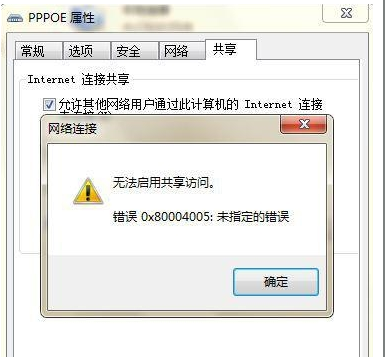
Effective troubleshooting steps
- Right-click Blank a blank area on View taskbar, enter — Task Manager — Switch to the Service tab, and Click Service button
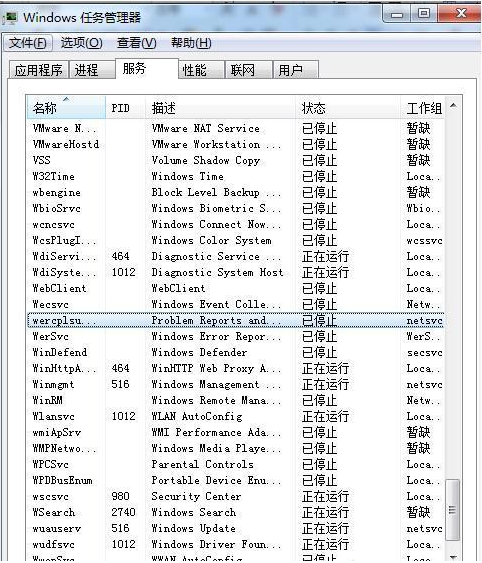
- Then go to this interface
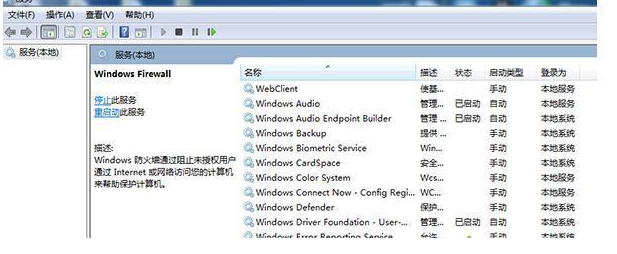
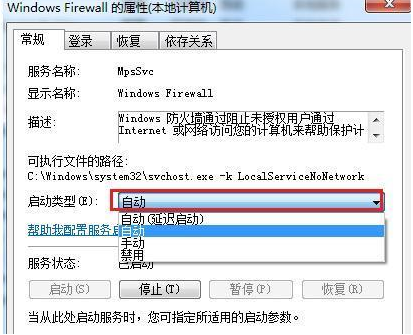
- Find: Windows Firewall Service, right click and start.
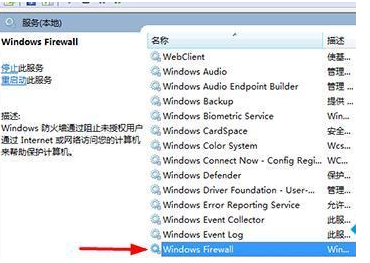
- After starting,click it, View – Type, and set the Service Type of the service to automatic: (Automatic means: this service will be automatically started every time the Service is turned on).
Root cause
Windows Firewall Yes system's firewall. Turning on Firewall firewall can effectively isolate network hackers or Trojan virus attacks. Enabled shared access in Win7 requires security protection, and Failed will occur without the protection of a Firewall, so users are advised to keep Firewall turned on for a long time.
Original Link
https://support.sangfor.com.cn/cases/list?product_id=26&type=1&category_id=11815&isOpen=true