
[aDesk_SBC Remote App] Remote App server User verification Error, please contact administrator to View agent log
Problem Description
When I use the aDesk vdi to deploy Remote App and Click application Auto unlock after the Resource interface, Tips "Request for Remote App Resource Settings Failed" and "Remote App server User verification Error, please contact administrator to View agent log" appears.
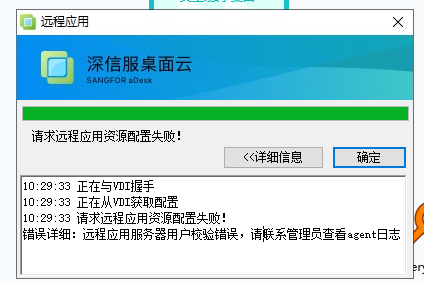
Warning Information
"Request for Remote App Resource Settings Failed"
"Remote App server User verification Error, please contact the administrator View contact administrator to"
Root cause
"Use the User and Password for logging in to vdi" is Select in the Policy group, but app server not added to the domain, OR the vdi User does not log in using a domain User – when User Connected the app server, app server has no relevant User Details, so User cannot Login to Remote Server to establish a session
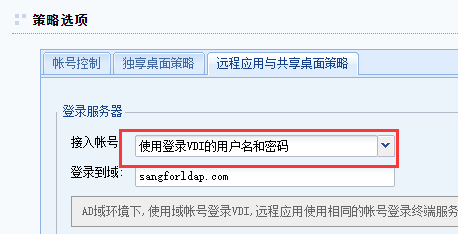
solution
Change to "Create Windows account as per vdi account", or add the app server domain, OR let the vdi User Log In using the domain user
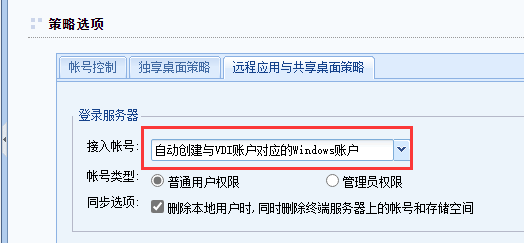
Suggestions and Conclusion
"Automatically Create Windows account AND to the vdi account" Applied to User/Group non-domain environments;
"Use the user name and User Log In vdi" Applied to User/Group domain environment.
Original Link
https://support.sangfor.com.cn/cases/list?product_id=26&type=1&category_id=11844&isOpen=true