
[VDI] Uploading ISO image prompts that the size exceeds 10G, and upload is not allowed
Issue Description
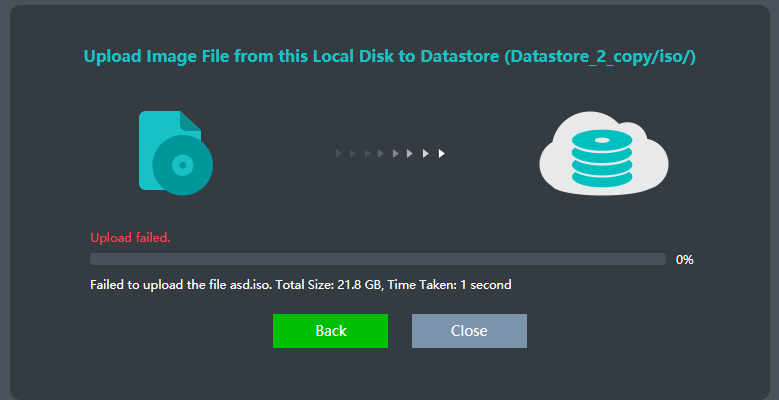
Uploading an ISO image fails with a prompt indicating that the size exceeds 10GB, and the upload is not allowed.
Error/Warning Information

Handling Process
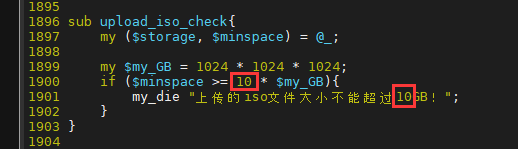
- Modify the code in
/usr/share/perl5/VTP/VAPI/Restore.pmon each host. Update the value marked in the red box (as shown below) to 15GB. Avoid setting it too high.
- After completing the modifications, restart the following services on all hosts (This will not affect virtual machine business).
vs_cluster_cmd.sh e "/sf/etc/init.d/vtpdaemon restart"
vs_cluster_cmd.sh e "apache2ctl restart"
Root Cause
Code level has limitations
Solution
Modify the backend code to increase the upload size limit.