[VDI] VDC cannot display the IP of the virtual machine
Issue Description
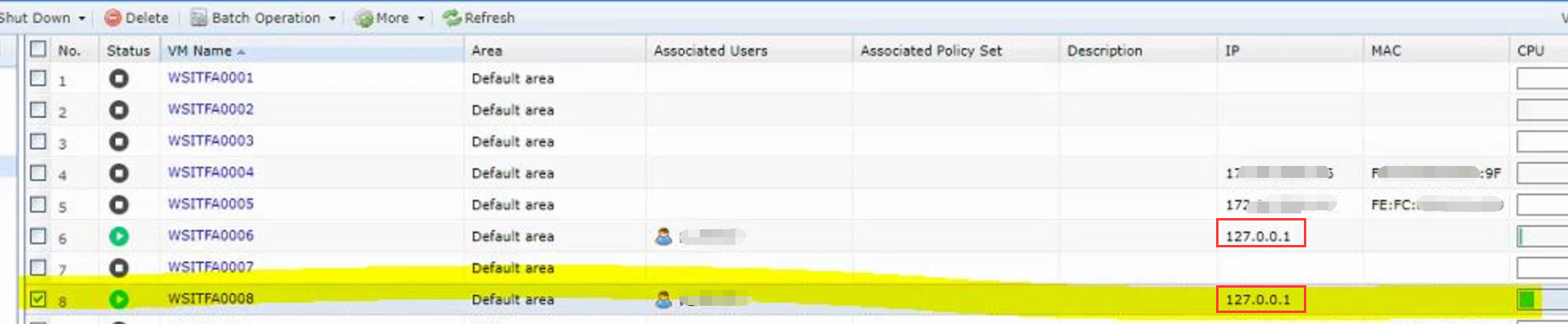
After applying some security patches during a Windows update, the VDC cannot display the correct IP address of the virtual machine. For some virtual machines, the IP address appears as 127.0.0.1.
Error/Warning Information
Handling Process
- Navigate to VDI Options>Virtualization Platform>Virtual Machines and check the agent status of the virtual machine is normal.
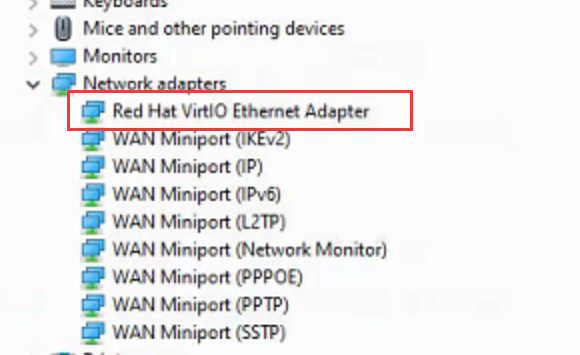
- Open Windows Device Manager, it was found that the network card of the virtual machine is not the Sangfor FastIO Ethernet Adapter.
Root Cause
The wrong virtual network interface was configured.
Solution
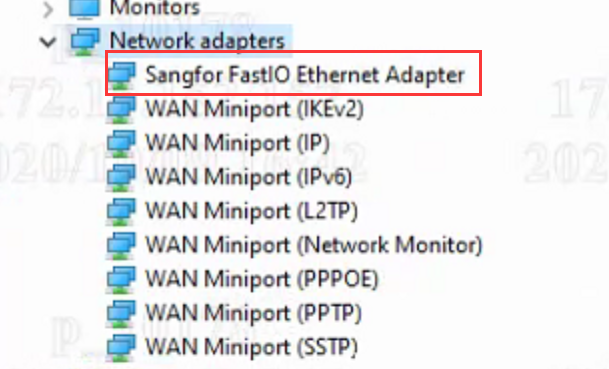
- Uninstall and reinstall the agent. This will update the relevant network card driver of the virtual machine. The correct network adapter should appear as shown below: